
Outgrown Your Basic Contact Form? 15 Things a Free WordPress Form Plugin Should Do in 2026
- Category
- Article
- Published
- Updated
- Reading time
- 10 min
- Tags
A free WordPress form plugin in 2026 should do more than email you the fields. At minimum it should save every entry, send emails that look like your business, tell you whether each email was delivered, stop spam without making visitors solve a puzzle, and let you build the form visually. The best free plugins now also generate PDFs, collect signatures, sync to your mailing list and track conversions in GA4. Below are 15 checks, each answered with what the free CraftForms Community edition does: no submission limits, no plugin branding, no credit card.
If you run Contact Form 7, you’ll recognise most of the “before” lines. CF7 has been the default for a long time, and for a simple contact form it still works. It’s free, it’s light, and it has a huge community. But a lot of its one-star reviews on WordPress.org share one complaint: an update broke something. Many others are about basics that newer plugins now ship free. This list is for the moment you start asking what else is out there.
TL;DR
- Build and look: visual builder in the block editor, a setup wizard, theme-aware styles.
- Never lose a lead: every entry saved and exportable; an email log that shows delivery status.
- Look professional: branded HTML emails, PDFs with QR codes, signature field, a thank-you that shows the visitor’s answers, multi-step forms.
- Keep spam out without a CAPTCHA puzzle.
- Connect: Mailchimp, Brevo, FluentCRM, MailPoet, webhooks, Telegram, GA4.
- Reach more people: translate the form, its emails and PDFs.
- All of the above is free in CraftForms. Conditional logic, file uploads, price calculations, payments and bookings need a paid plan (box below).
- Moving from CF7 is a few clicks with the free importer.
Building the form
1. You build the form visually, not in markup
Before: you write form tags like [text* your-name] in a text box, then paste a shortcode into the page.
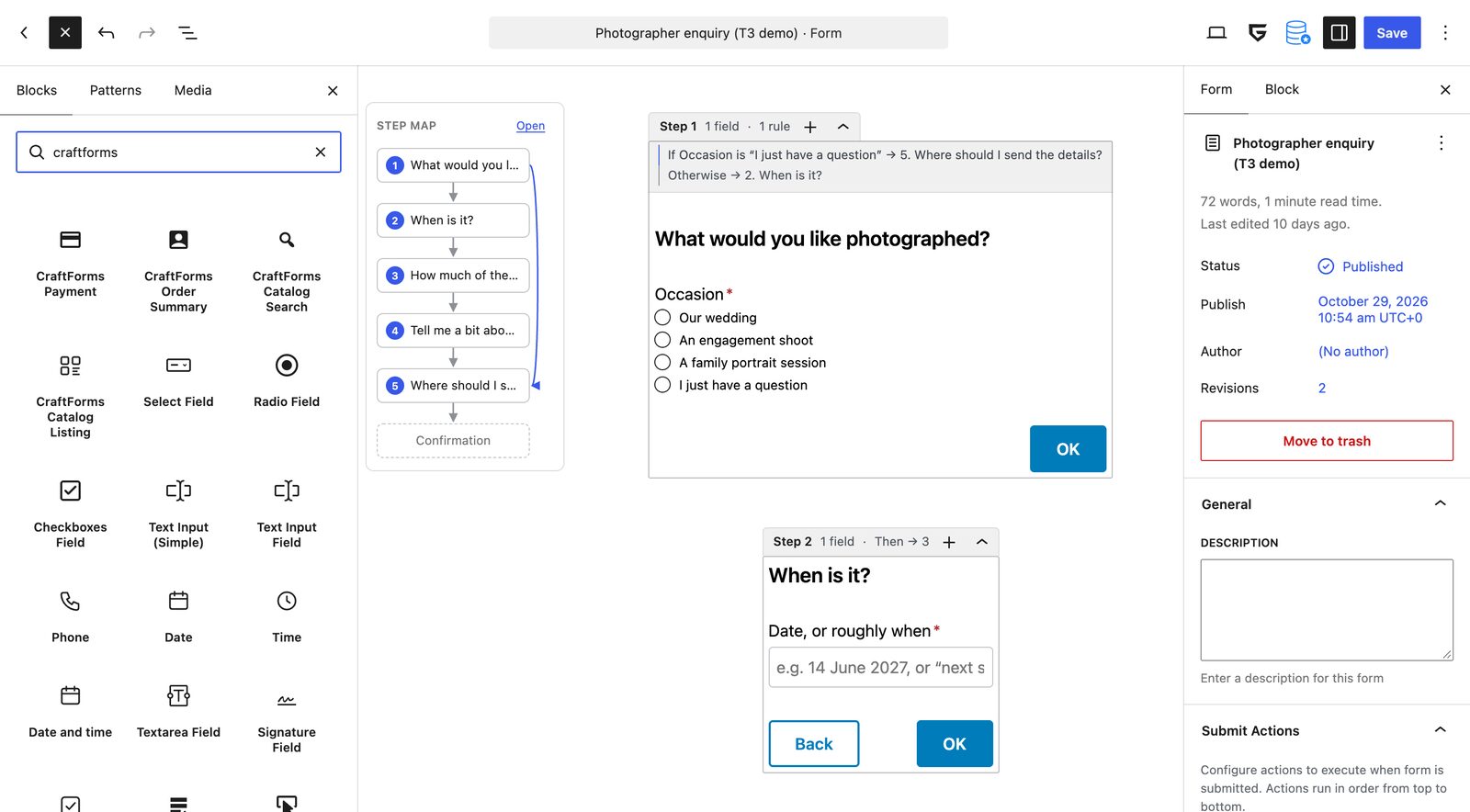
What to expect now: a form you build where you build pages. CraftForms forms are native Gutenberg blocks: fields, columns, headings and buttons, with a live preview and no separate interface to learn. The setup wizard goes further: pick a goal (“contact”, “quote request”, “booking request”) and it builds the form, a branded email and a PDF, and publishes them.
2. The form fits your theme without CSS
Before: the form looks like it came from another site, and changing a button label or field width means writing CSS (or waiting to see what the next update changes).
What to expect now: forms that inherit your theme’s fonts, colours and spacing. CraftForms has two theme-aware styles, Default and Modern, and every field is a block you can style like any other.
3. Every entry is saved, searchable and exportable
Before: the form sends an email and keeps nothing. If the email goes missing, so does the lead. In CF7 you install Flamingo, a separate plugin by the same author, to keep copies.
What to expect now: a submission database built in. In CraftForms every entry is saved in your own WordPress database, searchable and sortable, and exportable as CSV or JSON whenever you like. The Enquiries page gives you a card per person, so a request reads like a conversation, not a row in a table.
Emails that work and look right
4. Emails look like your business
Before: “New message from your website”, then Name: / Email: / Message: in plain text. CF7 can send HTML, but you write the HTML yourself.
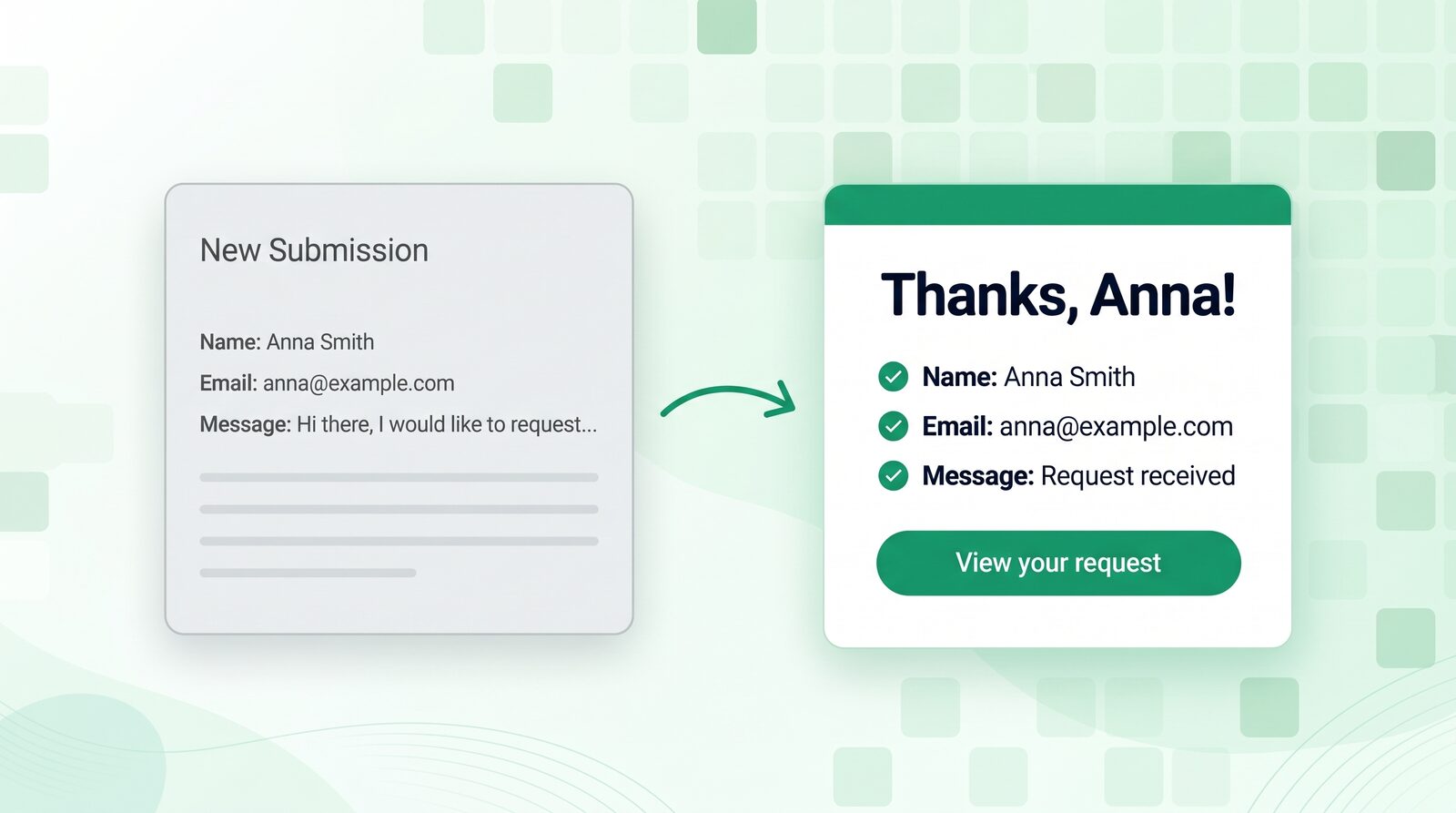
What to expect now: an email designer. CraftForms emails are designed in the block editor, like a page: your logo, colours, a greeting with the visitor’s name, a summary of their answers, a button. They’re responsive and use {field} variables. One template can serve many forms. Guide: Build branded email templates in WordPress.
5. You can see whether each email arrived
Before: the visitor says they never got the confirmation, and you have no way to check.
What to expect now: an SMTP manager and an email log, both free. You can add several mail servers and see a live delivery status, and the log keeps a record of every email sent with recipient, subject and time. When something fails you see it on the same day, not when a customer complains. Guide: Best free SMTP for WordPress.
Spam without a puzzle
6. Spam is blocked and visitors solve nothing
Before: reCAPTCHA. It loads Google’s script, sometimes fails, and asks real customers to pick out traffic lights. Several CF7 one-star reviews are just “it doesn’t work with reCAPTCHA”.
What to expect now: checks that happen out of sight. CraftForms scores how a visitor interacts with the form (mouse, focus, keystrokes, timing, pasting) and blocks submissions that look automated, and the server runs its own checks on top. There’s no third-party script and nothing to tick or solve. How it works: How CraftForms stops WordPress form spam without a CAPTCHA.
After the visitor clicks Submit
7. The thank-you knows who submitted
Before: “Thank you for your message. It has been sent.” in a small box, with the filled form still on screen.
What to expect now: a Confirmation block that replaces the form. It greets the visitor by name, shows a reference number and their answers, and changes its wording based on what they picked. Guide: Custom thank-you message after a WordPress form.
8. Long forms are split into steps
Before: one long page of fields, and people leave halfway.
What to expect now: steps with Next/Back buttons, checks on each step before moving on, and a progress bar, all free. (Skipping steps based on an answer, and the one-question-at-a-time conversational layout, are paid.) Guide: How to build a multi-step form in WordPress.
9. The form can produce a PDF
Before: you copy answers into a Word template to make the invoice, ticket or certificate.
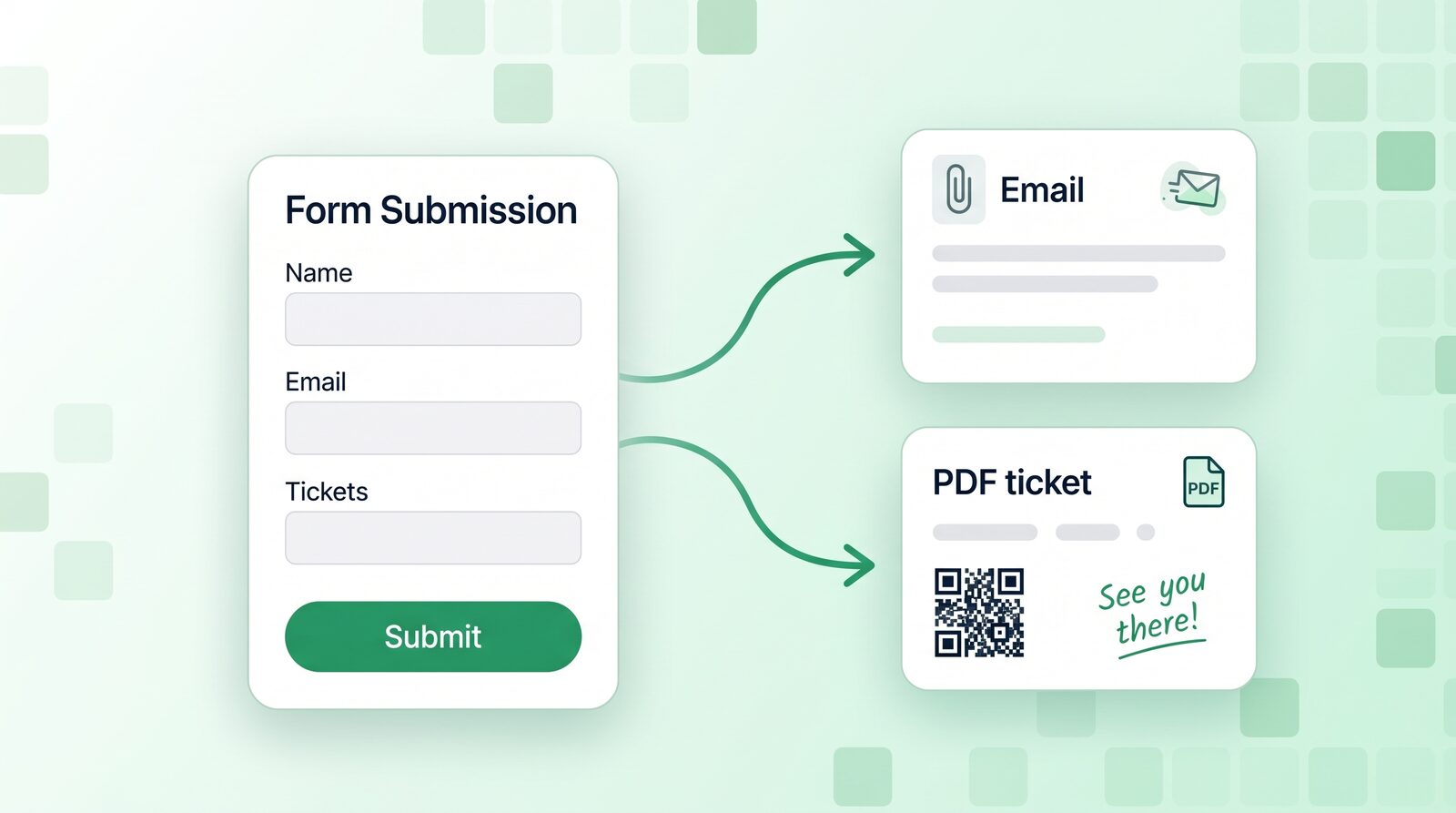
What to expect now: a PDF designer in the block editor. CraftForms turns each submission into a PDF (an invoice, a ticket, a booking confirmation) with QR codes and barcodes, attached to the email and saved with the entry. Guide: Generate PDF invoices, tickets and confirmations from a WordPress form.
10. Customers can sign
Before: you print, they sign, they scan it, they email it back.
What to expect now: a signature field. Customers sign with a mouse or finger, and the signature appears in the email and the PDF. Guide: WordPress form signature field, free, with PDF.
11. Each action runs only when it should
Before: every submission sends the same email to the same address.
What to expect now: a Run only if condition on every action. Send the email to sales only when “Quote” is picked, attach the PDF only when the visitor asked for one, fire the webhook only for one country. The condition is checked on the server. (Showing and hiding fields as the visitor types is conditional logic, which is in the paid plans.)
Connecting to the rest of your tools
12. Sign-ups go straight to your mailing list
Before: you export a CSV and import it into your newsletter tool, or pay for a connector. To be fair, CF7 has a few integrations built in.
What to expect now: Mailchimp, Brevo, FluentCRM and MailPoet in the free version, with live lists and tags, field mapping, double opt-in, and an activity log with retry when a sync fails.
13. Submissions reach any other app
Before: a third-party “CF7 to webhook” add-on, or a paid connector.
What to expect now: webhooks to Zapier, Make, n8n or any URL, free, with each submission posted as JSON. For a quick heads-up on your phone there’s Telegram: a message for every new request. Guide: Send WordPress form submissions anywhere with webhooks.
14. You know which forms convert
Before: you build a thank-you page just to count conversions, or install an analytics add-on.
What to expect now: submission tracking in GA4, switched on for every form, with no extra plugin. Guide: Track form submissions in GA4.
15. The form speaks your visitors’ languages
Before: a copy of each form per language, and the emails stay in one.
What to expect now: one form translated, with its emails and PDFs, through a glossary, CSV/XLIFF files, and WPML or Polylang if you use them. All free. Guide: Translate a WordPress form into several languages.
Three more you might not expect from a free plugin
- AI can build your forms. Connect your own AI assistant over MCP and ask for “a quote form with name, email, service and project details”. It creates the blocks for you. There’s no API key in the plugin. Guide: How to use MCP to build WordPress forms.
- Date, Time, Date-and-time and Consent fields, plus reference numbers the form generates (MEM-2026-0001).
- No submission limits and no “powered by” branding, so the free version is free to keep, not a trial.
What needs a paid plan
To be clear about it:
| Free (Community) | Paid (Indie, Startup) |
|---|---|
| Everything in the 15 points above | Conditional logic: show, hide or disable fields as the visitor answers |
| Multi-step forms with progress bar | Jump rules and the conversational layout |
| Run only if on every action | File uploads |
| Webhooks, newsletter sync, Telegram | Live price calculations, price matrices, product configurators, WooCommerce options |
| PDFs on submissions | Payments (Stripe, PayPal, Mollie, Square), PDFs on WooCommerce orders |
| Bookings with inventory and iCal sync | |
| REST API and embed for other sites, Flows, user registration |
If your form is a contact or enquiry form, the free version covers it. Pay when a form becomes part of how you sell: prices, payments, bookings. Current prices are on the pricing section.
Is switching from Contact Form 7 worth it?
If your CF7 form is a name, an email and a message, the emails arrive, and you don’t need the entries kept, you may not need to switch. CF7 does that job.
Switching is worth it when one of these sounds familiar:
- you’ve lost a lead because an email didn’t arrive and nothing was saved
- your confirmation emails look nothing like your business
- you’ve added Flamingo, a CAPTCHA plugin, a PDF add-on and a webhook add-on, and you now keep four plugins up to date for one form
- an update changed your form’s markup or styling, and you found out from a customer
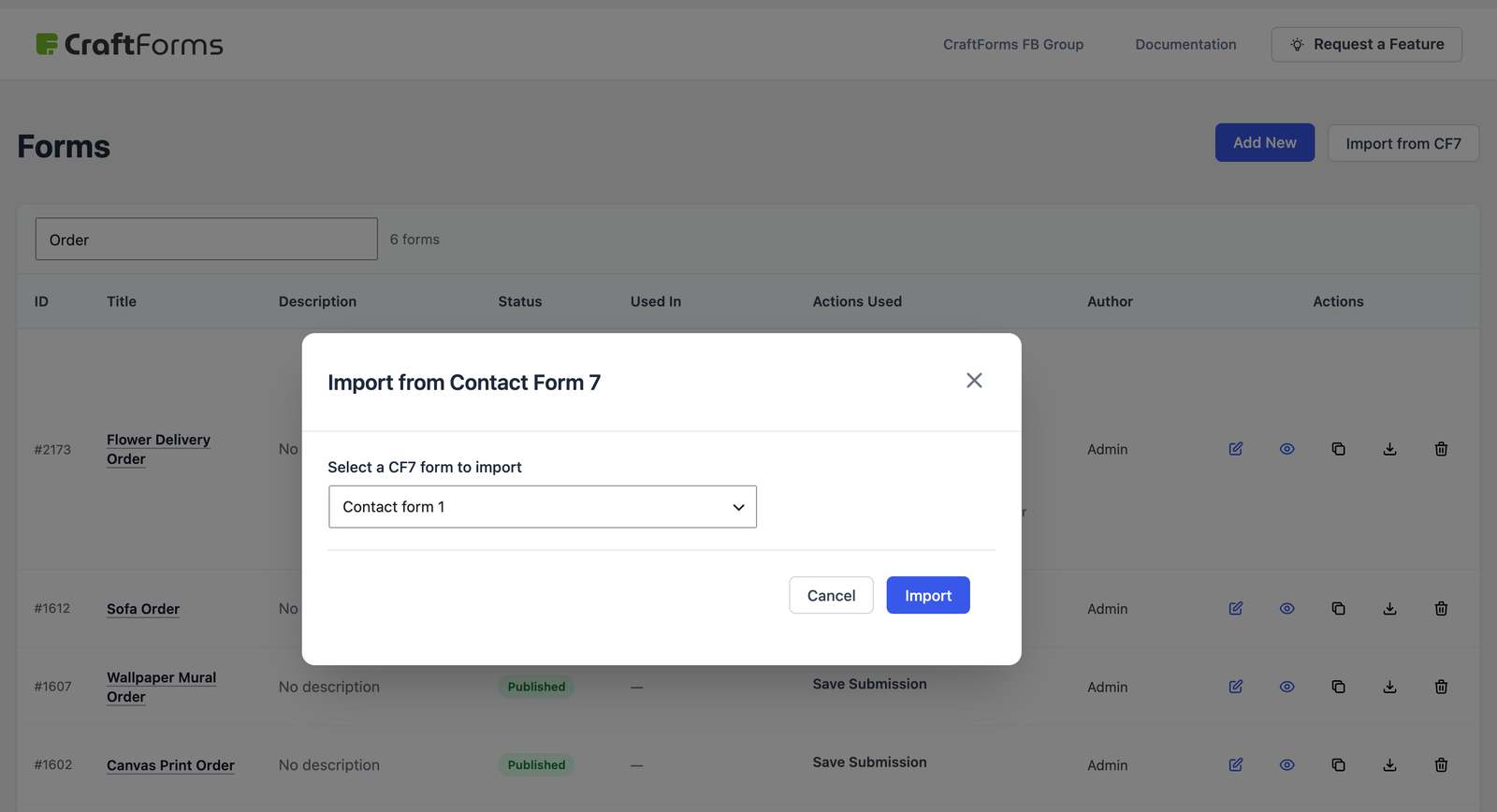
Moving takes minutes. CraftForms has a free Contact Form 7 importer: it reads your CF7 forms and rebuilds them as blocks, and you keep CF7 installed until you’re happy. Step by step: How to migrate from Contact Form 7 to CraftForms. Coming from WPForms, Gravity Forms or Fluent Forms instead? Their forms and entries import free too.
FAQ
What is the best free WordPress form plugin in 2026?
It depends on what happens after Submit. For a basic message form, Contact Form 7 still works. If you want entries saved, branded emails, a delivery log, PDFs and spam checks without a CAPTCHA in the free version, CraftForms Community covers all of those with no submission limits.
Does Contact Form 7 save submissions?
Not by itself. CF7 sends the email and stores nothing. Its author’s separate Flamingo plugin keeps copies. Most newer form plugins, including CraftForms, save every entry by default.
Can a free form plugin send HTML emails?
Yes. In CraftForms you design the email in the block editor, with your logo, the visitor’s answers and buttons, and it’s free. CF7 can send HTML, but you write the HTML yourself.
Do I need reCAPTCHA on a WordPress form?
No. Behavioural checks block most bots without showing visitors anything, and they don’t load Google’s script. CraftForms does this in the free version.
Will my existing CF7 forms keep working while I try CraftForms?
Yes. Both plugins can be active at the same time. Import your forms, swap them in page by page, and deactivate CF7 when you’re done.
Download CraftForms free. No submission limits, no branding, no credit card. Not sure it fits your form? Send us what it should do and we’ll build it on a demo site first, within 3 working days.