
How to Add a Signature Field to a WordPress Form (Free) and Put It in a PDF
- Category
- Tutorial
- Published
- Updated
- Reading time
- 7 min
- Tags
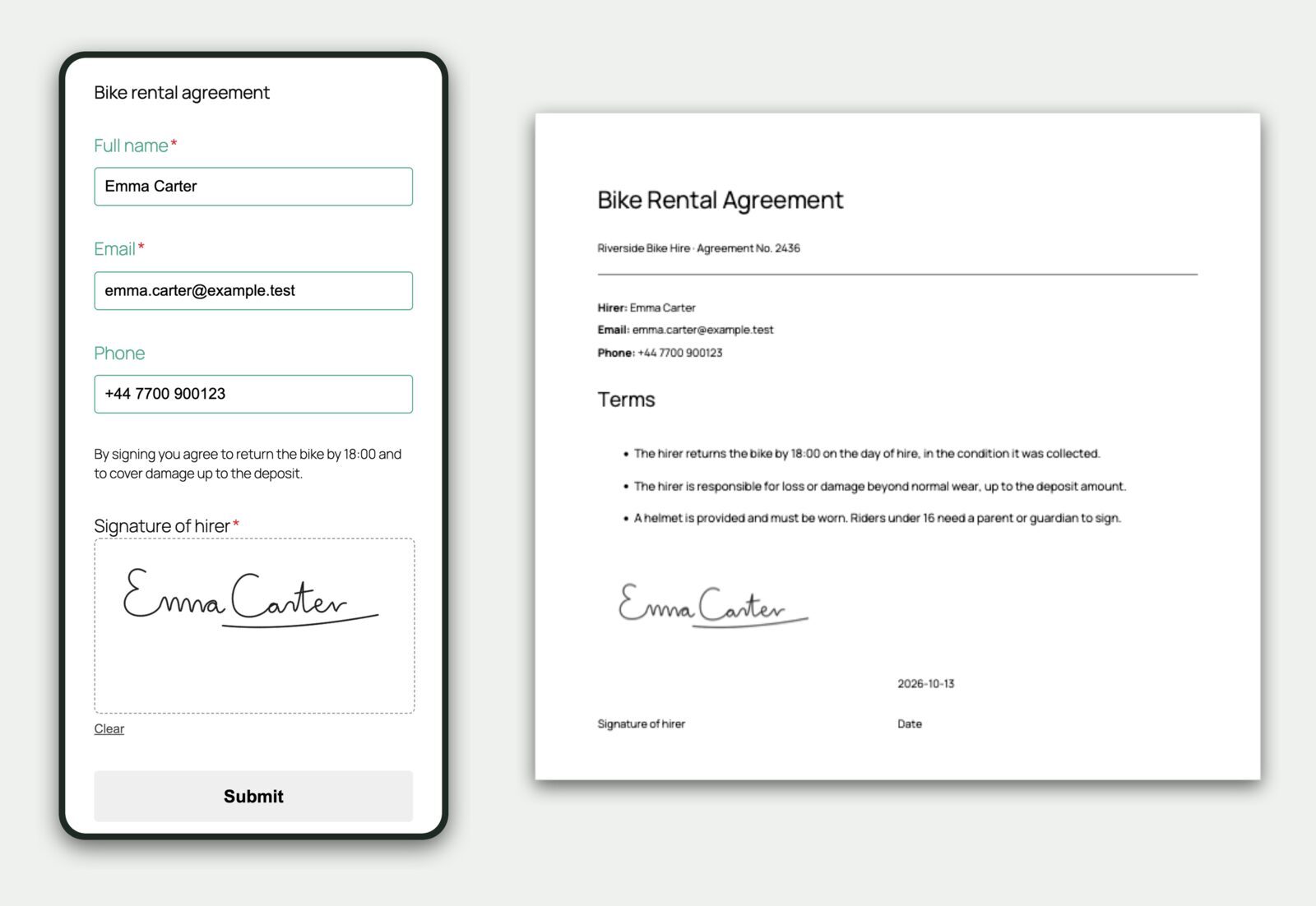
A WordPress form signature field lets customers sign with a finger, mouse or stylus instead of printing, signing and scanning a sheet of paper. For most small businesses that is the whole point. The rental agreement, the waiver, the insurance claim or the consent form gets signed on the spot, and a signed PDF lands in both inboxes.
Most form plugins sell that as two extras: a signature add-on, then a PDF add-on to get the signature onto a document. In CraftForms both are in the free plugin. This guide shows the setup, then five ways businesses use it.
TL;DR
- CraftForms has a free Signature Field block: a signing pad for a mouse, finger or stylus.
- The signature is saved privately with the submission as a PNG image, not in your public Media Library.
- One tag,
{{email.your_field.image_url}}, puts the signature in any PDF or email template, so signed contracts and waivers are generated for you. - On phones the page doesn’t scroll while people sign. The pad can be required, and it turns red if someone tries to send the form without signing.
- It captures an image of a handwritten signature. If a document legally needs an ID-verified (“qualified”) e-signature, use a dedicated e-signing service.
Why signatures on paper still slow you down
If you run a bike rental, a tattoo studio, a physiotherapy practice or a small insurance agency, you know the routine. The form is online. The signature isn’t.
So customers print and scan (few own a printer any more), or they sign at the counter while a queue forms behind them. Then someone types the details in by hand.
A signature field on the online form removes that last paper step. The customer fills everything in, signs at the bottom and presses Submit. You get the details, the signature and a ready-made PDF.
What you get with the CraftForms signature field
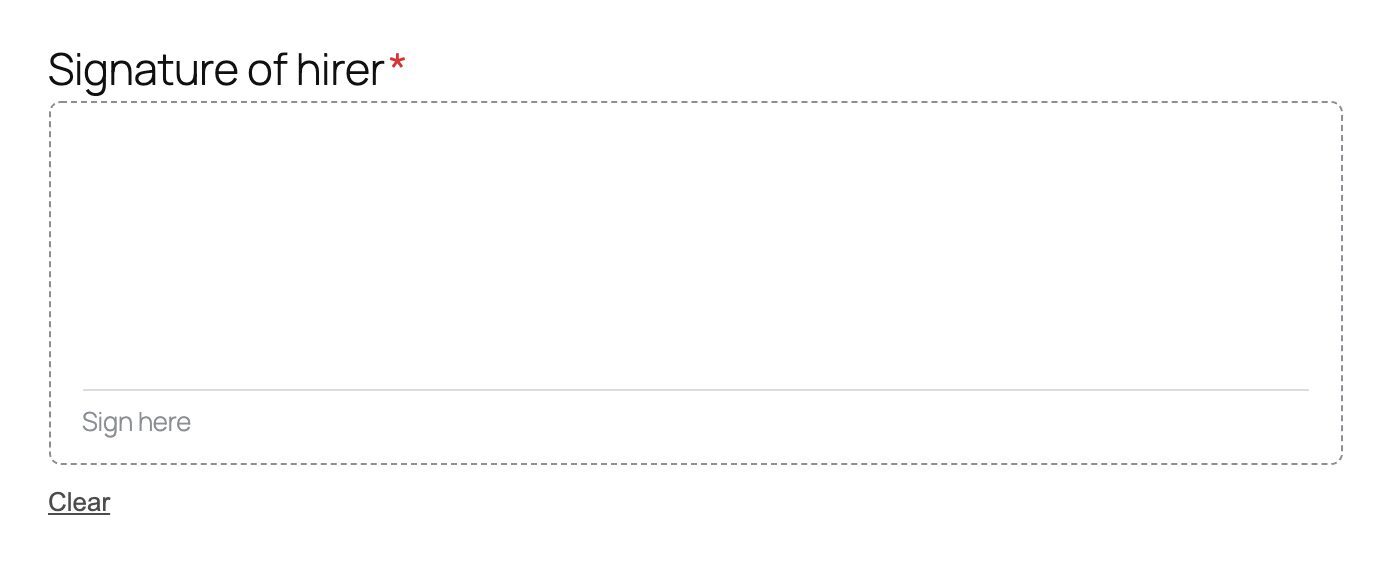
- A proper signing pad. A dashed signing area with a Sign here line, a Clear link to start over, and black or blue ink.
- Works on phones and tablets. A finger on the pad draws instead of scrolling the page. Rotating the phone redraws the same signature at the new size instead of stretching it.
- Required when you need it. Turn on Required and the form won’t send without a signature. The pad’s border and label turn red, with your own message, such as “Please sign before submitting.”
- Stored privately. Each signature is saved as a small PNG file that belongs to its submission. You’ll find it in CraftForms → Submissions and CraftForms → Files, never in the public Media Library, and it follows your retention and privacy settings.
- Ready for PDFs and emails. One tag places the signature in a PDF template or a branded email template.
How to add a signature field to a WordPress form
- In WordPress, go to CraftForms → Forms and open your form (or create one from a starter).
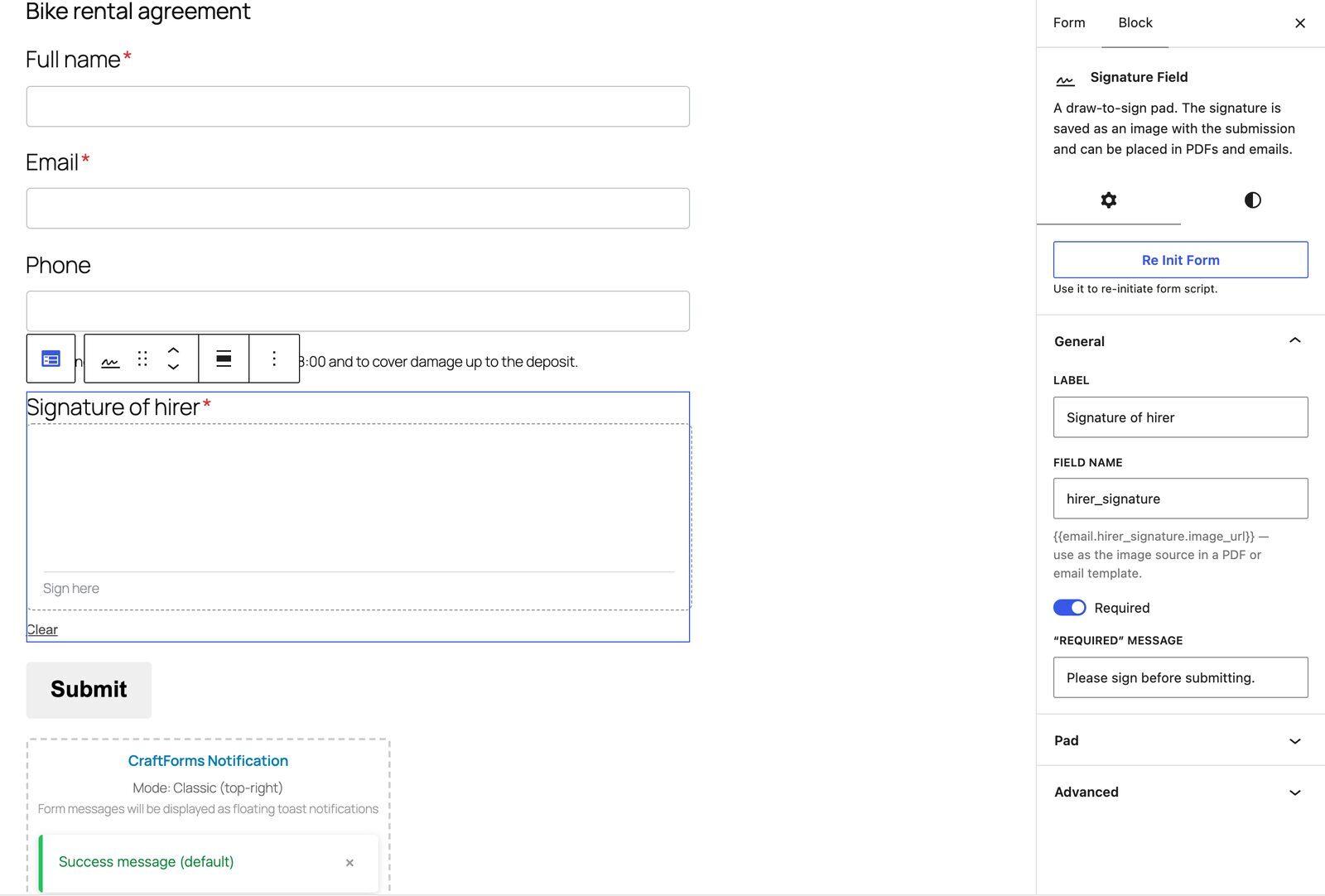
- Click the block inserter (+), search for signature and add the Signature Field block, usually just above the Submit button.
- In the block’s General settings, set the Label (for example “Signature of hirer”) and switch on Required. You can change the ”Required” message there too.
- Optional: in the Pad panel, change the Height (px), pick the Pen color, and edit the Hint inside the pad or the Clear button text, for example to translate them.
- Under Field Name, the block shows the tag for this signature, for example
{{email.hirer_signature.image_url}}. You’ll use it in a moment. - Save the form and place it on a page.
How do you put the signature into a PDF automatically?
This is where it becomes a real workflow: a signed document, generated the moment the form is sent.
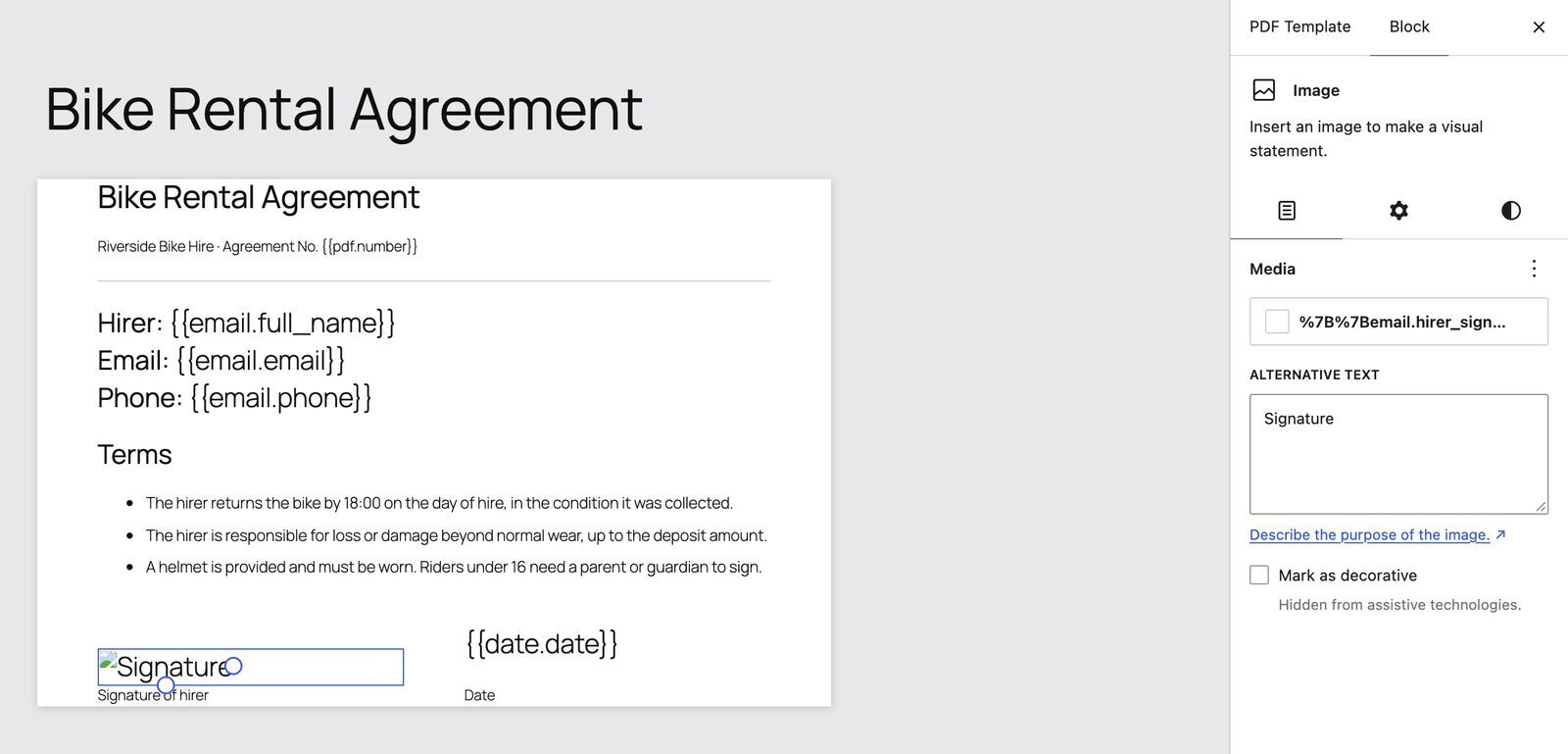
- Go to CraftForms → PDF Templates and create a template with your contract, waiver or claim layout. Add your logo, the terms, and the customer’s answers with tags like
{{email.full_name}}. - Where the signature belongs, add an Image block, choose Insert from URL and paste your signature tag. Nothing to type: in the Dynamic Data panel, pick your form under Select Form and copy the entry labelled signature image URL.
- Give the image a fixed width (250–300 px looks natural) and put the date next to it with
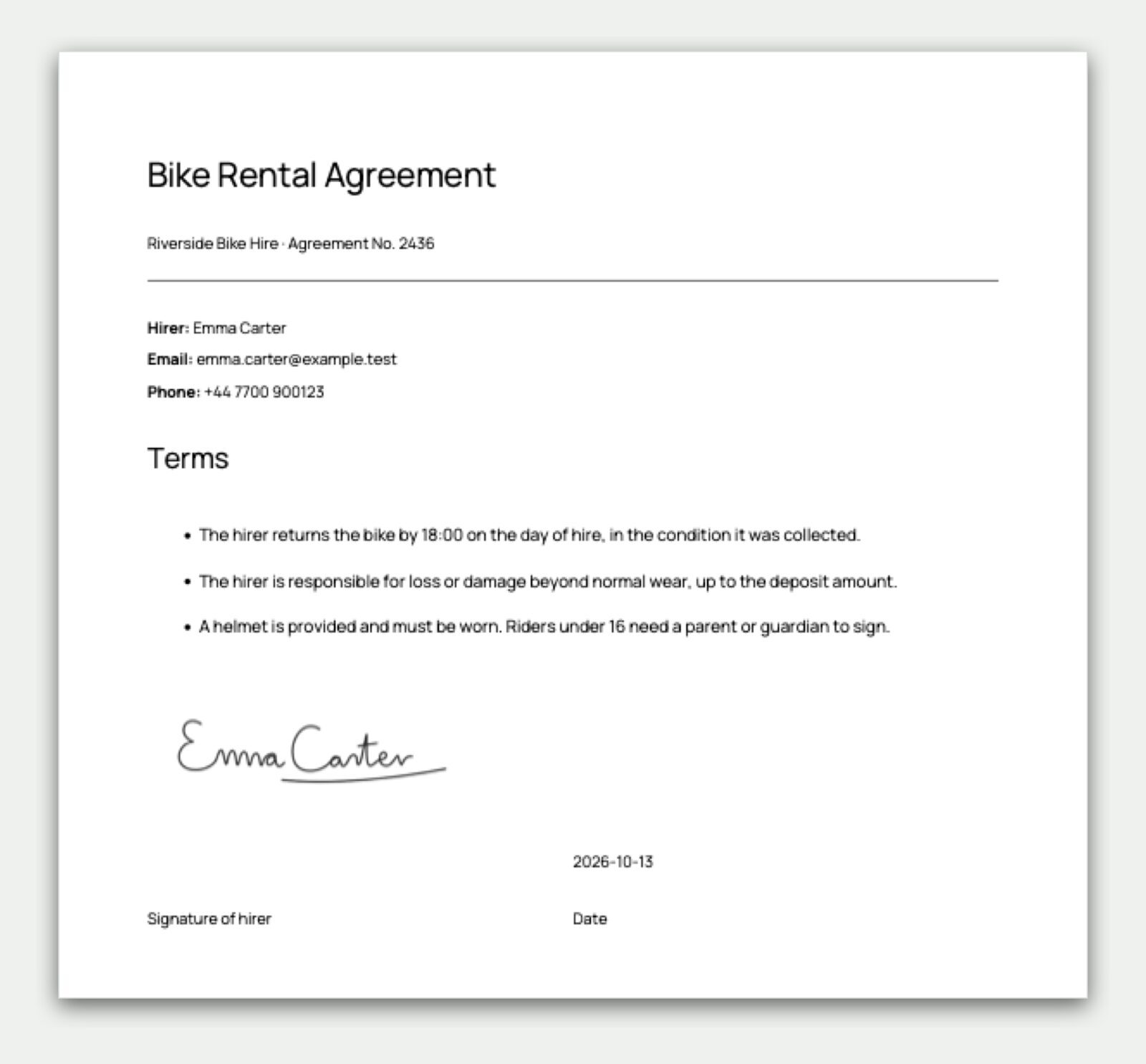
{{date.date}}. - In your form’s Submit Actions, open the Send Email (Template) action and choose the template under Attach PDF(s). The customer (and you) receive the signed PDF. To keep a copy with the submission, choose it under Attach PDF(s) in Save Submission as well. An action that already generated the PDF shares it, so it isn’t built twice.
For more on PDF design, see our guide to generating PDF invoices, tickets and confirmations from a WordPress form. For the email side, see branded email templates in WordPress.
Five ways businesses use a signature field

1. Equipment, bike and boat rental agreements
The customer books, reads the rental terms and signs before collecting. You get a signed agreement PDF with the booking details, deposit and ID number, and the counter queue disappears. It pairs well with a booking form like our seasonal boat rental booking form.
2. Waivers and liability releases
Gyms, climbing walls, tour operators, kayak hire and trampoline parks need a signed waiver before the activity. Send the form link with the booking confirmation, make the signature required, and every waiver is stored with its submission.
3. Consent forms for clinics, salons and studios
Physiotherapists, aesthetic clinics, tattoo and piercing studios and salons collect medical history and treatment consent. The client fills it in at home and signs. The practitioner opens a clean PDF before the appointment. See how a salon takes appointments online.
4. Insurance claims and incident reports
An agency or broker lets clients report a claim with photos (a File Upload field) and a signed declaration. The PDF goes to the insurer in the layout they expect. (This is the use case that got the field built: a CraftForms customer needed signed insurance PDFs.)
5. Delivery, installation and handover sign-off
A technician or driver opens the form on a phone, notes what was delivered or installed, and the customer signs on the screen. No more lost paper dockets.
Is a signature from a web form legally valid?
For everyday agreements, waivers, consent forms and internal sign-offs, businesses in most countries accept a drawn signature captured with the submission’s details and time.
Be careful with the wording, though. A drawn signature is not a qualified or advanced electronic signature, the kind that involves ID checks and certificates (for example under the EU’s eIDAS rules). If a law, your insurer or a contract specifically requires one, use a dedicated e-signing service. The block itself says so in its settings. When in doubt, ask your legal adviser. This article isn’t legal advice.
Signature fields in other WordPress form plugins
Plenty of form plugins offer signatures. The difference is what it costs to get a signed PDF:
- Several popular builders sell the signature field as a paid add-on, and the PDF as another.
- Some include a signature field, but getting the signature image into a PDF needs extra setup or a paid PDF add-on.
- CraftForms includes the signature field, the PDF builder and email templates in the free plugin, and they work together through the same tags.
FAQ
How do I add a signature field to a WordPress form? With CraftForms, open your form, add the Signature Field block from the inserter, set a label, switch on Required if needed, and save. Visitors can then sign with a mouse, finger or stylus.
Can I add a signature to a PDF from a WordPress form for free?
Yes. Add an Image block to a CraftForms PDF template and use your signature field’s image_url tag as the image address. Attach the template under Attach PDF(s) in your email action, and each submission produces a signed PDF.
Does the signature pad work on mobile? Yes. It works with a finger or stylus, and the page doesn’t scroll while the customer signs.
Where are the signatures stored? Each one is saved as a private PNG file linked to its submission, visible in CraftForms → Submissions and CraftForms → Files. They’re not added to the public Media Library.
Can I make the signature required? Yes. Switch on Required and set your own message. The form won’t send until the pad is signed.
Is a signature from a WordPress form legally binding? It’s widely used for agreements, waivers and consent forms, but it isn’t an ID-verified qualified e-signature. Check your local rules, or ask your insurer about documents with specific legal requirements.