
Track WordPress Form Submissions in GA4, With or Without GTM
- Category
- Tutorial
- Published
- Updated
- Reading time
- 7 min
- Tags
If you want to track form submissions in GA4 on WordPress, you’ve probably found it’s harder than it should be. GA4’s built-in “form interactions” misses forms that send without reloading the page. The Form Submission trigger in Google Tag Manager stops firing when your theme or button changes. The analytics plugins that do it reliably want a yearly licence.
CraftForms fixes it at the source. The form plugin is the only part of your site that knows when a submission actually went through, so it sends the GA4 event right then, with the form’s name and, for order or booking forms, the value. It’s free and switched on for every form. Below: what it sends, how to count it as a conversion, and how to use it with Google Tag Manager.
TL;DR
- CraftForms sends a GA4 event,
craftforms_submitby default, only after the server accepts the submission. That includes forms that redirect to a thank-you or payment page: the event goes out before the redirect. - Each event carries
form_name,form_idand the savedsubmission_id. Forms with a calculated price addvalueandcurrency. - If the Google tag is on your site (Site Kit, for example), there’s nothing to set up. With Google Tag Manager, it’s one Custom Event trigger.
- Mark the event as a key event in GA4 to count conversions per form, then import it into Google Ads.
- No personal data goes to Google. Field values are an opt-in, they go to the Tag Manager data layer only, and never to GA4 directly.
Why is tracking form submissions in GA4 so unreliable?
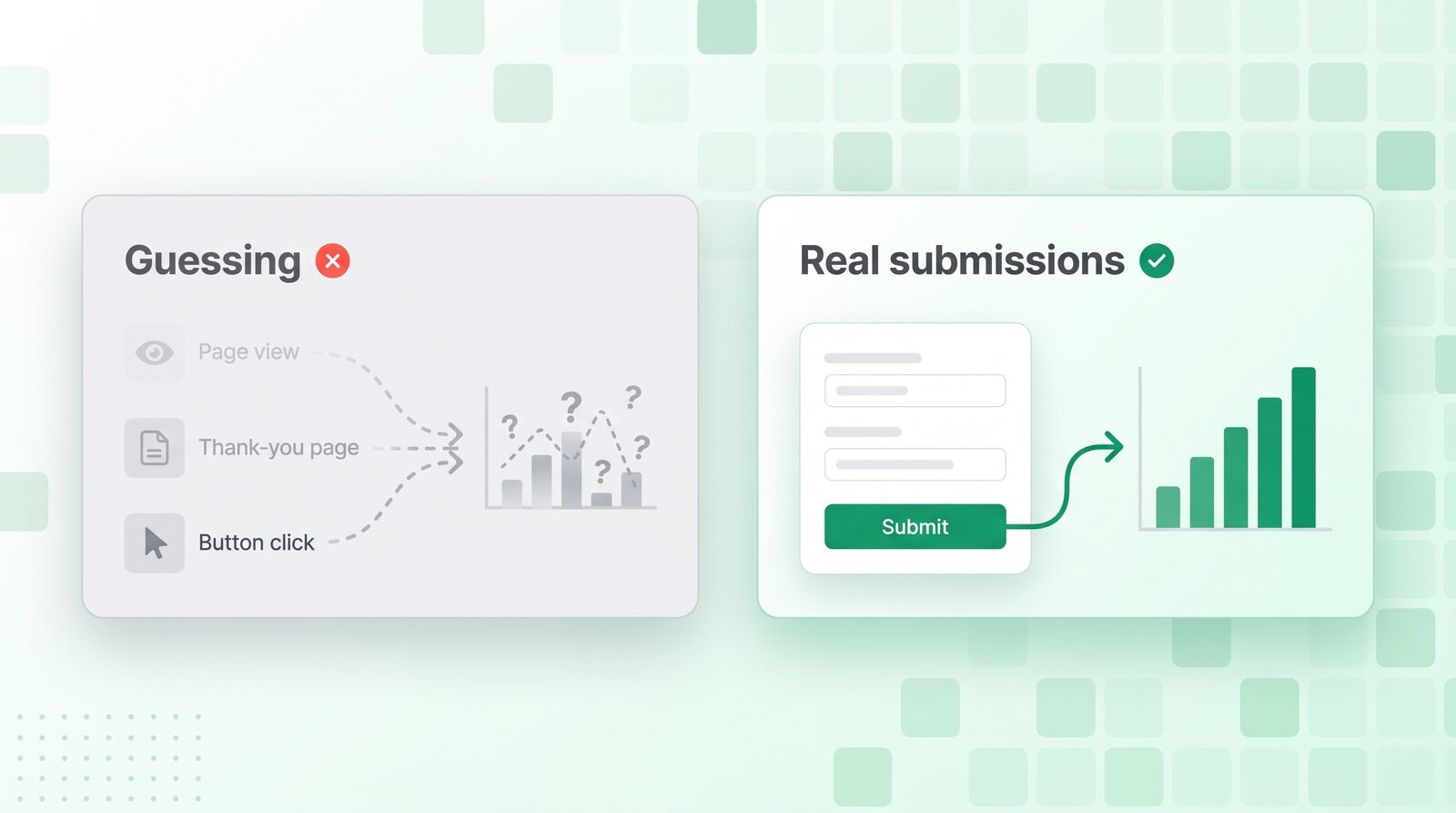
People usually try one of three things. Each has a catch.
- GA4 enhanced measurement (“Form interactions”). No setup, but it guesses. It listens for the browser’s own form submit, so it misses forms that send in the background, and it fires whether or not your server accepted the entry.
- Thank-you page views. Reliable, if every form redirects to its own thank-you page. Most forms show an inline “Thanks!” message instead, so there’s no page to count.
- Google Tag Manager’s Form Submission trigger. It depends on the page’s HTML. Rename a button, switch theme or add a field, and it can quietly stop firing.
What you want is the form itself saying “this one went through” and handing Google one tidy event. That’s what CraftForms does.
What does CraftForms send to Google Analytics?
On every successful submission, CraftForms sends one event (you pick the name) with these parameters:
| Parameter | Example | What it’s for |
|---|---|---|
form_name | “Wedding enquiry” | The form’s title in CraftForms. See conversions per form. |
form_id | 1372 | Tells apart forms with similar names. |
submission_id | 5120 | Matches a GA4 line to the entry in CraftForms → Submissions. |
value / currency | 149 / EUR | Sent when the form has a calculated price above zero. The currency is your site’s currency code. |
When the server rejects a submission (a date that’s just been booked, an option that’s out of stock, a field that fails server-side checks), CraftForms pushes craftforms_submit_error to the Tag Manager data layer instead. That’s how you find the forms that frustrate people. The ones who give up before pressing Send are a different problem: abandoned form capture covers those.
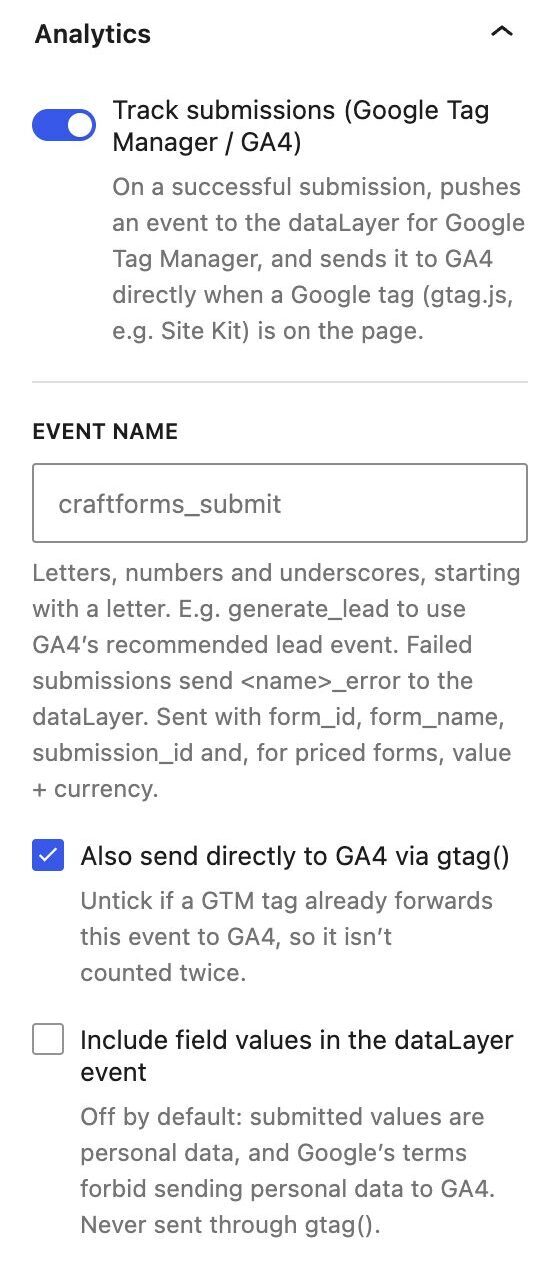
Names, emails and messages are not sent. Google’s terms don’t allow personal data in GA4. For the rare setup that needs answers in Tag Manager (a CRM tag, say), there’s an opt-in that adds them to the data layer event only. They never go to GA4 through the direct send.
Method 1: Track form submissions in GA4 without Google Tag Manager
This works when the Google tag (gtag.js) is on your pages, which is what Site Kit by Google and most GA4 plugins add. CraftForms then sends the event to GA4 directly:
- Open any CraftForms form on your site and send a test submission.
- In GA4, open Reports → Realtime.
craftforms_submitshows up within a minute or so. - Go to Admin → Data display → Events and mark
craftforms_submitas a key event.
Every successful submission now counts as a conversion. If you’d rather use GA4’s built-in lead reporting, open the form, find the Analytics panel in the sidebar and change Event name to generate_lead, Google’s recommended lead event.
If GA4 is loaded only through Google Tag Manager, there’s no gtag.js on the page, so the direct send is skipped. Use Method 2.
Method 2: Track form submissions with Google Tag Manager
CraftForms pushes the same event into the data layer on every page, whether or not gtag.js is there. Forward it to GA4 like this:
- If your pages also load gtag.js (Site Kit plus GTM, for example), open the form’s Analytics panel and untick Also send directly to GA4 via gtag(), so the event isn’t counted twice.
- In GTM, create a Custom Event trigger with the event name
craftforms_submit. - Create Data Layer Variables for
form_name,form_id,valueandcurrency. - Create a Google Analytics: GA4 Event tag with your Measurement ID, the event name and those four parameters, fired by the trigger.
- Test in Preview, then publish.
The same trigger can fire your Google Ads conversion tag, a Meta Pixel “Lead”, a LinkedIn conversion or anything else in GTM, all from one signal. Your tags still follow whatever consent setup you have in GTM.
How do you see conversions per form in GA4?
GA4 only shows custom parameters in its standard reports after you register them. Go to Admin → Custom definitions → Create custom dimension, choose scope Event and enter the parameter form_name. Within a day or two you can split the Events report by form: how many enquiries came from “Wedding enquiry” and how many from “Corporate events”, and from which campaign.
Real examples
- Salon and spa. Make the “Massage” and “Facial” booking forms separate key events, and the owner sees which Google Ads ad group actually fills the calendar. (How we built the salon booking form.)
- Shop with a product configurator. The event carries
valueandcurrency, so GA4 shows the revenue each configurator brings in, not just a count. Handy when you’re comparing forms like the ones in our complex pricing guide. - Small business order form. A bakery or print shop counts each order from its online order form as a conversion, with the order total attached.
- B2B lead forms. Rename the event to
generate_lead, and leads line up with GA4’s lead reports and Google Ads bidding.
How it compares
- GA4 enhanced measurement: free, but it guesses. It misses background submissions and can’t tell an accepted entry from a rejected one. CraftForms fires only on success.
- Paid analytics plugins: reliable, but you pay every year for something your form plugin can do itself.
- Hand-built GTM triggers: flexible but fragile, because they break when the page changes. The CraftForms data layer event doesn’t depend on your page’s HTML.
FAQ
How do I track form submissions in GA4 on WordPress?
With CraftForms it’s automatic. Every successful submission sends a craftforms_submit event to GA4 through your existing Google tag (Site Kit, for example). Mark the event as a key event in GA4 to count it as a conversion.
Can I track form submissions in GA4 without Google Tag Manager? Yes. If GA4 is on your site through Site Kit or another plugin that adds the Google tag, CraftForms sends the event directly. No GTM needed.
What’s the best GA4 event name for form submissions?
Keep the default craftforms_submit, or use GA4’s recommended generate_lead for lead forms. Don’t use form_submit if GA4’s own form interactions are switched on, or the two will mix.
Why doesn’t GA4 enhanced measurement track my form? It listens for the browser’s classic form submit. Most modern WordPress forms send in the background without reloading the page, so it misses them. A form plugin that sends its own event is more reliable.
Does it send personal data to Google Analytics? No. GA4 gets the form’s name and ID, the submission number and, for priced forms, the value and currency. Nothing the visitor typed.
Can I track the value of orders and bookings?
Yes. Forms with a calculated price send value and currency, so GA4 can report revenue per form.
Is it free? Yes. Submission tracking is part of the free CraftForms plugin and is on for every form. Switch it off per form in the Analytics panel.