
Why Your WordPress Contact Form Emails Never Arrive (and How to Know What Happened to Every One)
- Category
- Article
- Published
- Updated
- Reading time
- 8 min
- Tags
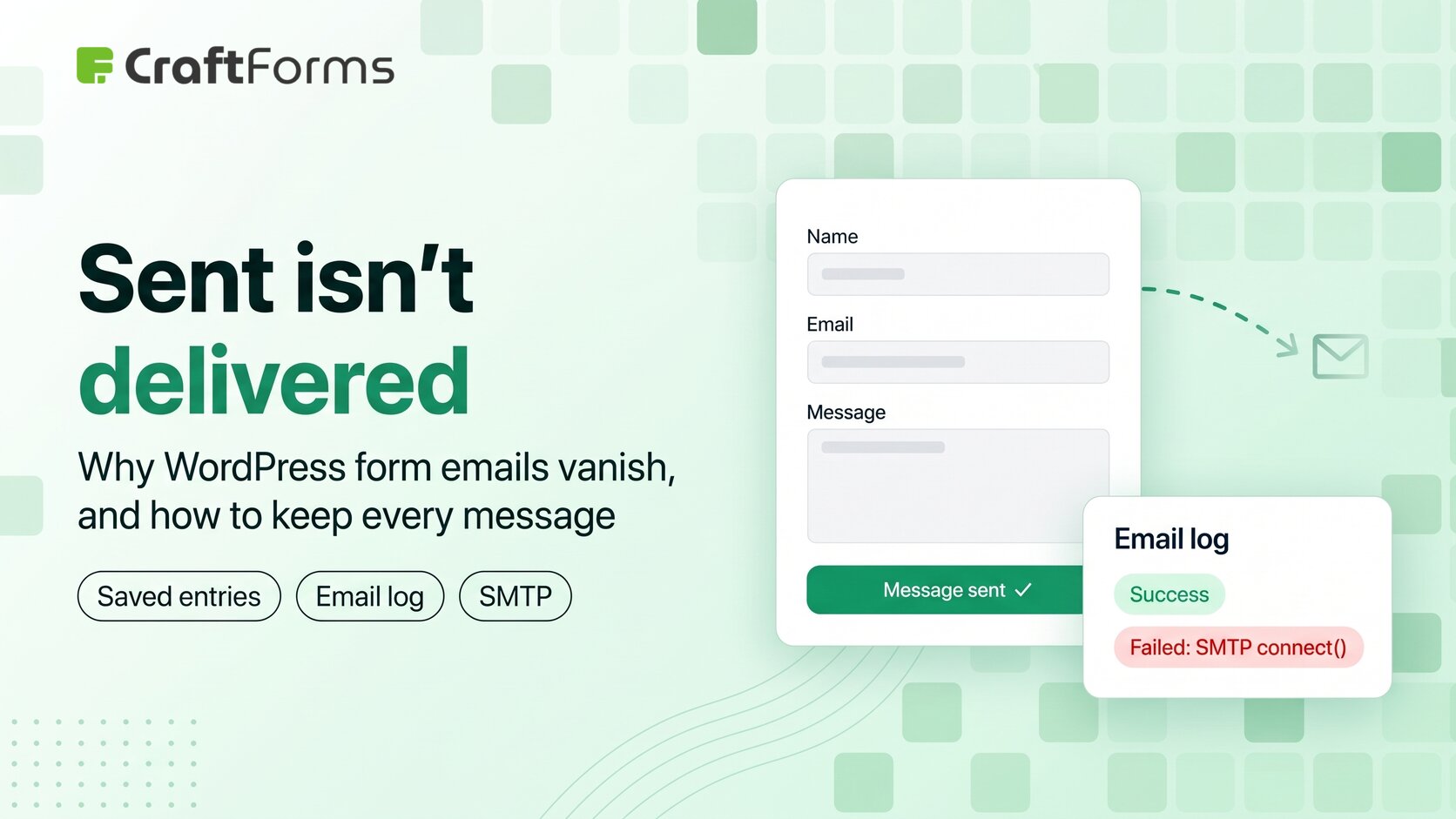
Short answer: a WordPress form that says “Thank you, your message was sent” only knows that WordPress handed the email to a mail server. It doesn’t know whether the email reached an inbox. Most lost form emails come from three things: the site sending through the host’s unauthenticated PHP mail, a “From” address that isn’t on your domain, and no saved copy of the submission. Fix all three and you stop losing messages. You also get proof of what happened to each one.
TL;DR
- “Sent” means accepted by a mail server, not delivered.
- Send through a real SMTP server, with a From address on your own domain.
- Keep a copy of every submission in WordPress, so a lost email never means a lost customer.
- Keep a log of every email: who it went to, when, and the server’s error if it failed.
- All of this is free in CraftForms, and the free importer brings your Contact Form 7 forms across in a few clicks.
How do you find out your form emails are missing?
Usually by accident. A customer phones and asks why nobody answered. A colleague notices the enquiries stopped three weeks ago. You test the form, see the green “sent” message, and nothing lands in your inbox.
If you run Contact Form 7, you’re in good company. It has been the default WordPress contact form for years. It’s free, it’s simple, and for a lot of sites it just worked. But look at its one-star reviews on WordPress.org and the same titles keep coming back: “it simply does not send the messages to the email”, “Flagged as spam”, “Ya no envía nada” (“it doesn’t send anything any more”). Plenty of others are about updates breaking forms. That isn’t really CF7’s fault. Most of these failures happen after the form has done its job. But CF7 gives you nothing to see them with.
Why “your message was sent” doesn’t mean it arrived
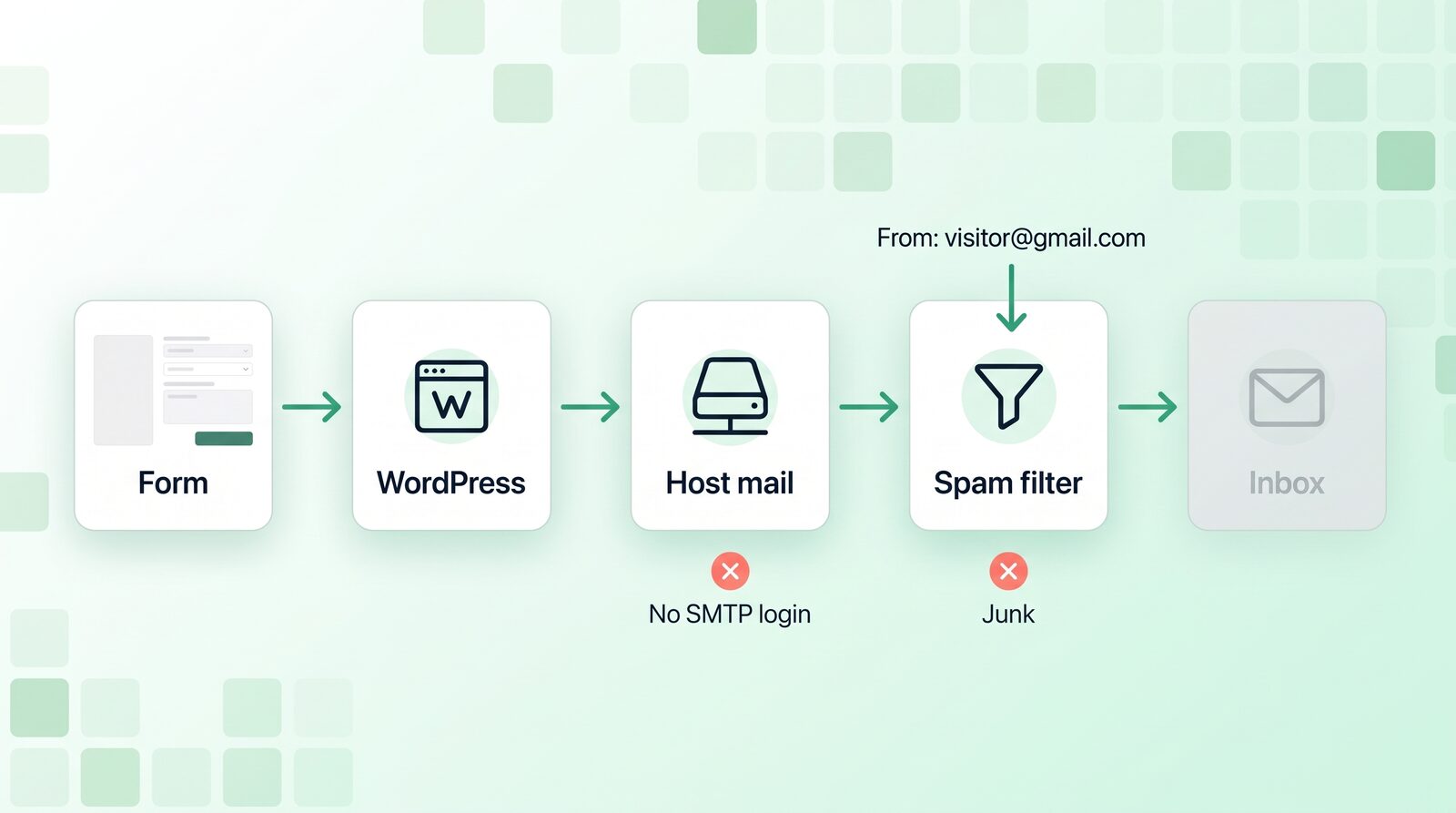
When someone submits a form, the plugin calls WordPress’s wp_mail(). That function returns true when a mail server accepts the message. That’s the point where the form shows its success message.
Everything after that happens out of sight:
- Your host passes the message on, often through PHP’s
mail()with no login and no signature. - The receiving server checks it. Is the sending server allowed to send for this domain (SPF)? Is it signed (DKIM)? Does the domain’s policy (DMARC) say to reject it if not?
- A spam filter decides: inbox, spam folder, or silent drop.
A form can pass step 1 and fail at 2 or 3 every single time, while showing visitors a cheerful “sent”.
The three usual culprits
1. Sending through the host’s mail function
Shared hosts often send PHP mail from a server that isn’t authorised to send for your domain. Gmail and Outlook treat that with suspicion. Some hosts block or rate-limit outgoing mail altogether, and some send nothing at all.
Fix: send through a proper SMTP server that you log in to: your email provider, or a transactional service like Brevo, Mailgun or Amazon SES. Our free SMTP guide compares the free tiers.
2. A From address that isn’t yours
A common form set-up puts the visitor’s address in the From field, so you can hit Reply. But your server isn’t allowed to send as someone@gmail.com, so the message fails the DMARC check and gets binned. “[your-email] is unsafe” is even one of CF7’s one-star review titles.
Fix: From is always an address on your domain. Put the visitor’s address in Reply-To. You still reply with one click.
3. No saved copy
This is the one that turns a delivery problem into a lost customer. Contact Form 7 doesn’t store submissions. The usual workaround is a second plugin, Flamingo. Without it, the email is the only copy. If the email is lost, so is the message.
Fix: save every submission in your WordPress database before you worry about email at all.
What a setup that never loses a message looks like
Here’s the setup we’d recommend for any contact form. Every part of it is in the free CraftForms Community edition.
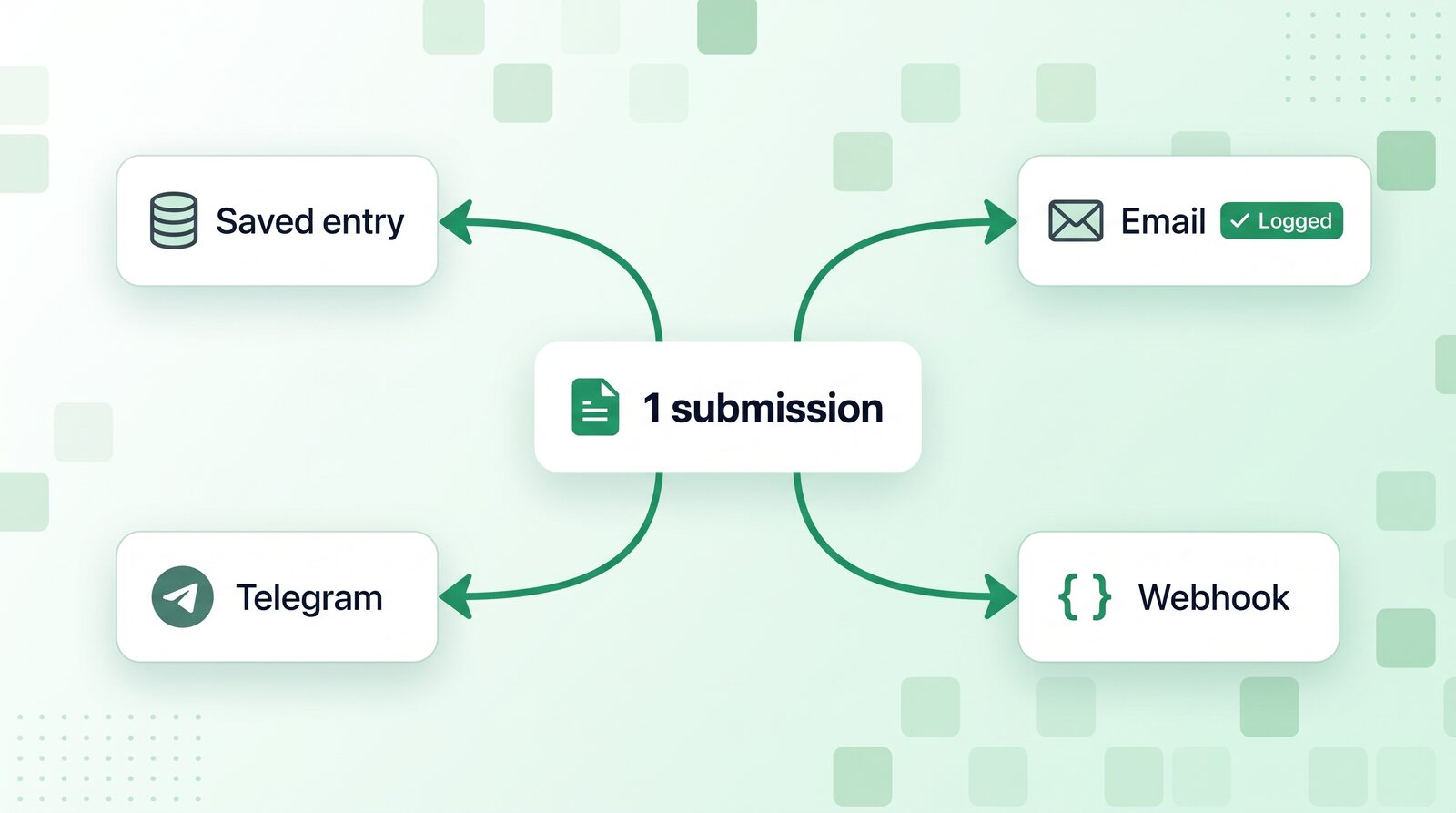
Every submission saved, searchable and exportable
Add the Save Submission action and every entry lands in CraftForms → Form Submissions, whatever happens to the email. You can search and sort entries, open each one, and export them to CSV or JSON whenever you like. There’s no submission limit on the free plan.
SMTP servers you can test for real
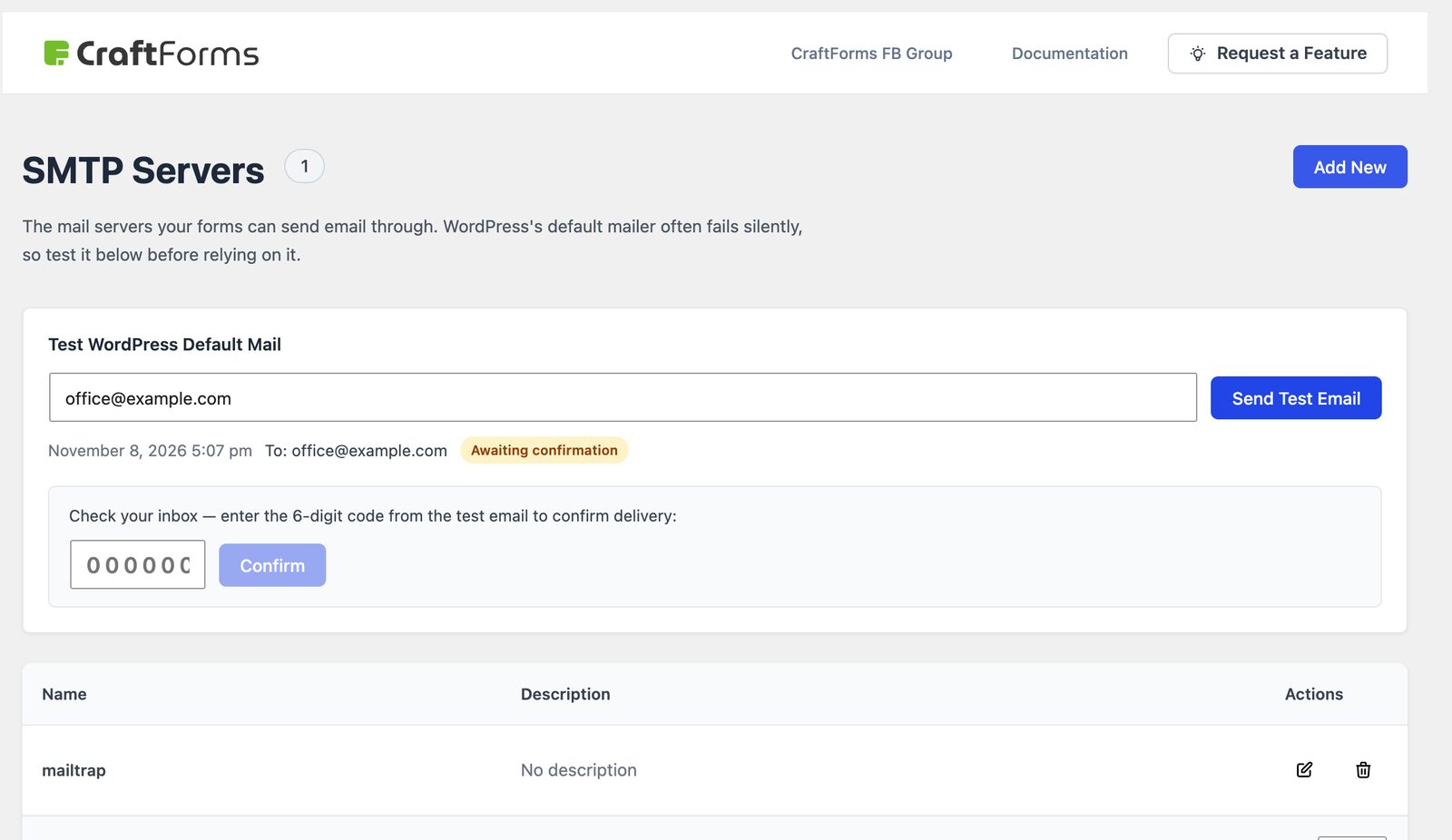
Under CraftForms → SMTP Servers you add one or several servers (say, your Google Workspace account for staff notifications and Brevo for customer confirmations) and pick one per email action. Passwords are stored encrypted.
There’s also a delivery check for WordPress’s default mail. It sends a test email containing a 6-digit code, and the test only passes when you type the code back in. So you’re confirming that the email reached your inbox, not just that a server accepted it.
An email log with the server’s answer
CraftForms → Email Logs keeps a record of every email the plugin sends: recipient, subject, time, the transport it went through, the full HTML body as it was sent, and a Success or Failed status. When it fails, the log keeps the server’s error message, such as “SMTP connect() failed” or an authentication error, so you can see why without guessing.
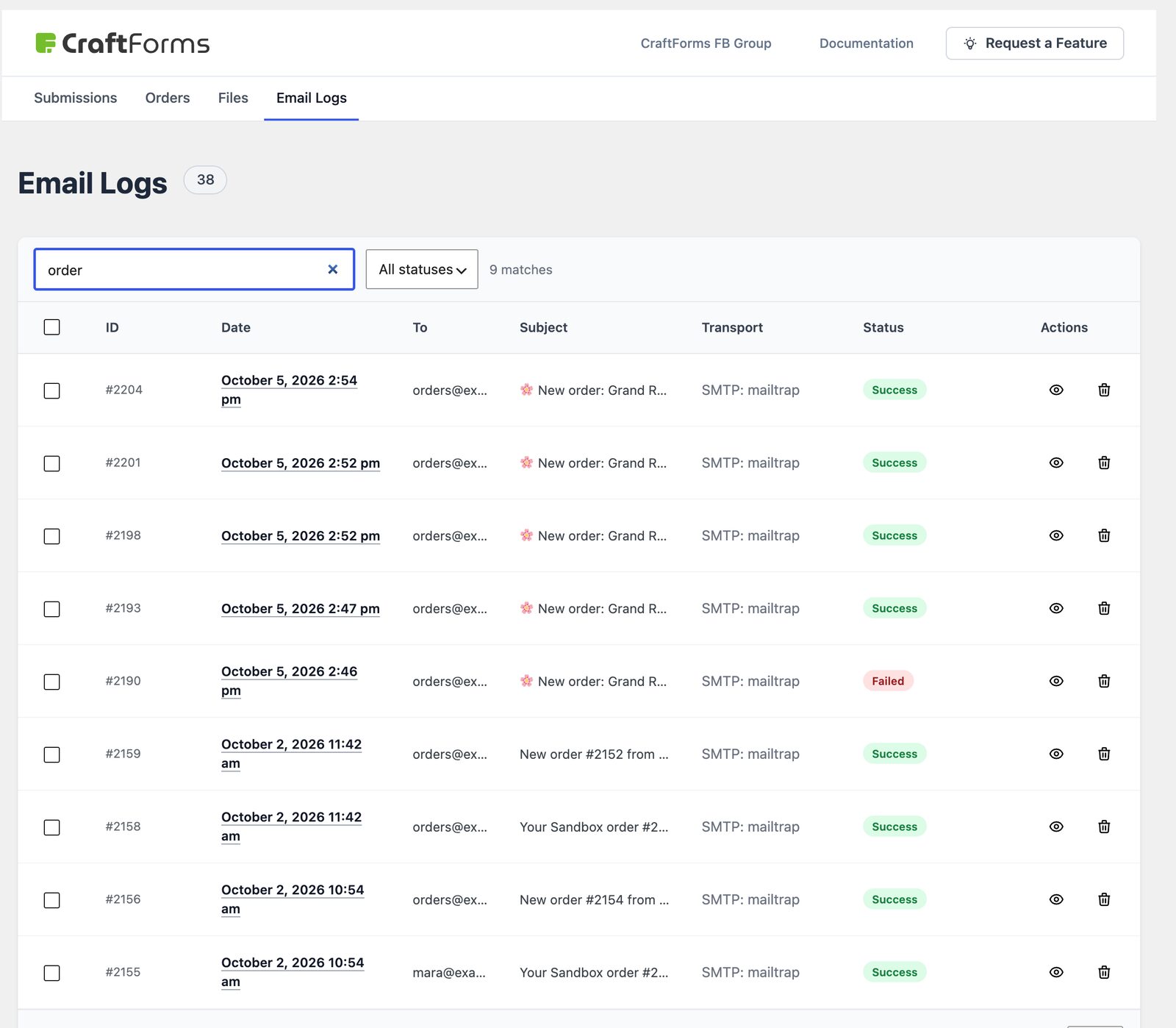
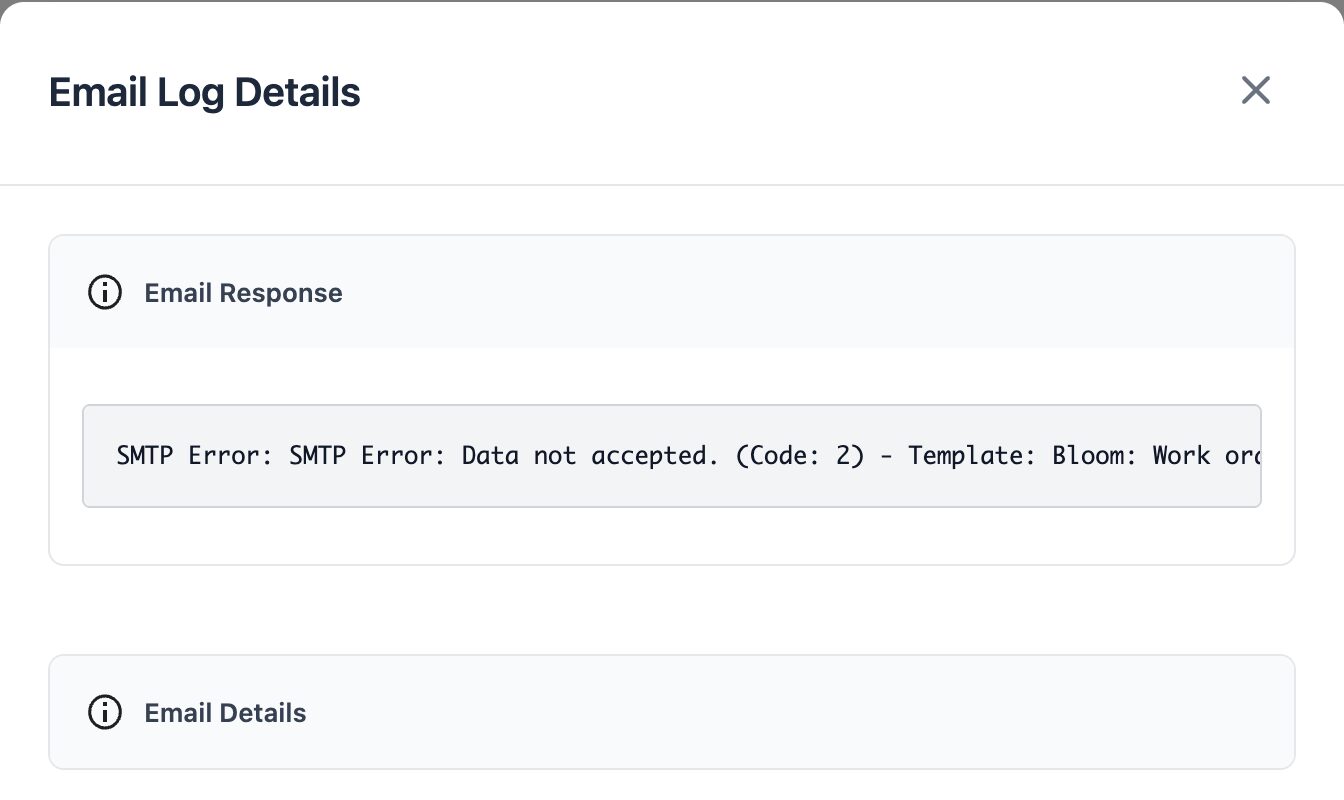
When a customer says “I never got your confirmation”, you open the log and know in ten seconds whether it left your site, where it went and what it looked like.
A second channel, so one failure isn’t silence
Email shouldn’t be the only way you hear about a new enquiry. On the free plan you can also:
- get a Telegram message for every submission, with your own bot (new in 2.3)
- send each submission as JSON to any URL with webhooks: Zapier, Make, n8n, Slack, your CRM
- add the person to Mailchimp, Brevo, FluentCRM or MailPoet, with an activity log and a retry button if the sync fails
Emails that look like they come from a business
Plain-text “New message from your website” emails aren’t a deliverability problem in themselves. But a confirmation the customer receives should look like it’s from you, because people are more likely to open it and less likely to report it as spam. CraftForms’ email designer builds responsive HTML emails in the block editor, with the visitor’s answers filled in. You can attach a PDF (a receipt, a quote, a confirmation) designed the same way, also free. Each action can carry a Run only if rule, so the “thanks for your quote request” email only goes out when the visitor actually asked for a quote.
Spam protection that doesn’t block real people
Spam floods hurt deliverability too. If your notification address receives hundreds of junk submissions, providers start treating the whole stream as spam. CF7’s reviews also have a string of reCAPTCHA complaints. CraftForms blocks bots with behavioural checks: it scores how the form was filled in, and the server adds its own checks, such as a signed form token, a minimum fill time and rate limits. Visitors have nothing to solve, and no Google script loads on your page.
How do I move my Contact Form 7 forms?
You don’t need to rebuild anything. CraftForms has a free Contact Form 7 importer. It reads each CF7 form, recreates its fields as native blocks, and turns your Mail and Mail (2) settings into email actions. It also adds Save Submission automatically, so from the first entry nothing is email-only. After importing, pick an SMTP server for each email action and check the From address is on your domain.
One honest limit: if you used Flamingo, those old entries stay in Flamingo. The importer brings across forms, not history.
A five-minute check for any form, whatever plugin you use
- Send a test submission to an address on a different provider (e.g. Gmail if your domain is on Outlook).
- Check the spam folder. Open the message and view the headers: look for
spf=pass,dkim=pass,dmarc=pass. - Is the From address on your domain? Is the visitor in Reply-To?
- If the email vanished, is there a saved copy of the submission somewhere?
- Can you see a record that the email was sent, and the error if it wasn’t?
If you answered “no” to 4 or 5, you’re running blind. That’s the part worth fixing first.
Questions people ask
Will switching plugins fix deliverability by itself? No. Deliverability comes from SMTP, From addresses and your domain’s DNS records. Any plugin that sends through PHP mail with a visitor’s From address has the same problem. What CraftForms adds is the saved copy, the SMTP manager, the delivery test and the log, so you know instead of guessing.
Is this really free? Yes. Saved submissions with CSV/JSON export, SMTP servers, the email log, branded emails, PDFs, webhooks, Telegram, the newsletter integrations, Run only if, spam protection and the CF7 importer are all in the free Community edition, with no submission limits and no plugin branding. Paid plans add things like conditional fields, file uploads, price calculations, bookings and payments.
What if I don’t want to do the switch myself? Send us what your form should do. We’ll build it on a private demo site within 3 working days, before you decide anything.