
How to Send WordPress Form Submissions Anywhere With Webhooks (Google Sheets, Zapier, Make, n8n)
- Category
- Tutorial
- Published
- Updated
- Reading time
- 10 min
- Tags
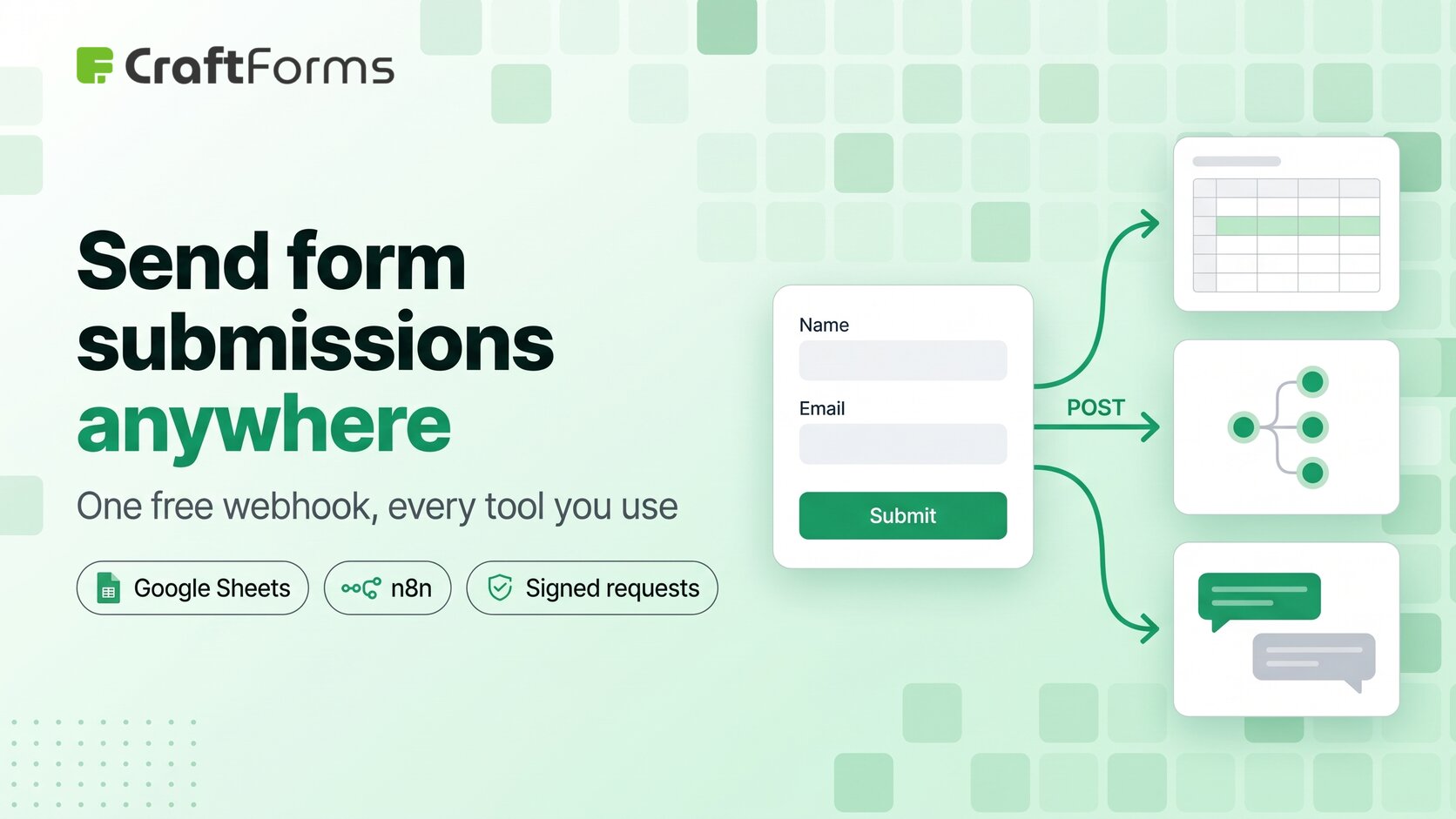
A WordPress form webhook sends each submission to a URL the moment it’s accepted, as a small JSON document. Whatever lives at that URL can do anything with it: add a row to Google Sheets, create a deal in your CRM, post in Slack, start an n8n workflow. One webhook replaces a shelf of single-purpose connector add-ons.
In CraftForms the Send Webhook action is part of the free version. This guide shows what it sends, three working recipes (including Google Sheets with no Zapier account), and how to check that a request really came from your site.
TL;DR
- Add Send Webhook under the form’s Submit Actions and paste a URL. Every accepted submission is POSTed there as JSON (or form-encoded) data.
- The payload carries
form_id,form_title,submitted_at,submission_id, every field underfields, and acontextblock with the IP and anything earlier actions produced, like an order number. - Google Sheets without Zapier: a 15-line Google Apps Script web app appends each submission as a row.
- Zapier, Make, n8n: paste their “catch hook” URL and build the rest there.
- Add a Secret Key and each request carries an
X-CraftForms-Signatureheader (HMAC-SHA256 of the body) your endpoint can check. - If the endpoint answers with JSON, later actions can use it:
{{webhook.ticket_id}}in the confirmation email. - Webhooks are free. In WPForms and Gravity Forms the webhook add-on comes with the top licence only (Elite), and in Fluent Forms it’s a Pro feature.
What is a form webhook, in plain terms?
It’s an HTTP POST your site makes on every submission. The visitor clicks Submit, CraftForms validates the form and runs its submit actions in order. When it reaches Send Webhook, it posts the submission to your URL and waits up to 15 seconds for an answer. Any 2xx status counts as success.
Compare that with the usual alternatives:
- An email to a shared inbox is easy to set up and impossible to work with. Nobody can sort, filter or count an inbox.
- A connector add-on per service (one for Sheets, one for HubSpot, one for Slack) works until you need a service that has no add-on, or until the renewal invoices add up.
- A webhook is one standard request that every automation tool and most SaaS products can receive.
What does the webhook send?
Here is a real request from a salon booking form on our test site (names changed):
{
  "form_id": 985,
  "form_title": "Salon & Spa Appointment",
  "submitted_at": "2026-10-06T08:09:01+00:00",
  "submission_id": 2248,
  "fields": {
    "client_name": "Emma Novak",
    "email": "emma.novak@example.com",
    "phone": "+39 333 123 4567",
    "service": "60-minute deep-tissue massage — $70",
    "appointment": "2026-10-10 – 12:30",
    "notes": "",
    "_price": "21.00",
    "_currency": "EUR"
  },
  "context": {
    "ip": "127.0.0.1",
    "submission.id": 2248,
    "order.number": "CF-2026-0041",
    "order.total": 21,
    "payment.status": "pending"
  }
}
A few things worth knowing:
- **
fieldsuses your field names** as keys, so name fields the way you want the columns or CRM properties called (email, notfield_3). - Choice fields send the label the visitor saw, not an internal ID. Checkboxes arrive as a list.
- System fields start with an underscore (
_price,_currency). They’re hidden in emails and the admin list, but a webhook gets the full record and your endpoint decides what to keep. - **
contextgrows with your action list.**ipis always there.submission.idappears when Save Submission runs before the webhook, and order and payment keys when the form creates an order. Put Send Webhook after the actions whose data you need. - Form-encoded (
application/x-www-form-urlencoded) is there for older endpoints. It flattensfieldsto the top level and joins lists with commas.
Recipe 1: Google Sheets, without Zapier
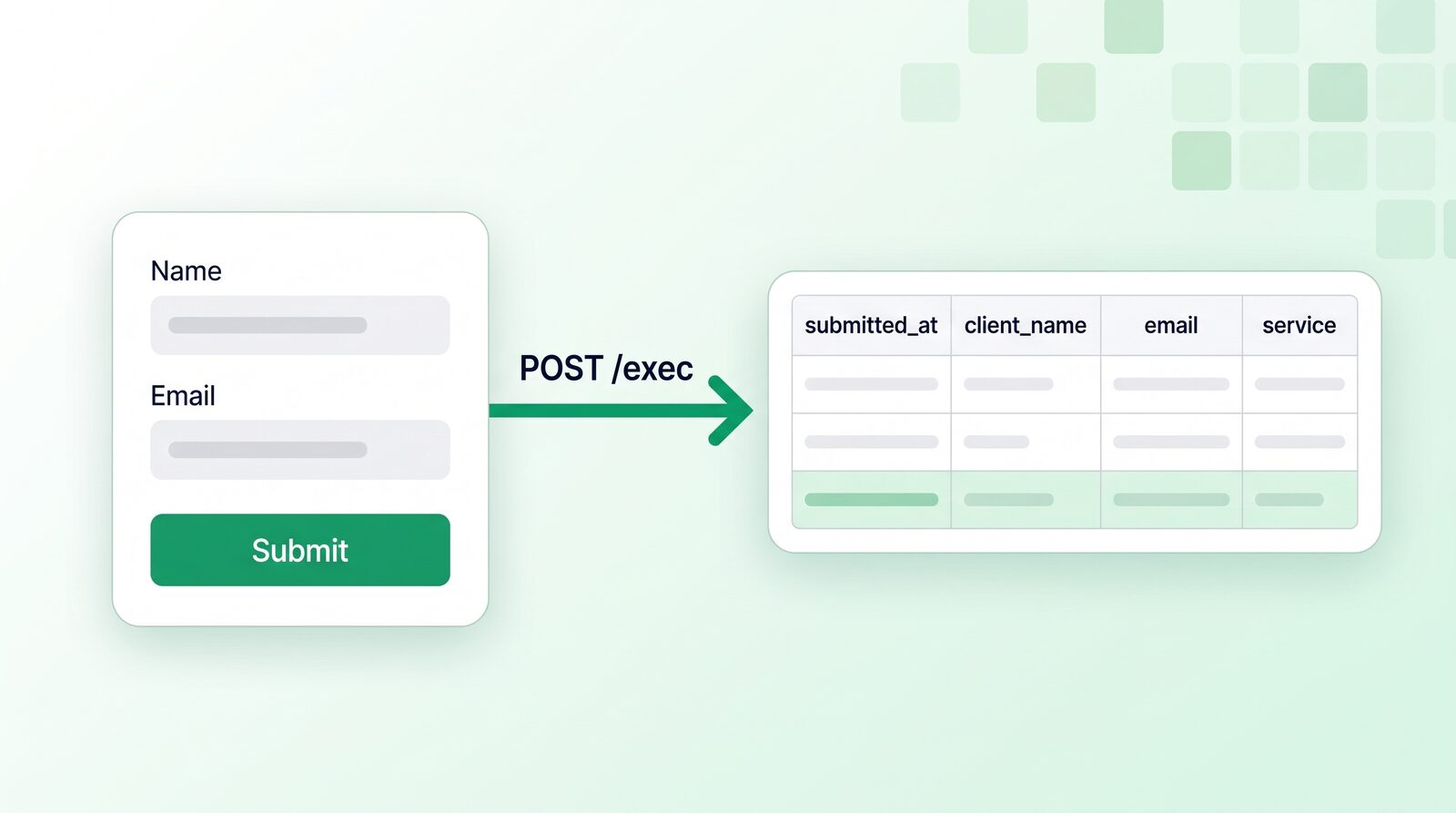
You don’t need an automation account to get submissions into a spreadsheet. Google Sheets can receive a webhook itself through a tiny Apps Script web app.
- Create a sheet and name the tab
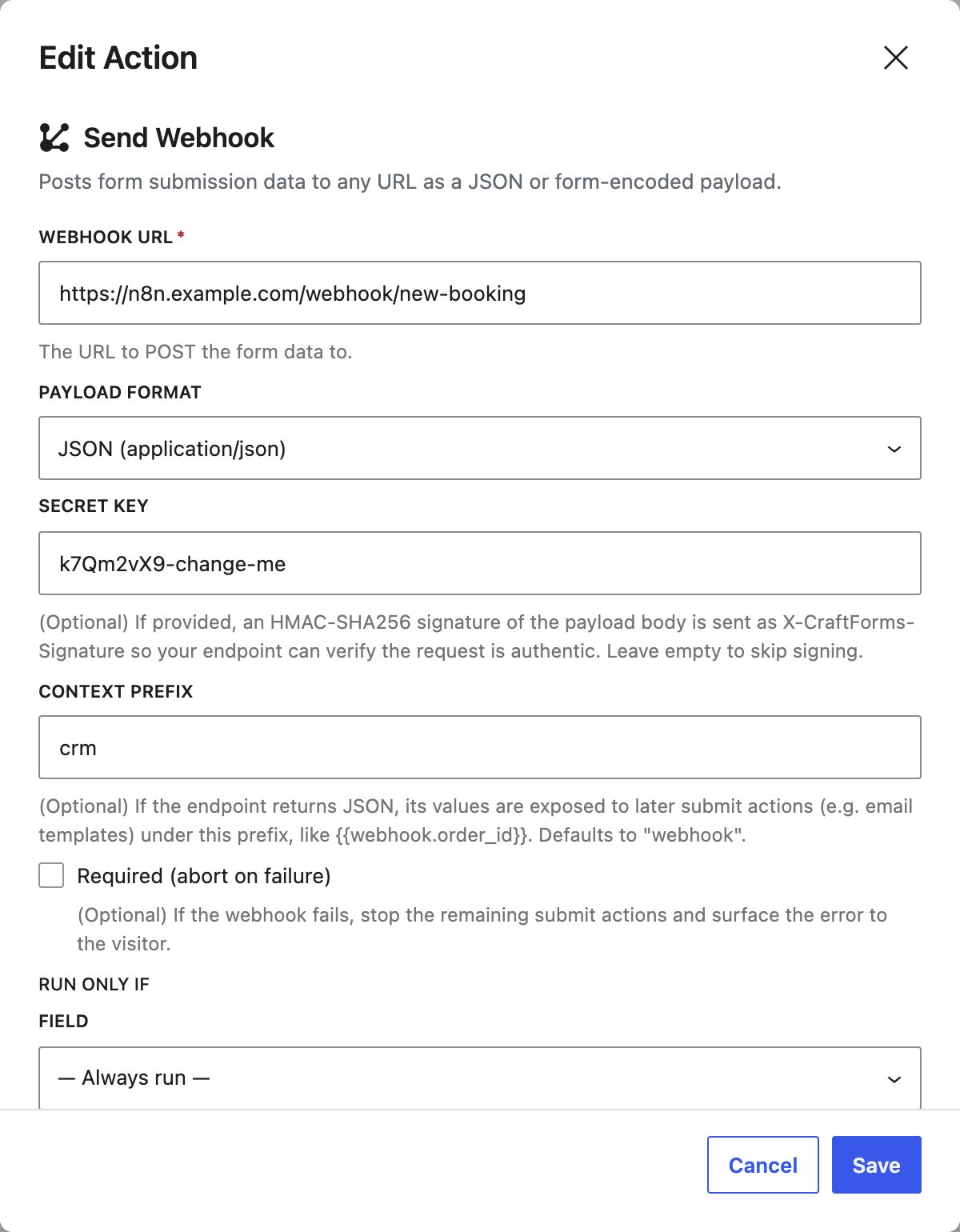
Submissions. In row 1, type the column headers using your field names, plus any ofsubmitted_at,submission_idorform_title. For the salon form:submitted_at | client_name | email | service | appointment. - Open Extensions → Apps Script, replace the code with the script below, and change
TOKENto a long random string. - Click Deploy → New deployment, choose Web app, set Execute as: Me and Who has access: Anyone, and deploy. Copy the URL that ends in
/exec. - In the form, add Send Webhook and paste that URL with your token on the end:
https://script.google.com/macros/s/…/exec?token=YOUR_TOKEN. Leave the format on JSON. - Send a test submission. A new row appears under the headers.
const TOKEN = 'change-me-to-a-long-random-string';

function doPost(e) {
  if (e.parameter.token !== TOKEN) {
    return ContentService.createTextOutput('forbidden');
  }
  const p = JSON.parse(e.postData.contents);
  const sheet = SpreadsheetApp.getActive().getSheetByName('Submissions');
  const headers = sheet.getRange(1, 1, 1, sheet.getLastColumn()).getValues()[0];
  const row = headers.map(h => {
    const v = h in p.fields ? p.fields[h] : (p[h] ?? '');
    return Array.isArray(v) ? v.join(', ') : v;
  });
  sheet.appendRow(row);
  return ContentService.createTextOutput(JSON.stringify({ row: sheet.getLastRow() }))
    .setMimeType(ContentService.MimeType.JSON);
}
The script fills columns by header name, so adding a column later is just typing a field name in row 1. No code changes, no redeploy.
Why the token goes in the URL: an Apps Script web app can’t read request headers, so it can’t check the signature described below. A secret query string is the practical lock for this one endpoint. Keep the URL private.
Recipe 2: Zapier or Make, for everything else
If the destination is a service with no webhook of its own (Mailchimp tags, Trello cards, Airtable, Notion), an automation tool is the shortest path.
- Zapier: create a Zap with the Webhooks by Zapier → Catch Hook trigger, copy its URL into Send Webhook, submit the form once so Zapier sees a sample, then add your actions. Fields appear as
fields client_name,fields emailand so on. Note that Webhooks by Zapier is a premium app, so it needs a paid Zapier plan. - Make: start a scenario with Webhooks → Custom webhook, paste its address into Send Webhook, and click Redetermine data structure before a test submission so Make learns the fields.
Either way, CraftForms sends the same JSON, so you can move between tools without touching the form.
Chat notifications. Slack and Discord incoming webhooks expect their own message format (text for Slack, content for Discord), so pointing the form straight at them doesn’t work. Route the submission through Make, Zapier or n8n and build the message there.
Recipe 3: n8n or your own app
n8n is the self-hosted choice: your submissions stay on servers you control, and there’s no per-task bill.
- In n8n, add a Webhook node, set HTTP Method to POST, and copy the Production URL.
- Paste it into Send Webhook and activate the workflow.
- Add an IF node on
{{ $json.body.fields.service }}to route by service, budget or country, then the CRM, Slack or email node on each branch.
For your own code, the payload is plain JSON on a POST. Return 2xx quickly and do slow work in a queue.
Use the reply in your confirmation email
If your endpoint answers with JSON, CraftForms puts it on the same context the email templates read. With the default Context Prefix webhook, a reply of {"ticket_id": "T-4821"} becomes {{webhook.ticket_id}} in a later Send Email (Template) action: “Your ticket number is T-4821”. Change the prefix when a form calls two endpoints, for example crm and sheet. The Apps Script above returns {"row": 42}, so a prefix of sheet gives you {{sheet.row}}.
When the webhook must succeed
By default a failed webhook doesn’t stop the submission: the visitor sees the confirmation, the other actions run, and the error is written to debug.log when WP_DEBUG_LOG is on. If the webhook is the point, say it books a slot in an outside system, tick Required (abort on failure). A failure then stops the remaining actions and shows the visitor the error, including the message from your endpoint’s {"message": "…"} reply.
How do you check that a webhook really came from your site?
Anyone who finds your webhook URL can post to it. Fill in Secret Key and every request carries this header:
X-CraftForms-Signature: sha256=<hex HMAC-SHA256 of the raw request body, keyed with your secret>Your endpoint computes the same HMAC over the raw body, before any JSON parsing, and compares the two in constant time. In PHP:
$body     = file_get_contents('php://input');
$expected = 'sha256=' . hash_hmac('sha256', $body, getenv('CRAFTFORMS_WEBHOOK_SECRET'));
$received = $_SERVER['HTTP_X_CRAFTFORMS_SIGNATURE'] ?? '';

if (!hash_equals($expected, $received)) {
    http_response_code(401);
    exit;
}
$submission = json_decode($body, true);
In Node.js (Express):
import crypto from 'node:crypto';

app.post('/craftforms', express.raw({ type: 'application/json' }), (req, res) => {
  const expected = 'sha256=' + crypto.createHmac('sha256', process.env.CRAFTFORMS_WEBHOOK_SECRET)
    .update(req.body).digest('hex');
  const received = req.get('X-CraftForms-Signature') || '';
  if (received.length !== expected.length ||
      !crypto.timingSafeEqual(Buffer.from(received), Buffer.from(expected))) {
    return res.sendStatus(401);
  }
  const submission = JSON.parse(req.body);
  res.sendStatus(204);
});
Two more things keep it safe:
- The data is the server’s. The webhook fires after CraftForms validated the submission and re-calculated any price on the server, so
_priceis the number that was charged or quoted, not one a visitor edited in the browser. - Private addresses are blocked. The request goes through WordPress’s safe HTTP API, which refuses
localhostand private network ranges, so a form author can’t use a webhook to probe your internal network.
Send webhooks only when they matter
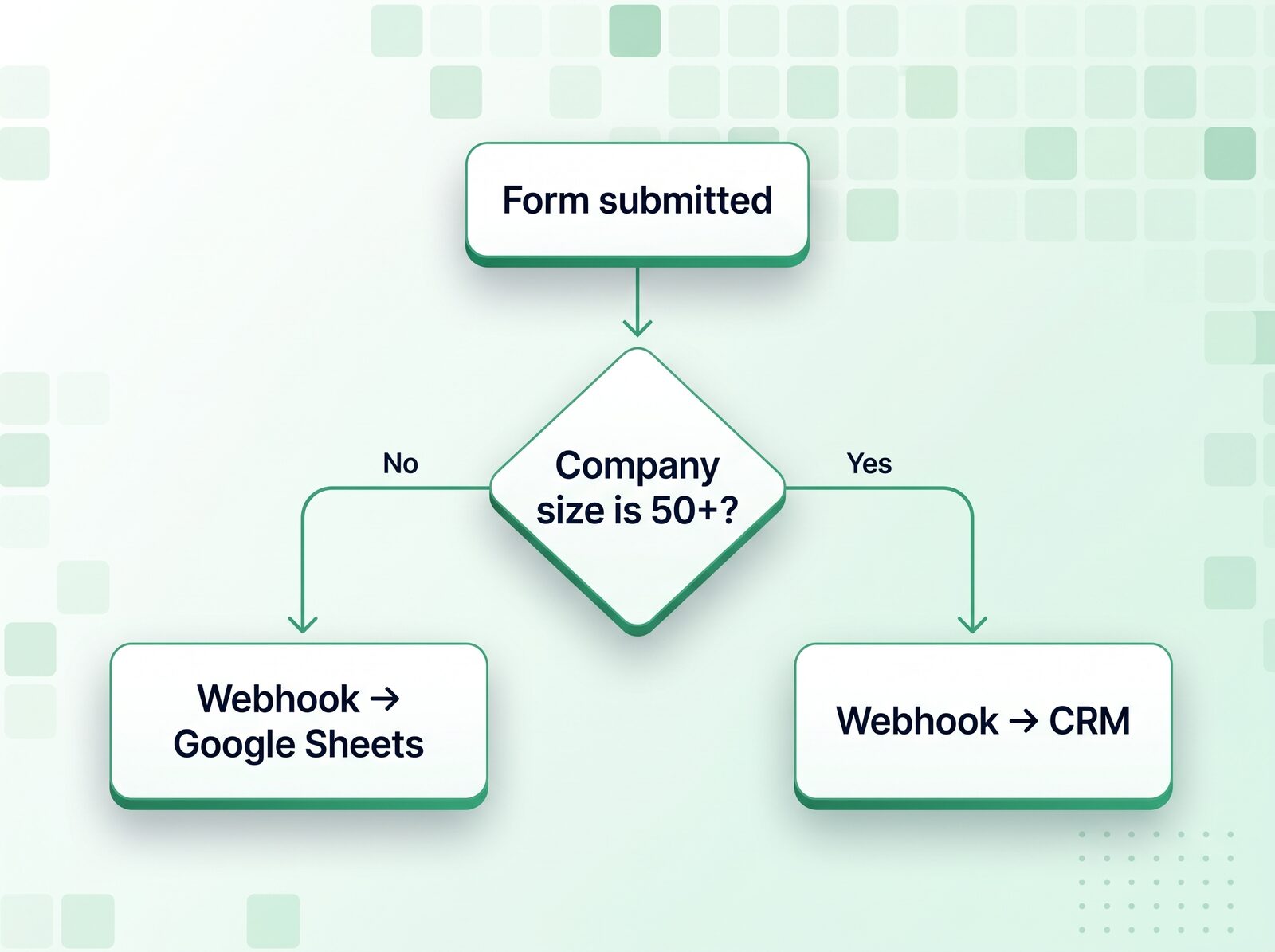
Every submit action has a Run only if setting (free). Pick a choice field and a value, and the webhook runs only then: send to the sales CRM only when “Company size” is 50+, or to the wholesale sheet only when “Customer type” is Trade. Add two Send Webhook actions with different conditions to split one form between two destinations.
For real decisions, with several conditions, a different path when a step fails, and the same logic shared by several forms, use a Flow (CraftForms Pro). Flows also have a WooCommerce order trigger, so a webhook can fire when an order is placed or changes status, with no form involved. The 2.0 release post walks through flows.
How does this compare with other form plugins?
| Plugin | Webhooks included in |
|---|---|
| CraftForms | Free version |
| WPForms | Elite licence (Webhooks addon) |
| Gravity Forms | Elite licence (Webhooks Add-On) |
| Fluent Forms | Pro |
Native connectors still have a place. CraftForms ships its own for Mailchimp, Brevo, FluentCRM and MailPoet, with field mapping (and automatic retries in Pro), because a newsletter signup shouldn’t need an automation account. The webhook covers everything else.
FAQ
Can I send WordPress form submissions to Google Sheets for free?
Yes. Point a CraftForms Send Webhook action at a Google Apps Script web app that appends each submission as a row. Neither costs anything, and no Zapier or Make account is involved.
Does the webhook fire for every submission?
For every accepted submission, unless you set Run only if. Submissions blocked by validation or spam protection never reach the submit actions, so they’re never sent.
Can I send the same submission to several places?
Yes. Add as many Send Webhook actions as you need. They run in list order, each with its own URL, secret and condition.
What happens if my endpoint is down?
The webhook waits up to 15 seconds, then gives up. Unless the action is marked Required, the visitor still gets their confirmation and the other actions still run, and the failure is written to debug.log when WP_DEBUG_LOG is on. Save Submission keeps the record in WordPress, so nothing is lost.
Can I trigger a webhook from a WooCommerce order?
Yes, with a WooCommerce order flow in CraftForms Pro. It runs on the order status you choose, with the order’s data in the payload.
Start with one row
Make the Google Sheet, deploy the script, paste the URL into a test form and submit it. Once you’ve seen your first row arrive, every other destination is the same move with a different URL.