
CraftForms 2.4 Is Here: Your Site in Claude and ChatGPT, Form Styles and a Data API
- Category
- Release
- Published
- Updated
- Reading time
- 10 min
- Tags
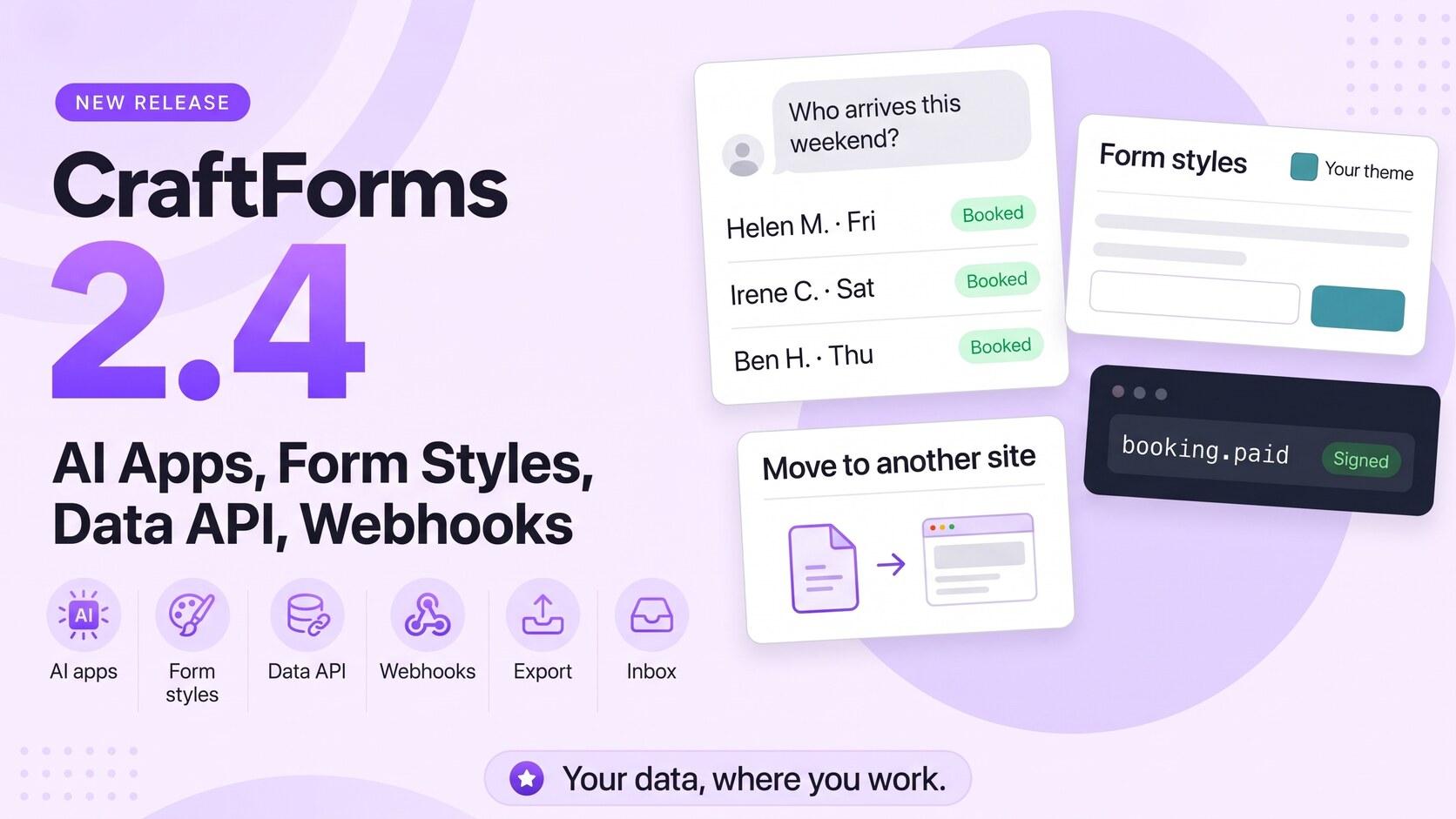
CraftForms 2.4 is out. It’s about getting to your data from wherever you work.
2.3 gave your enquiries, bookings and orders their own pages in WordPress. 2.4 opens the same data to the tools around WordPress. You can ask Claude or ChatGPT who arrives this weekend. Zapier, Make, n8n and your own scripts can read and change records with a key you control. And on the front of the site, forms now take their colours, fonts and buttons from your theme without a line of CSS.
In short:
- AI apps (PRO): add your site to Claude, ChatGPT or another AI app as a connector, sign in, choose what it may do, and ask in plain words.
- Form styles (free): forms follow your theme or design system, automatically on new sites.
- Data API with signed webhooks (PRO): submissions, orders and bookings, catalog items, availability, people, notes and tasks.
- Zapier, Make and n8n: the data API is ready for all three; their own CraftForms apps are built and come next.
- Move forms to another site (free; flows and catalog items PRO): one file with the form and everything it uses.
- Enquiries: saved replies, notes and reply times (free); assigning and sending from the site (PRO).
- Bookings, Rentals and Appointments (PRO): tables by day, date ranges, CSV export, No-show, Mark as paid, Reschedule.
- Six new integrations (free): ActiveCampaign, MailerLite, Kit, Klaviyo, Twilio and Discord.
- Also: flows that run when an order changes status, Notion updates, a better Uni CPO converter, a spam-protection fix.
Here’s everything in 2.4.
What is new in CraftForms 2.4?
CraftForms 2.4 adds three big things: a connection for AI apps such as Claude and ChatGPT (PRO), Form styles that make every form follow your theme (free), and a data API with webhooks for Zapier, Make, n8n and your own software (PRO). It also adds form export bundles, a team inbox for enquiries, front-desk actions on booking pages and six free integrations.
Connect Claude, ChatGPT and other AI apps to your site (PRO)
Your site can be a connector in an AI app. Paste one address into the app, sign in to your own WordPress, pick what the app may do, and click Allow. No key to copy.
https://example.com/wp-json/craftforms/mcp
That address is your site’s MCP server. MCP is the standard AI apps use to talk to other software.
After that, you ask in plain words:
- “Who arrives this weekend, and is anything unpaid?”
- “How was last month?” You get submissions, orders, revenue, arrivals and departures, and how full your rooms were.
- “Mark Ivan’s booking as paid, he paid cash.”
- “Close the boat on Sunday.”
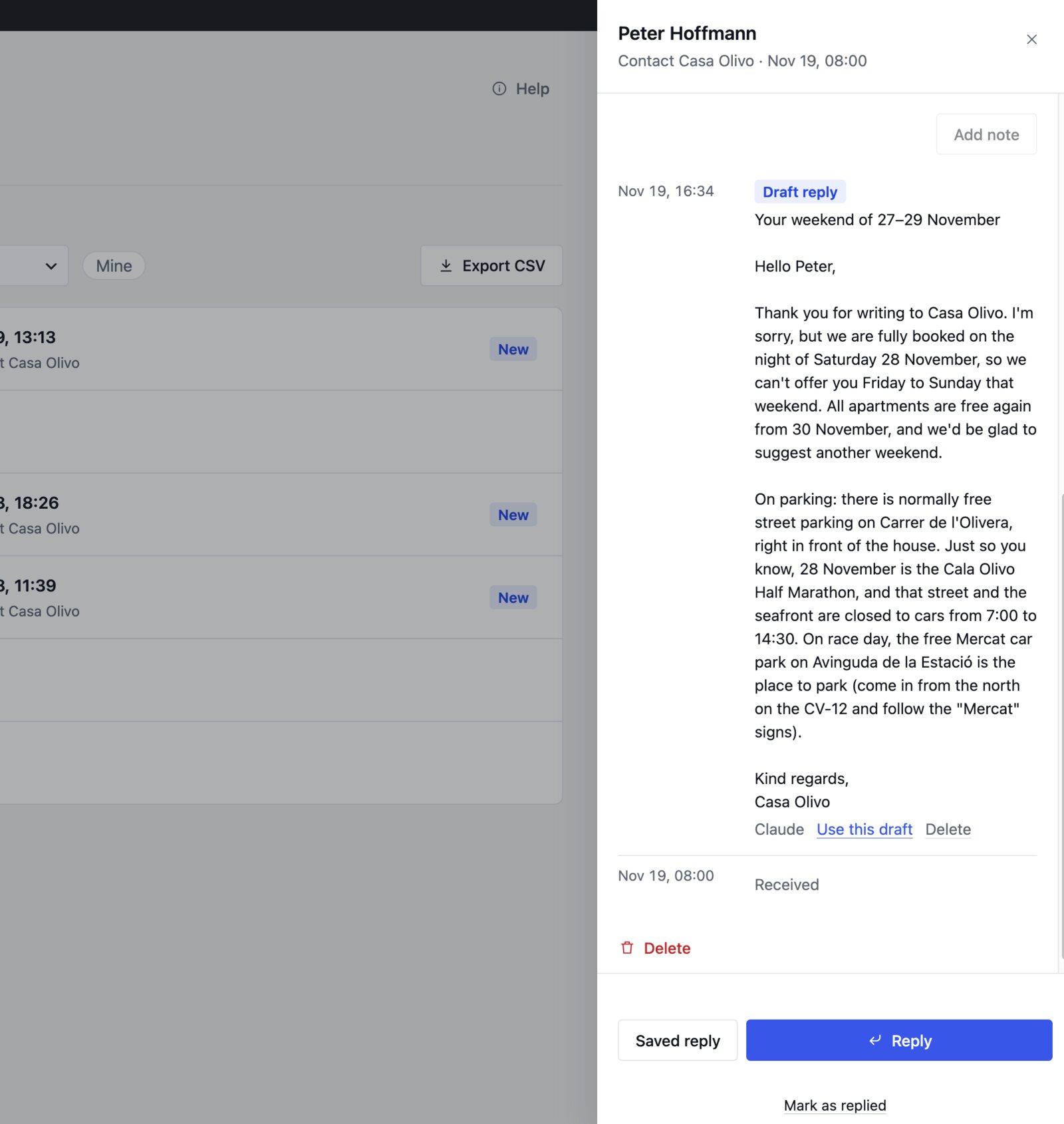
- “Write a reply to Anna’s enquiry using our price list reply.” The app leaves a draft on the enquiry. You open it in Enquiries, check it and send.
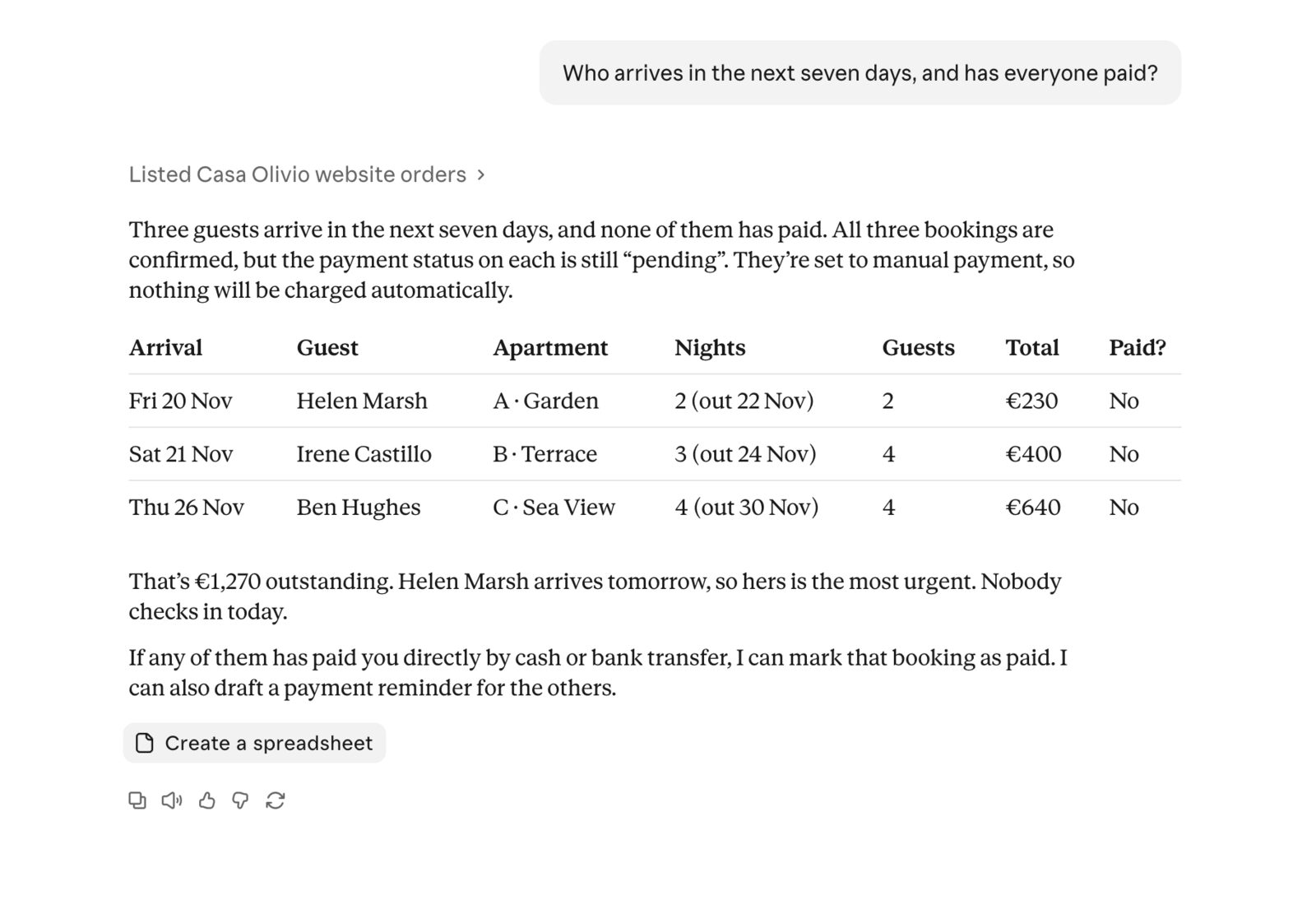
You decide what the app may do
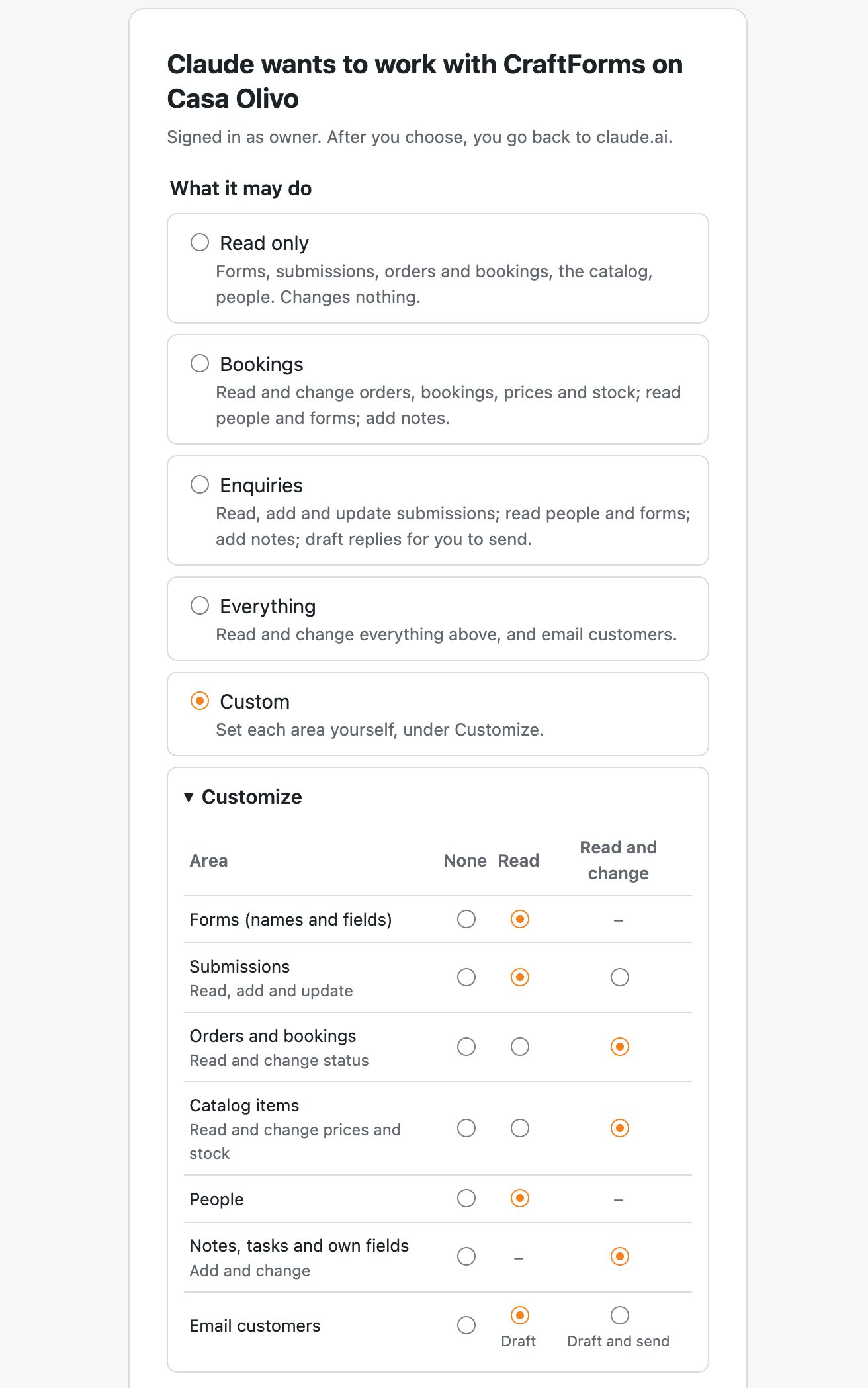
On the Allow screen, start from a ready-made choice: Read only (chosen at first), Bookings, Enquiries or Everything. Or open Customize and set each area (Forms, Submissions, Orders and bookings, Catalog items, People, Notes and tasks) to None, Read or Read and change.
You can also limit an app to only some forms or only some catalog items. An app that sees Apartment B sees Apartment B’s bookings and guests, and nothing else.
Email customers has its own switch: None, Draft, or Draft and send. With Draft, nothing reaches a customer until you send it yourself.
What it can never do
- Nothing can be deleted through an AI app.
- Payments are never taken, and refunds stay in WordPress.
- The app works only through CraftForms’ own tools. It can’t write code, change settings, or touch users or other plugins.
- The same rules apply as on your work pages: dates with bookings can’t be closed until those are moved or cancelled, and a no-show can only be marked from the arrival day.
Every connected app has a row in Settings → API Keys, for example Claude (signed in), with what it may do and when it was last used. Change access narrows it. Revoke and it’s out at once.
Your site needs https and pretty permalinks. Tools that send a header instead of signing in (Cursor, scripts) can use an API key.
👉 Tutorial: Run your booking website from Claude or ChatGPT
📄 Connect Claude, ChatGPT and other AI apps in the docs
Form styles: forms that match your theme (free)
“The form looks like it came from another website” is a complaint we hear a lot from people who build with Bricks, Elementor or Divi. 2.4 fixes it at the source.
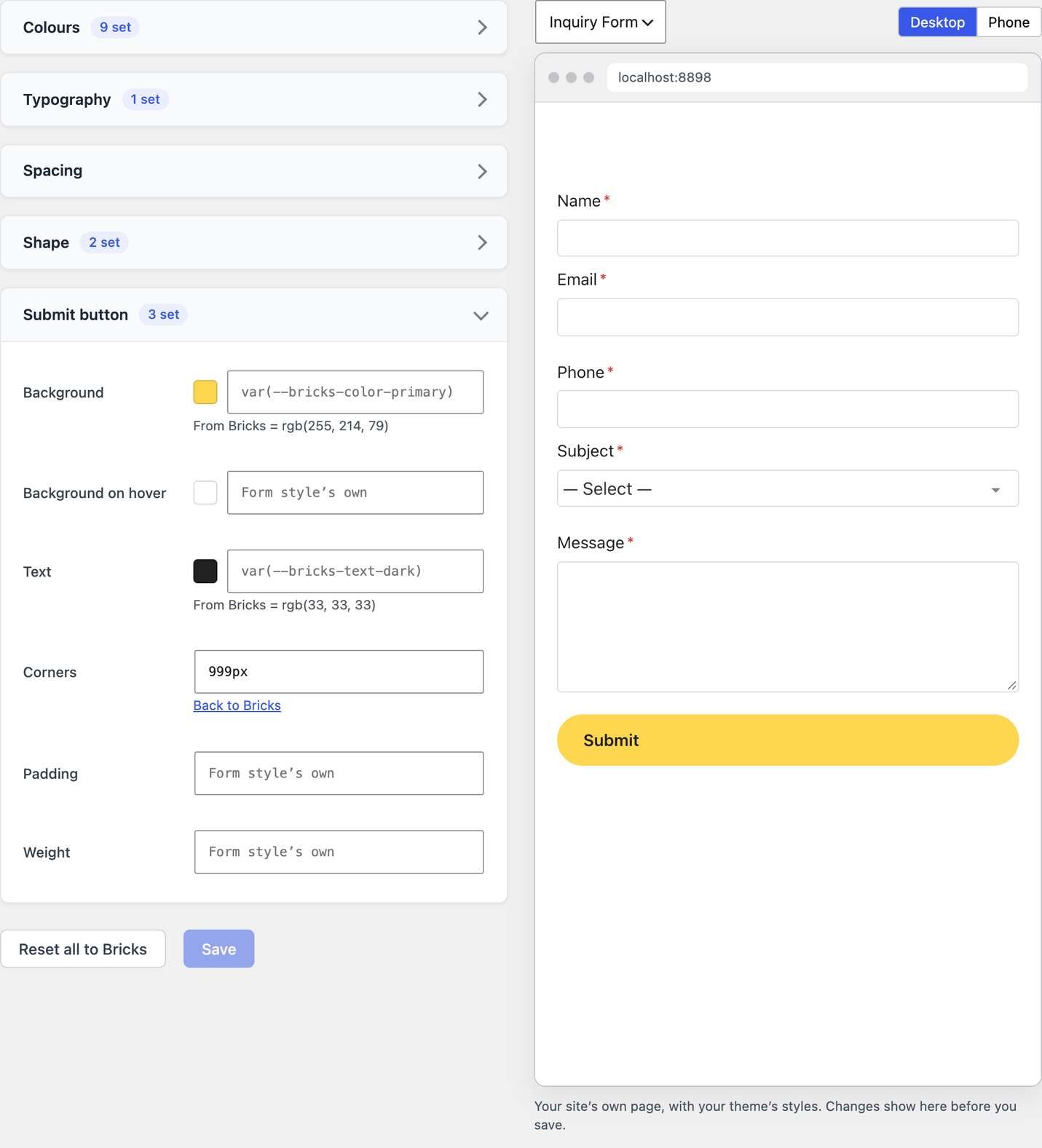
On a site set up with 2.4, forms follow the theme or framework the site runs, with nothing to set. Accent colour, field borders, corners, fonts, spacing and the button come from:
- Bricks, Blocksy, Kadence and Divi
- Elementor (your Kit’s global colours and fonts, on every page)
- Core Framework and Automatic.css 3 and 4
- Block themes such as Twenty Twenty-Five, from their theme.json
Switch from Bricks to Blocksy and your forms use Blocksy’s colours on the next page load.
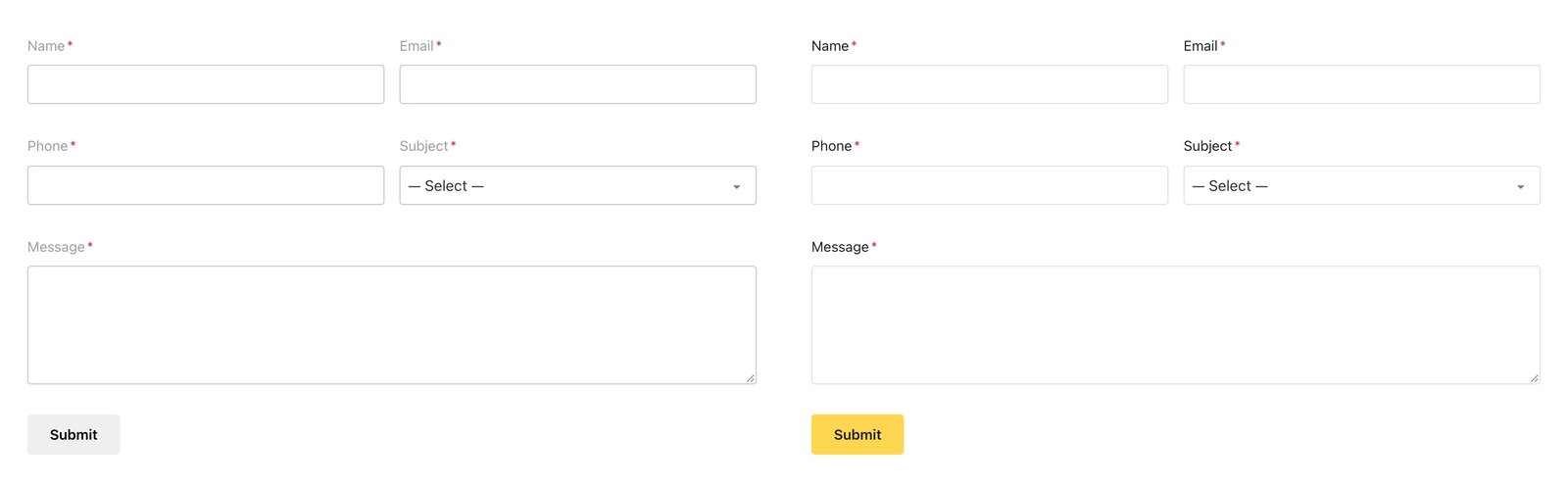
Your existing forms don’t change on update. A site that already had forms gets a one-time offer instead (“Your forms can follow Bricks”), with Match Bricks, See Form styles and No thanks.
Everything is in Settings → Form styles, with a live preview in your real front end. Change any value, and it stays on top of what the theme gives.
For builders and framework users:
- Classes: add your framework’s own classes to buttons and fields, so a submit button is a real
btn--primaryorbricks-button. One click fills in the Bricks, Automatic.css or Core Framework button classes. - In the page builders: the CraftForms element in Bricks, the widget in Elementor and the module in Divi have the same settings on their Style tab, for that one form. Walk-throughs: forms in Bricks and forms on free Elementor.
- Divi 5: a native CraftForms module.
- CSS variables: every value is a variable (
--cf-form-accent,--cf-form-radius…), so you can set them in your own CSS or on another website where the form is embedded.
📄 Form Styles in the docs · CSS Variables and Classes
A data API with signed webhooks (PRO)
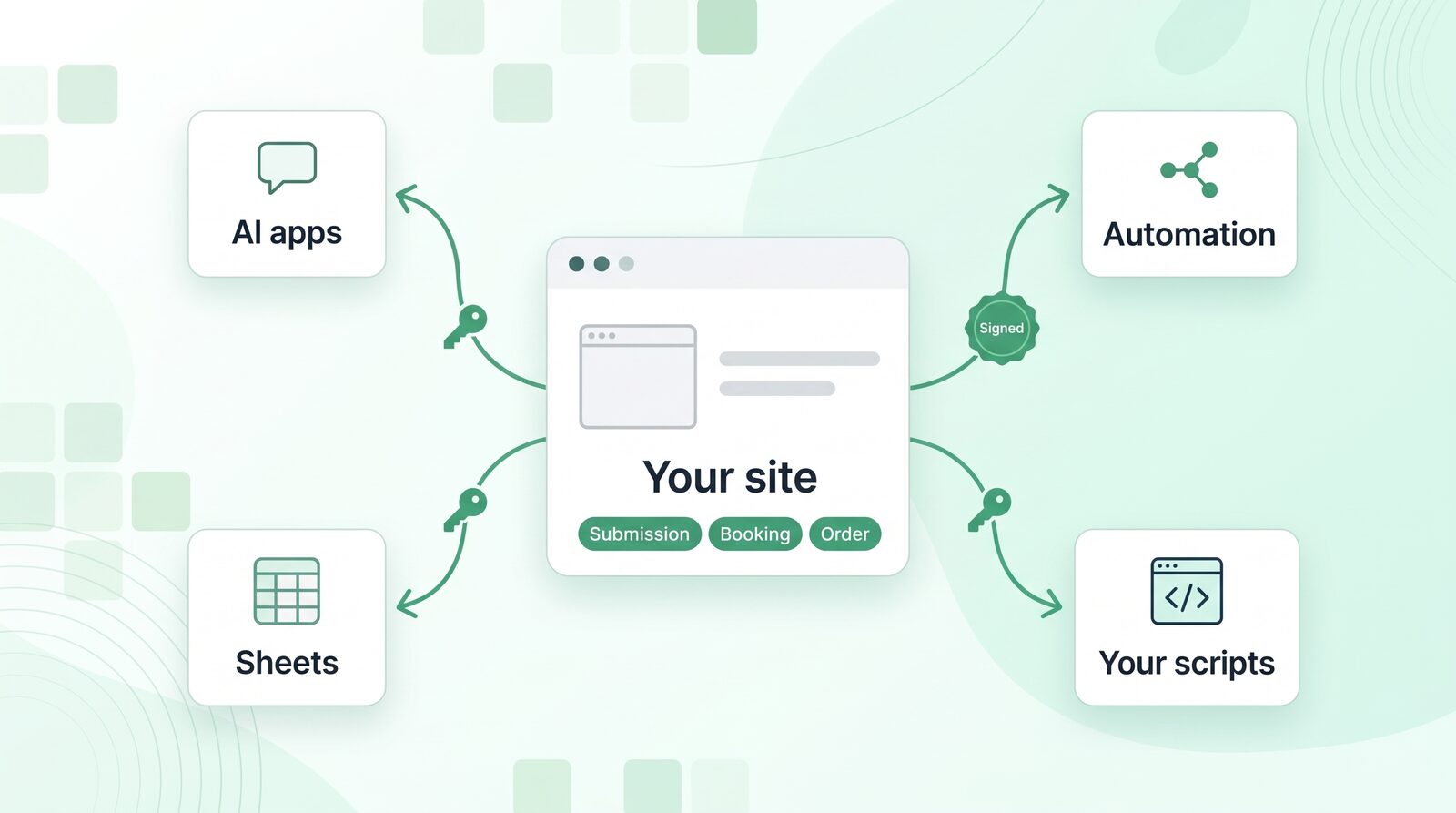
Under Settings → API Keys, make a key for each piece of software that should work with your data: an automation tool, a booking channel, a partner, your own script.
Each key has:
- its own permissions, with the same choices and grid as AI apps
- an optional limit to some forms or some catalog items
- a requests-per-minute limit
- a last-used time, and a Revoke button
The key is shown once. CraftForms keeps a fingerprint of it, not the key.
Read: forms with their fields, submissions, orders and bookings, catalog items and their free dates, people, notes and tasks.
Write: add a submission to a form (it goes through the form’s own checks, prices and actions, and never takes a payment), set an order to pending, confirmed, paid or cancelled, change a catalog item’s price or stock, and everything your work pages do: no-show, mark as paid, reschedule, block dates.
Webhooks: instead of asking again and again, software subscribes to submission.created, order.created and order.status_changed. Each delivery is signed (HMAC-SHA256 with a secret shown once), retried for a day if your server doesn’t answer, and kept in a delivery log for 30 days.
Zapier, Make and n8n
The data API was built with these three in mind: instant triggers through webhooks instead of checking every 15 minutes, and bookings and orders, not only form submissions.
- n8n: the CraftForms and CraftForms Trigger nodes are built and tested. They come as a community package once it is published.
- Zapier and Make: both apps are built and tested, and still have to go through each platform’s listing steps.
We’ll announce each one when it’s public. Until then, any of the three can use the data API directly with a key and a webhook: an HTTP request step to read or change records, and a webhook trigger to start on a new submission or booking.
Move a form to another site in one file
Export is now on every row of the Forms, Email Templates and PDF Templates lists. Choose This and what it uses, and the file holds the form together with its email and PDF templates and its images. Import on the other site lists what the file will do before anything changes: what is new, and what is already there, with Use the one here, Import a copy or Replace the one here. A replaced form keeps its previous version as a revision.
With PRO, flows and catalog items travel too, and Export all puts every form, flow or catalog item in one file as a backup.
Passwords and keys never travel. SMTP passwords, API keys and payment credentials stay on the old site. The import summary lists what to set up again.
📄 Move Forms to Another Site in the docs
Enquiries: an inbox for a team
The free Enquiries page gets:
- Saved replies: answers you write often (prices, opening hours, how to find you), filled in with the person’s name.
- Notes on each enquiry and person.
- Reply times: how long people waited for an answer over the last 30 days.
With PRO:
- Assign an enquiry to someone on the team, and tell them by email.
- Send replies from the site, from your business address, without opening your email program.
- Reply times per person.
Saved replies work with AI apps too: “answer Anna with our price list reply” uses your own words, not the app’s.
Bookings, Rentals and Appointments: the front desk (PRO)
The booking pages got the things a desk needs during a busy day:
- A table by day, with dates, guest, room or service, status and total, and a date range to look at any period.
- No-show, from the booking’s day on. The nights or places stay booked until you cancel. Undo “no-show” takes it back.
- Mark as paid, for cash, card at the desk or a bank transfer.
- Reschedule: pick a new day and time. Full times can’t be picked, and you can email the new time to the client.
- Export CSV of what the list shows.
📄 Bookings, Rentals and Appointments in the docs
Six new integrations (free)
- ActiveCampaign, MailerLite, Kit (ConvertKit) and Klaviyo: add or update a contact, with your lists, groups, forms or tags and mapped fields. Double opt-in for MailerLite and Kit, email consent for Klaviyo.
- Twilio: send an SMS or a WhatsApp message, to yourself or to the visitor.
- Discord: post to a channel through its webhook. A visitor typing @everyone pings nobody.
Each one works as a form’s submit action and as a flow step. Connect them under Settings → Integrations with the service’s own API key.
Also in 2.4
- Flows that run on order status (PRO): a new “CraftForms order or booking” trigger. “When the booking is paid, email the guide”, “when it’s cancelled, tell the team in Telegram”. It works without WooCommerce.
- Update the record a submission made (PRO): a Notion step can find the page the form added and change it, for example ticking Paid when the payment arrives. ActiveCampaign, MailerLite, Kit and Klaviyo can update their contact the same way.
- Uni CPO converter: it now carries custom validation on text and number fields, the product’s own quantity field, and cart discounts by role and by quantity.
- Fixed: proof-of-work spam protection switched itself on for updated sites. It’s off again there; new sites keep it.
- Developers: a new action
craftforms_order_status_changed( $order_id, $new, $old, $source ), fired once for each real status change.
The full list is in the changelog.
How to update
Update from Plugins in your WordPress admin, as usual. Your forms look the same after the update: Form styles only offers to follow your theme, it doesn’t switch by itself on a site that already had forms. PRO features need an active PRO licence.
New to CraftForms? Download the free version, or see the PRO plans.
Tried your site in Claude or ChatGPT? Tell us what you asked it in the Facebook group. The questions people really ask decide which tools we add next.