
Static Catalog, Live Prices: Stop Rebuilding 15,000 Pages Every Time a Price Changes
- Category
- Article
- Published
- Updated
- Reading time
- 6 min
- Tags
- —
You built a big product catalog as a static site — thousands of prebuilt pages, fast and cheap to serve. Then reality set in: prices change a few times a day. And every change means rebuilding the whole site. On a small catalog that’s an annoyance. At 15,000 pages it’s a build queue, a cache purge, and a nagging feeling you’ve picked the wrong architecture.
You haven’t. You’ve just been treating one small dynamic thing — the price — as if it were static. The fix isn’t “go full server-side.” It’s to keep the pages static and make only the price dynamic.
And “the price” is really shorthand for more than a number. On a real product page it’s the options a shopper picks, the live total those options add up to, maybe a custom text field or an uploaded file, and — if they’re ready to buy — the checkout step itself. A product configurator is the same dynamic island as a price display; it just does more once it’s booted. The pattern in this post scales from “show a live number” all the way to “run a full configurator with payment,” because it’s the same embed either way.
New to the headless-plus-static-frontend idea in general? Using WordPress as a Form Backend for Static Sites and Web Apps covers the underlying pattern before this post zooms in on the pricing case.
The insight
A catalog page is 95% static: title, description, images, specs, related links. None of that changes when a price does. So don’t rebuild it. Let the page stay frozen and let the price and options be computed at view time, in the browser, from live data.
CraftForms is built around exactly this split. Its product forms run a price formula on two sides: instantly in the browser as the shopper picks options, and again on the server when they submit. The browser side is what makes a static page feel live. The server side is what keeps it honest.
What “make only the price dynamic” looks like
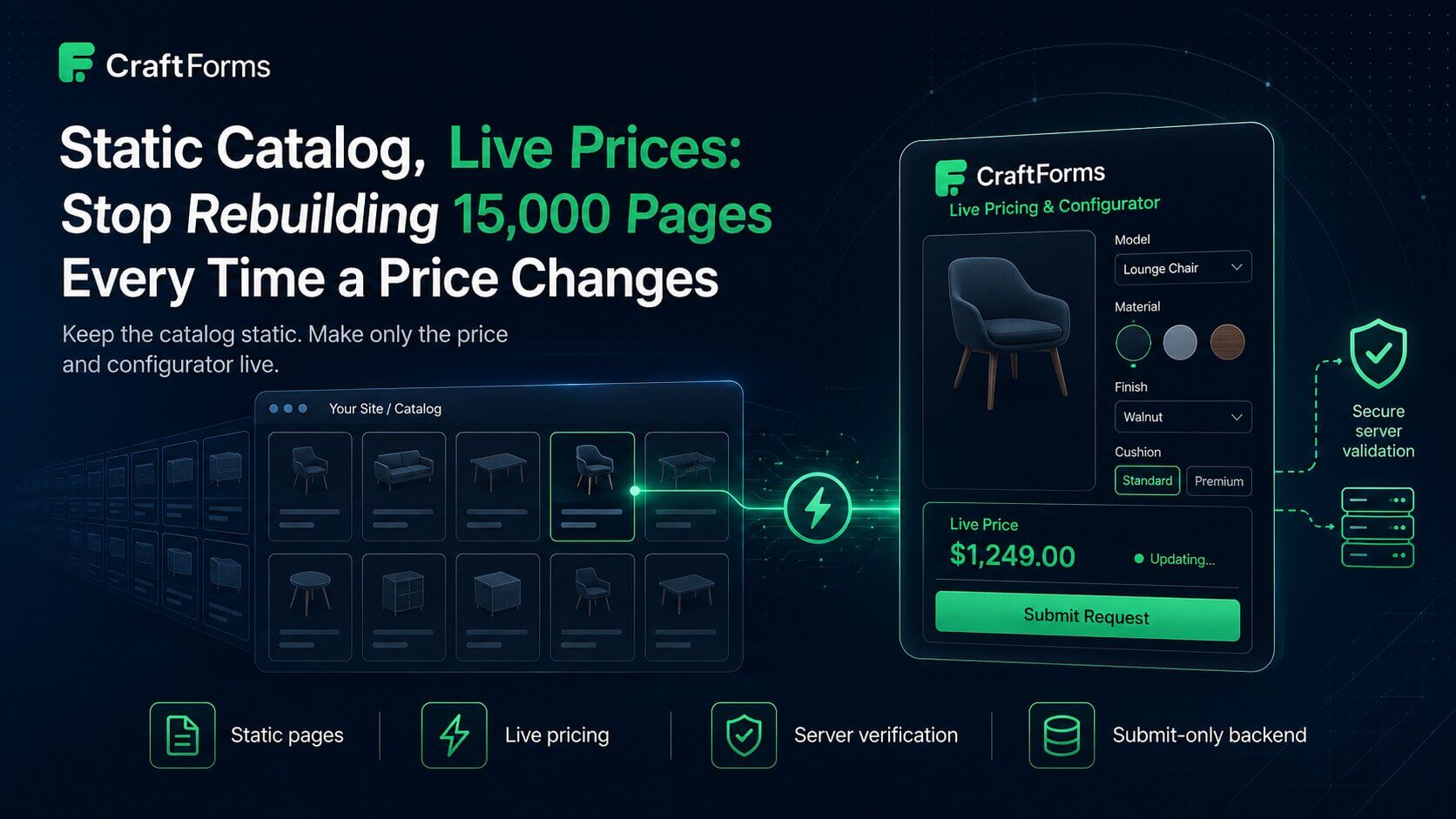
Embed a CraftForms product form on each catalog page. The page ships static; the form is fetched at runtime and computes the price from current data as the shopper configures the product:
<div data-craftforms-embed="YOUR_EMBED_KEY" data-resource-id="42"></div>
<script src="https://your-backend.com/wp-content/plugins/craftforms/build/webcomponents/embed.js" defer></script>
- The page is static — built once, served from the edge.
- The form (and its pricing logic and current option prices) is fetched live from your WordPress backend via
embed.js. - The price updates in the browser as options change — no round-trip per keystroke.
- The backend is only touched on submit, when it re-computes the total and rejects any mismatch.
Nothing here is specific to a plain price number — the same embed can carry a file upload for custom artwork, a Stripe payment step, or an “Add to Cart” button that lands the configured item in a WooCommerce cart. You’re not bolting a separate checkout widget onto the page; the form is the configurator, the price is one of its outputs, and checkout is another.
Change a price in WordPress and the next visitor sees it. No rebuild. No 15,000-page deploy.
Where prices actually live
You don’t want prices hard-coded into 15,000 templates — that’s what caused the rebuild problem. Keep them in your backend:
- A catalog item per product (
data-resource-idlinks a form to one), so option prices are looked up live. - A price formula on the form for anything computed (area × rate, tiered quantities, add-ons, surcharges).
Now a price change is a data edit, not a code deploy. The static pages never need to know.
“Won’t the price flash in after load?”
Only briefly, and only for the form region — the page itself (images, copy, specs) is already there instantly. If you want a number visible before the form boots, render a build-time price as a placeholder in the static HTML and let the live form replace it on load. Shoppers see a price immediately; the authoritative, current price arrives a moment later and is the one that gets submitted.
Filtering and search at scale
Live pricing solves the rebuild problem; it doesn’t solve search. If pure static filtering is getting clunky at your catalog size, that’s a separate concern — offload search/filtering to a client-side index or a hosted search service, and keep using static pages + live pricing for the product detail experience. The two decisions are independent; you don’t have to go fullstack to fix either.
It’s a configurator, not a price tag
Once the pricing logic lives in a real form engine instead of a hard-coded number, the same setup covers a lot more than “show the total”:
- Complex pricing — formulas, tiered quantities, and lookup tables instead of a single price field, for products where the total isn’t just
base × quantity. (Example for WooCommerce: Complex WooCommerce Pricing Without Hundreds of Variations; the same formula/table engine runs behind a static catalog.) - Stock per option combination — a dynamic SKU built from the shopper’s selections, checked against a stock table before the order goes through, so a static page never oversells a specific size/material/colour combo. (Possibly related article: Track WooCommerce Stock by Option — No Variations is the deep dive.)
- File uploads for custom artwork or specs, validated server-side.
- Payment — Stripe (hosted checkout or embedded card element).
- Booking capacity — the same live-then-verified pattern applies to an appointment slot or a date range, not just a price.
None of that changes the architecture in this post. It’s the same static page, the same embed, the same submit-only backend — the form itself is just doing more.
Why not just go server-rendered?
You could. But you’d give up the thing that made the catalog cheap and fast in the first place. The static-plus-live-price shape keeps the edge performance and the trivial hosting, and confines the “dynamic” surface to a single fetch and a formula. Your backend does almost nothing per pageview — it answers one embed request and, occasionally, a submission.
One honest note: the submission endpoint is public, so rely on the domain-bound embed key (the backend checks request Origin) plus a required request header as a spam gate (CraftForms doesn’t ship a CAPTCHA yet), and the built-in server-side price re-verification so a shopper can’t submit a total they edited in devtools. Locking the rest of the WordPress install down for this is a one-click Headless backend mode toggle in CraftForms → Settings → Embed — see the locked-down backend guide for what it covers and the extra server-level steps.
The takeaway
Rebuilding a whole catalog to change a number is a smell, not a requirement. Keep the pages static. Make the price — or the whole configurator, with options, stock, and checkout — live. Let the browser compute it for feel and the server verify it for trust. Your build stays fast, your catalog stays current, and 15,000 pages stop caring what anything costs or whether it’s even in stock.
It’s a shape developers tend to recognize the moment they see it work — static frontend, instant in-browser pricing, backend touched only on submit — because it removes the one thing that made big catalogs painful without giving up the speed and cheap hosting that made them appealing.
Related reading: if your catalog lives on Astro, Add a Real Form Backend to Your Astro Site walks through the embed end to end; on Hugo, see Add Forms to a Hugo Site With a WordPress Backend.
CraftForms embedding, external submissions, and catalog pricing are CraftForms PRO features.