
CraftForms 1.7 Is Here — PayPal Payments and Smarter Redirects
- Category
- Release
- Published
- Updated
- Reading time
- 4 min
- Tags
- —
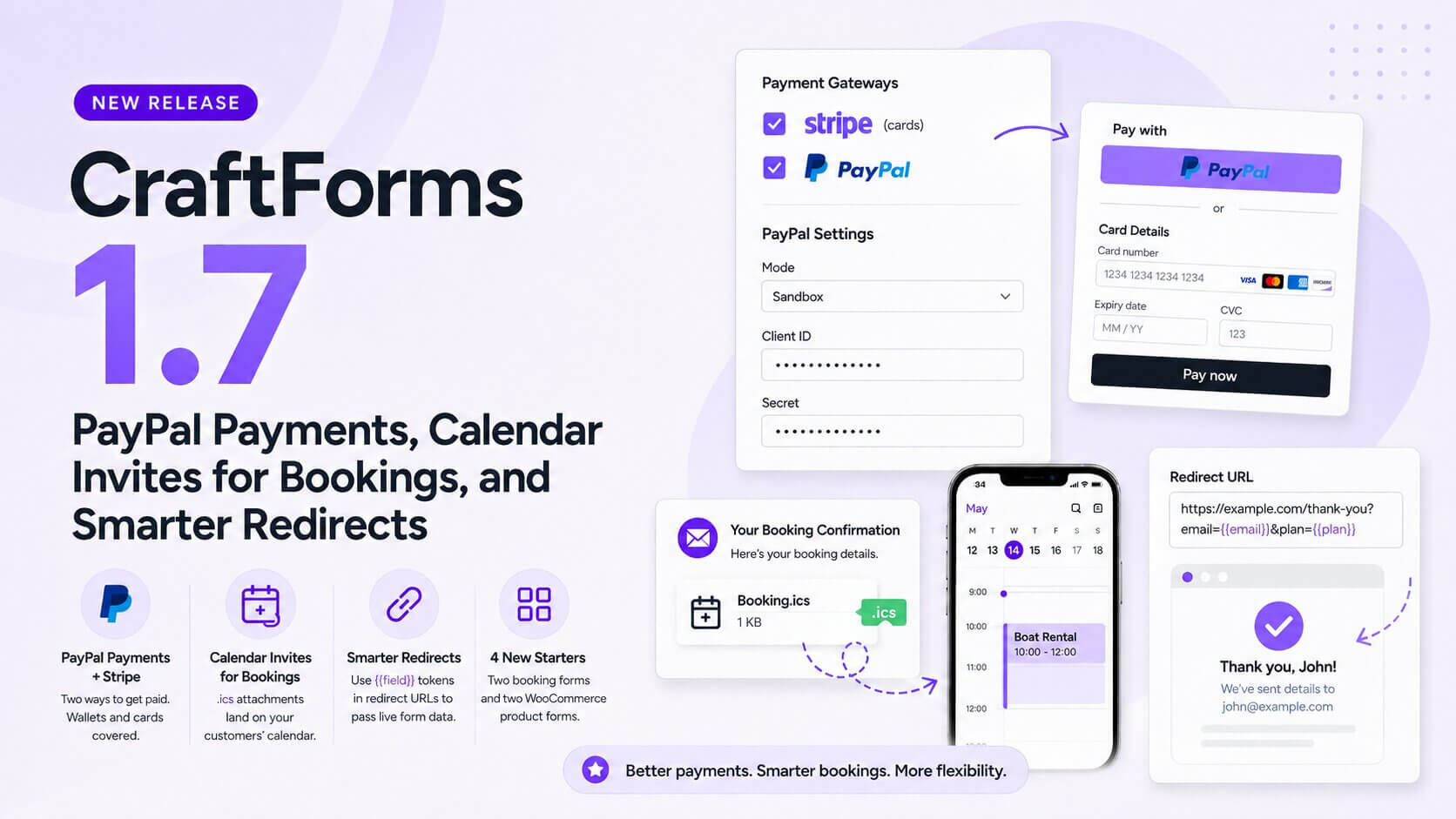
CraftForms 1.7 is out now, and the headline is simple: PayPal joins Stripe as a fully supported payment gateway. Customers can now pay with PayPal’s wallet on any form — hosted checkout, embedded on an external site, even connected to a catalog item — the same way they already could with Stripe. Alongside it: booking confirmation emails can now carry a calendar invite (.ics) so appointments land straight on a customer’s calendar, your “return on submit” redirect URL can now carry live form data, and there are four new starters to get booking and WooCommerce product forms running faster.
Here’s everything in 1.7.
PayPal payments — a second way to get paid
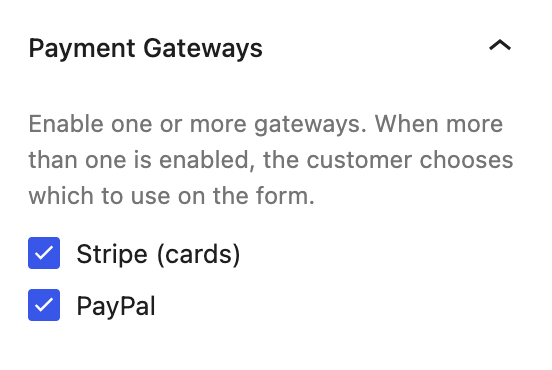
Stripe has always covered cards. In 1.7, PayPal is a first-class second gateway — add it to a Payment block right alongside Stripe, and customers see both options at checkout and pick whichever they prefer.
Setup mirrors Stripe: drop your Client ID and Secret into Settings → Payments → PayPal, flip between Sandbox and Live mode, and you’re ready to test with a PayPal sandbox account before going live. Same webhook-backed reliability, same Order Summary block on your success page, same server-side price enforcement — PayPal orders never trust a client-submitted total any more than Stripe ones do.
And because payments were tested end-to-end against every place a CraftForms form can live — on your own site, connected to a WooCommerce catalog item, and embedded via JavaScript on a completely separate domain — PayPal (and Stripe) checkout works identically in all three. A form embedded on a static site checks out exactly like one sitting in your own Gutenberg editor.
Calendar invites for bookings — .ics attachments on email
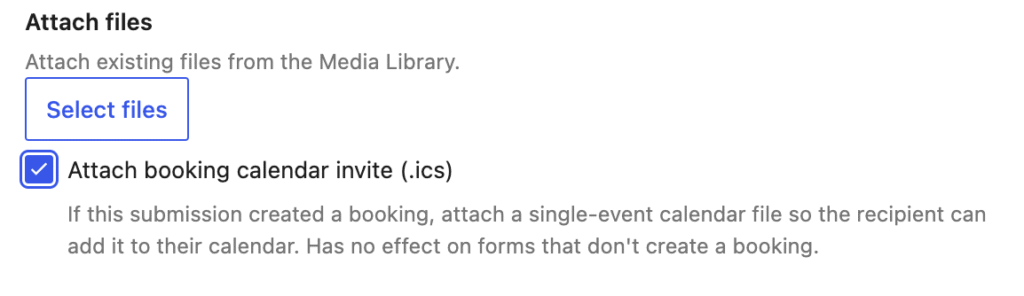
If your form books an appointment, room, or slot, 1.7 adds a checkbox to the Send Email and Send Email (Template) actions: “Attach booking calendar invite (.ics).”
Turn it on and any email sent from that action — to the customer, to yourself, to both if you’ve set up separate actions — carries a standard calendar file for the booked date and time. One tap on a phone or in a desktop mail client adds it straight to the recipient’s calendar, no manual re-entry of the date. It has no effect on forms that don’t create a booking, so it’s safe to leave on across the board.
Redirect URLs that carry your form’s data
The Redirect URL field under a form’s “After Submission” settings now accepts the same {{fieldName}} tokens you already use in labels, emails, and formulas. Whatever a customer typed or selected gets URL-encoded and appended automatically:
https://example.com/thank-you?email={{email}}&plan={{selected_plan}}
That’s enough to personalize a thank-you page, fire a tracking pixel with real order details, or hand a downstream page exactly the context it needs — without a webhook or a database lookup in the middle.
Four new starters
Two new booking-form starters land in this release — Boat Rental (Seasonal) for a self-drive rental priced per month, and Boat with Skipper (Seasonal) for a shared, skippered trip with per-person adult/child pricing and a 12-guest cap — plus two new WooCommerce product starters: Art Wallpaper, a made-to-measure mural priced by area with a live image cropper, and Smart Watch, with a layered-image live preview that updates as customers pick a band color.
Drop one in, adjust the pricing and copy, and you’ve got a working booking or product-configurator form in minutes instead of building the field logic from scratch.
Fixes and polish
1.7 also ships three fixes worth calling out:
- Payment blocks now work reliably on embedded forms. A form embedded on an external site has no WordPress login session to draw a security nonce from — but the payment webcomponents were still sending an empty one, which WordPress itself was rejecting before CraftForms’ own embed-key authentication ever got a chance to run. That’s fixed, so Stripe and PayPal both check out cleanly on embedded forms, catalog-connected or not.
- Embed form styling is more accurate. A CSS specificity bug meant a theme’s own layout rules could silently override CraftForms’ field-alignment styles on embedded forms, flipping flex-aligned rows back to center. Embedded forms now render with the same alignment as the source form.
- The Uni CPO migration script is smarter. Price formulas that reference a choice field’s selected-option price now get a matching smart variable generated automatically during migration, so imported formulas resolve correctly instead of breaking — with a warning listing everything it created, so you can double-check the results.
Get CraftForms 1.7 today
CraftForms 1.7 is about giving customers a payment method they already trust, making sure bookings end up on their calendar, and getting more of your form’s data where it needs to go. Update now to get all of it.
New to CraftForms? The free version gives you the full block-based form builder to start with today — PayPal, Stripe, and the booking/commerce features arrive with Pro.