
AEO for Form & Quote Pages: How to Get Your Prices Into AI Answers
- Category
- Article
- Published
- Updated
- Reading time
- 8 min
- Tags
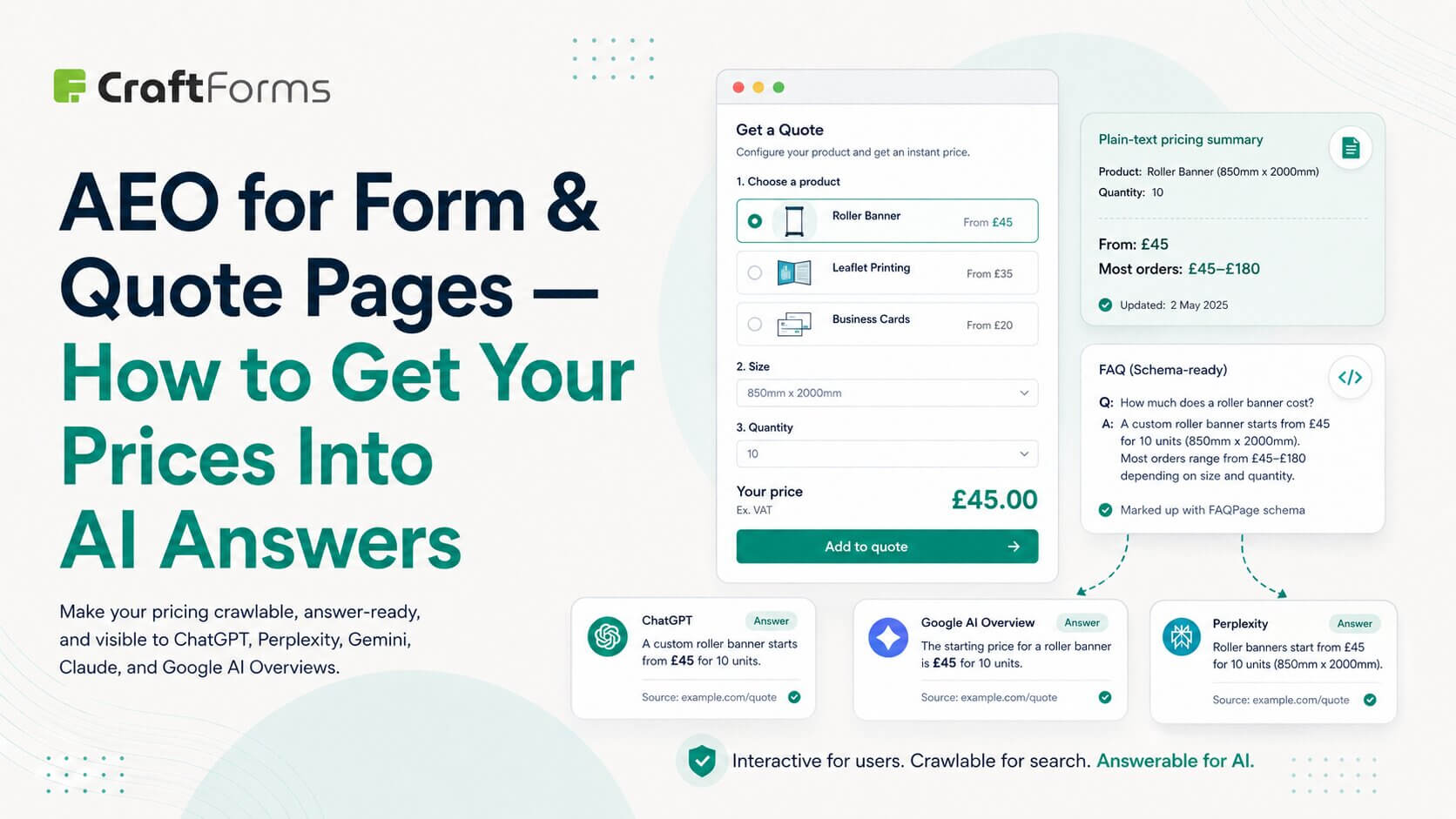
More and more buyers never reach your pricing page the old way. They ask ChatGPT, Perplexity, Google’s AI Overviews, Claude, or Gemini a question — “how much does a custom roller banner cost?”, “who does made-to-measure shutters and what’s the price range?” — and act on the answer they’re given. If your price lives only inside an interactive calculator or behind a “request a quote” form, none of those engines can see it. You’ve optimised for humans who arrive at the page, and made yourself invisible to the layer that increasingly decides whether they arrive at all.
This is what Answer Engine Optimization (AEO) fixes. And pages built around a form, calculator, or quote request are exactly the pages that get it wrong most often.
SEO, GEO, AEO — the one-line version
- SEO gets you ranked in a list of blue links.
- GEO (Generative Engine Optimization) is about being used as a source by generative search.
- AEO is the practical core of both: structuring your content so an engine can extract a clean, correct, self-contained answer and attribute it to you.
For a pricing or quote page, the “answer” the engine wants is simple: what does this cost, and how do I get it? Your job is to make that answer readable by a machine that will never click a dropdown.
The problem: your calculator is a black box to AI
A live price calculator is a genuinely great experience for a human. They pick a size, choose a material, set a quantity, and watch the total update. But think about what an answer engine’s crawler actually receives when it reads that page:
- It cannot select “2m × 1m”, so it never triggers the price.
- It often cannot run the JavaScript that computes the number at all.
- It sees a form, some empty fields, and — if you’re not careful — no price anywhere in the text.
So when someone asks an AI “how much is a 2-metre banner from [you]?”, the engine has nothing to quote. It either skips you or, worse, guesses. The interactive tool that converts so well for on-page visitors is a dead end for the audience deciding which businesses to even mention.
The fix is not to remove the calculator. It’s to stop making the calculator the only place the answer exists.
The same goes for charts. If your calculator explains its total with a live pie or donut chart, write the example numbers behind it on the page as plain text too.
The core principle: one page, two audiences
The interactive form is for the human. A crawlable, plain-language version of the same answer is for the engine. A well-optimised page serves both, on the same URL.
Everything below is a way to add the machine-readable answer around your form without hurting the human experience.
Tactic 1 — Put representative prices in actual text
Even if the exact price is configurable, you almost always have a defensible, crawlable version of it:
- “Starting from” pricing — “Roller banners start at £45 for the 850mm × 2000mm size.”
- Tiers or ranges — “Most orders fall between £45 and £180 depending on size, finish, and quantity.”
- Worked examples — “A popular configuration — 1m × 2m, premium film, qty 1 — comes to about £89.”
Put this as real body text near the form, in a heading-led section like “How much does it cost?”. This single change is the highest-leverage thing you can do: it gives the engine a number to attribute to you, and it reassures the human before they start configuring.
Because a CraftForms form is built from native Gutenberg blocks, you add this pricing summary the same way you’d add any paragraph or heading — right above or beside the form, in the same editor. There’s no separate “form app” boxing the content out of the page.
Tactic 2 — Add a real FAQ next to the form
Answer engines love self-contained question/answer pairs, because that’s the shape of the thing they’re trying to return. A short FAQ under your quote form does double duty — it deflects the same questions your sales inbox gets, and it feeds the engine clean Q&A:
- “How is the price calculated?”
- “Do you offer bulk / trade pricing?”
- “What’s the turnaround time?”
- “Can I get a fixed quote before ordering?”
Write the answer in the first sentence, plainly, then elaborate. Don’t bury the answer in a paragraph of preamble — the engine (and the reader) wants it up front.
To make that FAQ machine-readable as an answer, pair it with FAQPage structured data. CraftForms doesn’t emit schema itself — you generate it with your SEO plugin (Yoast, Rank Math, SEOPress all have an FAQ block/feature) or the core FAQ pattern. The point is that it sits on the same page as the form, and because the form is native content, nothing about the form stops the schema from applying to the page.
Tactic 3 — Describe the offer with Product / Offer / HowTo schema
Beyond FAQ, two more schema types help a pricing/quote page get quoted:
- Product + Offer — for a configurable product, mark up the base offer (
lowPrice/priceRange, currency, availability). This gives generative engines a structured price to cite. - HowTo — if your page walks the buyer through configuring and ordering, a HowTo outline mirrors the steps an engine likes to summarise.
Again: this markup comes from your SEO/schema tooling, not from CraftForms. CraftForms’ contribution is that the page is normal WordPress content — so any schema block or SEO plugin treats it like any other post, with none of the “the form is a separate embedded app” problems that break markup on other builders.
Tactic 4 — Keep the page fast and server-rendered
Answer engines favour pages that are quick to fetch and whose meaning is present in the delivered HTML, not assembled later by heavy scripts. This is where the architecture of your form matters:
- Native Gutenberg, not a bolted-on widget. CraftForms forms are built from core block infrastructure that’s already on the page, so a form/quote page doesn’t drag in a multi-hundred-kilobyte third-party configurator bundle. Lighter page, better Core Web Vitals, faster crawl.
- Don’t gate the answer behind JS-only interaction. The live total is computed in the browser for responsiveness (and re-validated server-side at submit, so the charged price is always correct) — but the representative pricing, the FAQ, and the description from the tactics above are plain server-rendered content that any crawler gets on first load.
- The Info block for on-page context. Use it to show the live figure to humans; use body text (Tactic 1) to state the crawlable figure for engines. Same page, both covered.
The recurring complaint about configurators — “the one I tried completely killed my page speed” — is an AEO problem too: a slow, script-heavy page is both a worse human experience and a worse candidate for AI answers.
Tactic 5 — Structure the page so it’s easy to extract
- One clear
<h1>stating what the page is (“Custom Roller Banner Pricing & Instant Quote”). - Descriptive sub-headings that match real questions (“How much does it cost?”, “Get an instant quote”, “Bulk & trade pricing”).
- Short paragraphs, one idea each. Lists for tiers and options.
- The plain-language answer above the interactive tool, not below it.
An engine skims structure first. If your headings are the questions people ask, you’ve done half its work for it.
Putting it together in CraftForms
A worked flow for a “custom product quote” page, entirely in the block editor:
- Heading + intro —
<h1>and a two-line summary of what you make and roughly what it costs. - “How much does it cost?” section — representative “from / range” prices in text (Tactic 1).
- The CraftForms quote form — options, quantity, and an Info block showing the live total as the visitor configures. Server-side price validation keeps the real charge honest.
- A short FAQ — 4–6 real questions, answer-first (Tactic 2).
- Schema — add FAQPage (and Product/Offer if relevant) via your SEO plugin.
- Ship it fast — because it’s all native blocks, the page stays light and fully crawlable.
If you run a “Request a Quote” style page (no price shown, enquiry only), Tactic 1 matters even more: give the engine a range even when the exact figure is quote-only, or you’re invisible for every “how much does X cost” question in your category.
How to tell if it’s working
- Ask the engines directly. Query ChatGPT, Perplexity, Google AI Overviews, and Gemini with your real buyer questions and see whether you’re mentioned — and whether the price they quote is yours and correct.
- Watch referral traffic from AI sources in analytics (they show up as their own referrers and are growing).
- Re-test after each change; AEO is iterative, and engines re-crawl on their own schedule.
The honest caveats
- AEO doesn’t replace SEO — it’s the layer on top. You still need the page to be indexable and useful.
- Schema is a signal, not a guarantee. Marking up a price doesn’t force an engine to quote it, and engines can still paraphrase or get it wrong. Keep the plain-text answer accurate as your first line of defence.
- CraftForms is the form + speed + crawlable-content half of this. The structured-data half is your SEO plugin’s job — this article is deliberately clear about which is which.
- Don’t fake precision. If pricing genuinely varies, publish an honest range rather than a fake exact number an engine might quote back at a customer.