
One Price Table for Every Form, With a Meta Box Settings Page
- Category
- Tutorial
- Published
- Updated
- Reading time
- 5 min
- Tags
The short answer: create a Meta Box settings page called Prices with your rates as fields. In each CraftForms form, read them with smart variables (Dynamic → ACF / Meta Box / ACPT field) and use those variables in the price formula. Show them in text and emails with {{mb.setting.<option>.<field>}}. When a rate changes, the client edits one screen and every form, every total and every email follows.
TL;DR
- Meta Box holds the prices: one settings page, one field per rate, plus a cloneable group for zones or packages.
- CraftForms reads them: a smart variable per rate, read on the server when the page loads and again on submit. Visitors can’t change them.
- Forms never hold a number: formulas name the variables, so no form needs editing when prices change.
- What you need: Meta Box with MB Settings Page (part of Meta Box AIO / any bundle that includes it), CraftForms PRO 2.3 or later.
Why one table
A cleaning company has three forms: a regular-clean quote, an end-of-tenancy quote and a window-cleaning quote. All three use the same hourly rate and the same travel zones. In March the rate goes up. Today someone opens three forms, finds the number in each formula, and hopes nothing was missed. The emails and PDFs still say the old rate somewhere.
Put the rate in one place, and the forms ask for it.
Step 1: the Prices settings page
With MB Settings Page active, create a settings page (in Meta Box → Settings Pages, or in code):
- Menu title: Prices, option name
cf_prices.
Then a field group (Meta Box → Custom Fields) located on that settings page:
| Field | ID | Type | Example |
|---|---|---|---|
| Hourly rate | hourly_rate |
Number | 35 |
| Price per m² (deep clean) | rate_m2 |
Number | 4.5 |
| Minimum charge | minimum |
Number | 90 |
| Weekend surcharge (%) | weekend_pct |
Number | 20 |
| Travel zones | zones |
Group, cloneable: Name (text), Price (number) | Centre 0 · Zone B 15 · Zone C 30 |
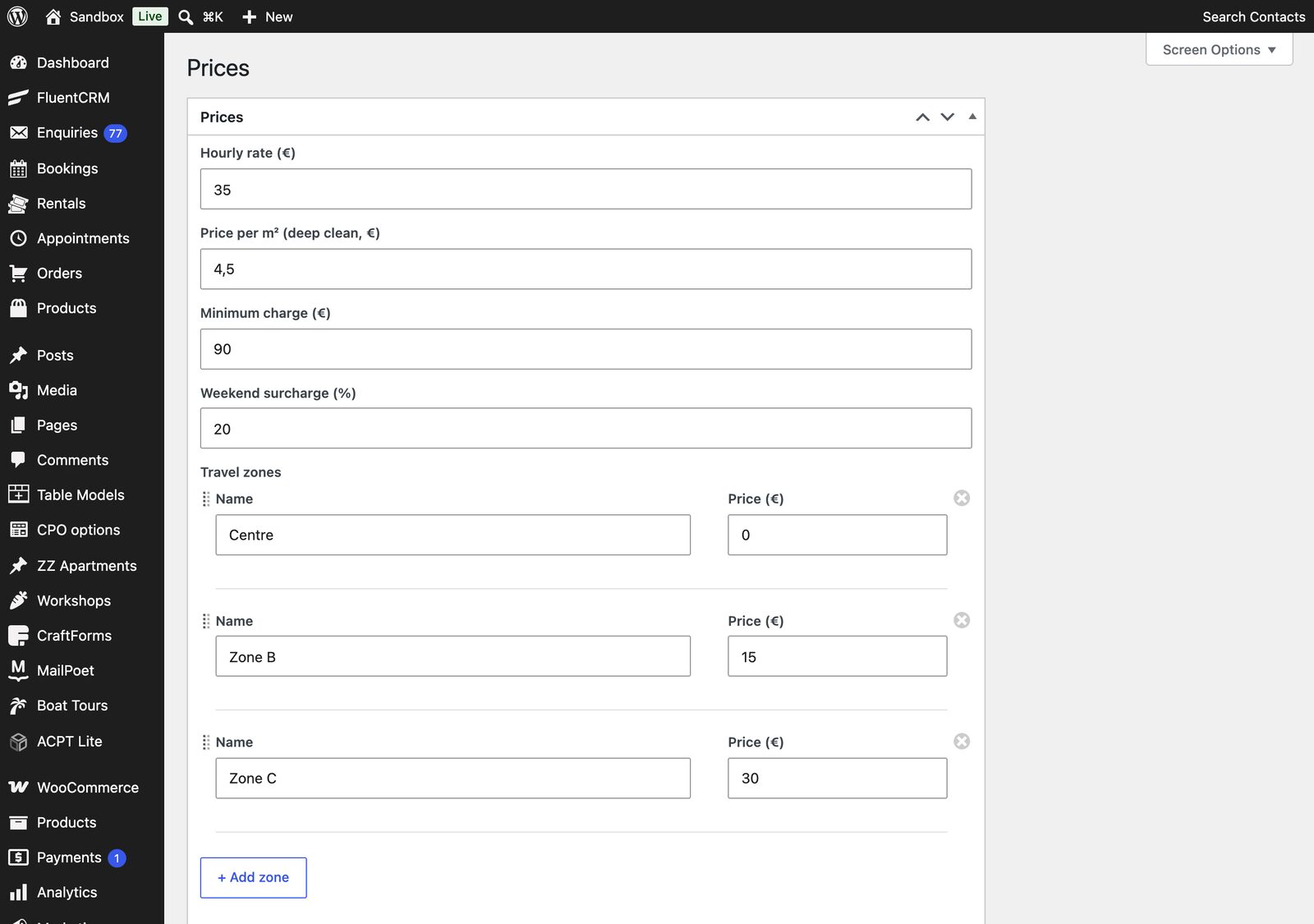
Give the client this screen. It’s the only place prices live.
Step 2: read the rates in a form
Open the end-of-tenancy quote form. It has Area (m²) (area), Hours (hours, or a formula from the rooms), and a When? choice (day: Weekday or Weekend).
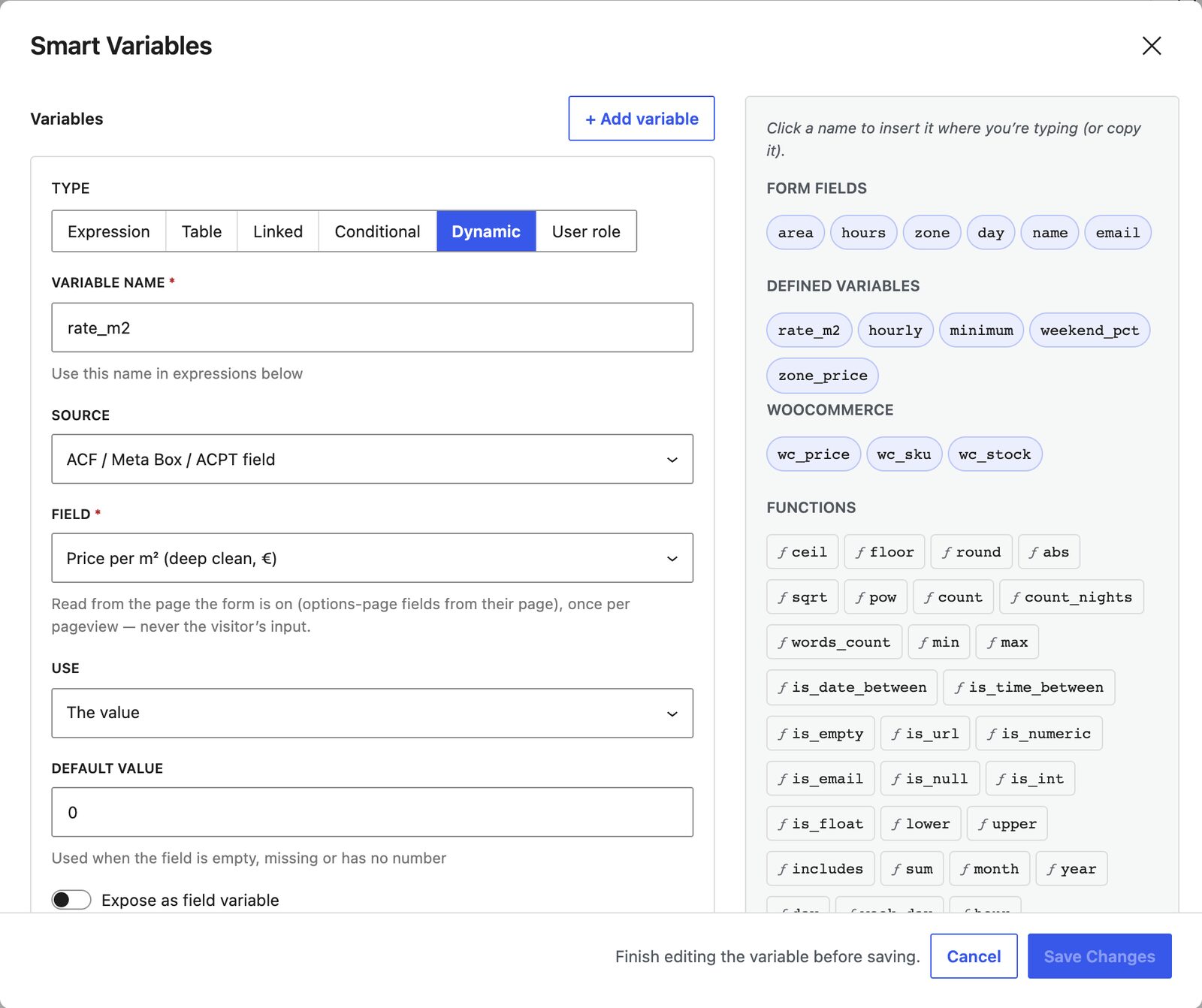
Smart variables. In Smart Variables, add one Dynamic variable per rate, Source ACF / Meta Box / ACPT field, under Field pick the rate by its name, Use The value:
| Variable | Field |
|---|---|
rate_m2 |
Price per m² |
hourly |
Hourly rate |
minimum |
Minimum charge |
weekend_pct |
Weekend surcharge (%) |
Give each a sensible Default value so a missing setting never quotes 0.
Zones as choices. Add a Select field "Where is the property?" (zone) with Choices from a custom field, Field Travel zones: label Name, price Price. Add a Linked smart variable zone_price (Linked field zone, Lookup Price).
The formula.
max(minimum, (area * rate_m2 + hours * hourly + zone_price) * (day == 'weekend' ? 1 + weekend_pct / 100 : 1))
Show it with {{form.price}} in an InfoBlock: "Your estimate: €{{form.price}}".
Step 3: the rates in text and emails
Anywhere a form shows text, the settings page is a dynamic tag (free):
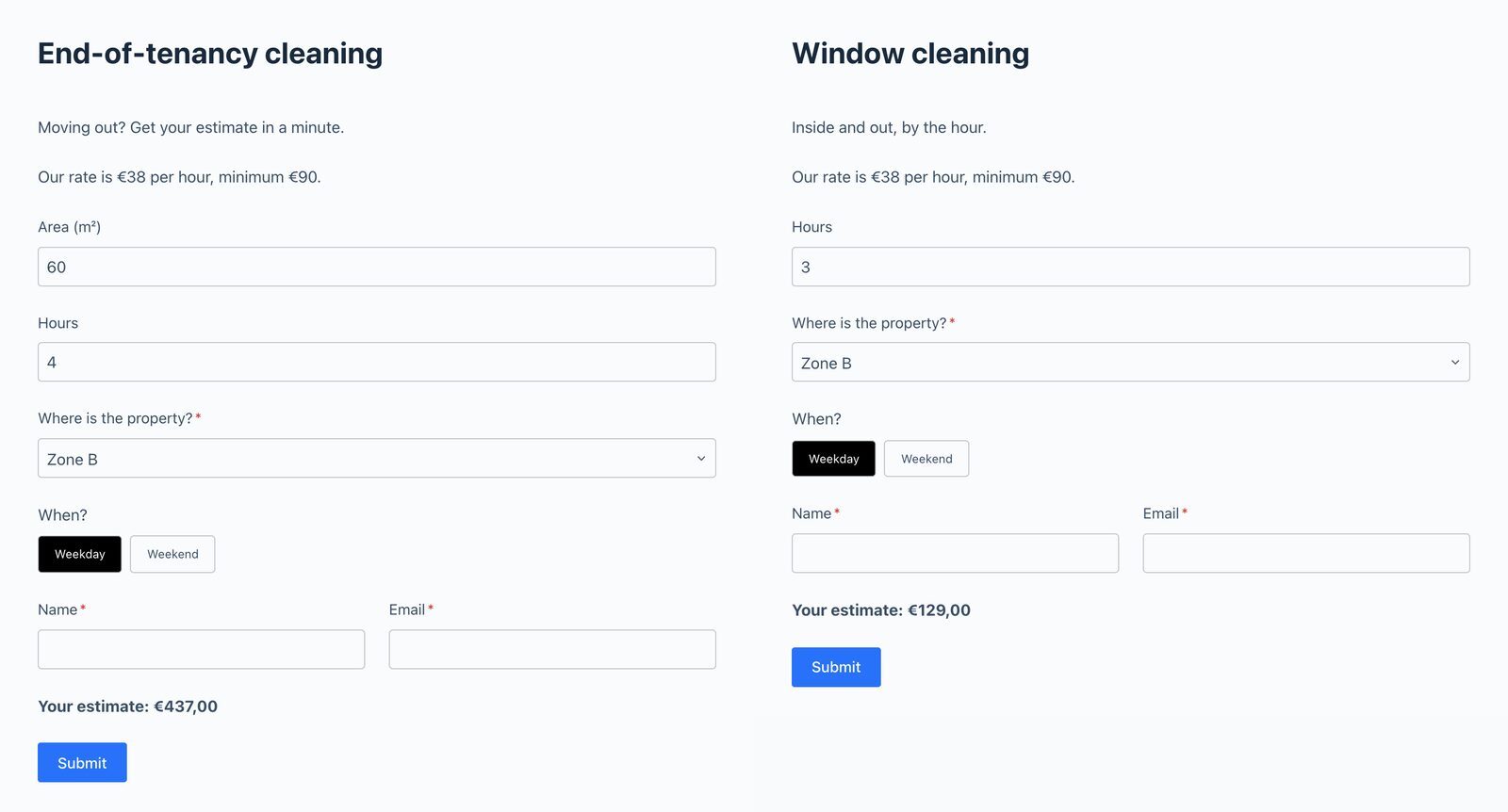
Our rate is €
{{mb.setting.cf_prices.hourly_rate}}per hour, minimum €{{mb.setting.cf_prices.minimum}}.
The same tags work in the customer’s confirmation email and in a PDF quote, so the quote shows the rate that was used.
Step 4: the other forms
Open the regular-clean and window forms and add the same variables (or copy the form and change its fields). None of them holds a number. In March, the client changes Hourly rate to 38 on the Prices screen, and the next visitor on every form gets the new rate.
Is it safe?
- Prices are read on the server, on page load and again when the form is sent. Editing the page in the browser can’t change a rate or the total.
- Only fields Meta Box has registered are read, never other options, and password fields never are.
- Who can edit prices is who can open the settings page: give the client that capability, not access to the forms.
Questions
Does it work with ACF options pages or ACPT option pages? Yes, the same way: {{acf.option.<field>}} and {{acpt.option.<page>.<box>.<field>}}, and the same smart variable source.
Can prices differ per service post instead? Yes: put the fields on the post type instead, and the form reads the post it’s on. The ACPT tours tutorial shows that pattern.
Can I use the zones list in several forms? Yes, every form with a field sourced from Travel zones shows the current rows.
Try it: smart variables and choices from fields need CraftForms PRO; the tags are free. Or get a free test drive: we build your quote form on a demo site. Docs: ACF, Meta Box and ACPT Fields · Smart Variables.