
CraftForms 1.9 Is Here — Mollie & Square, Availability Periods, and a Setup Wizard That Builds the Whole Thing
- Category
- Release
- Published
- Updated
- Reading time
- 10 min
- Tags
- —
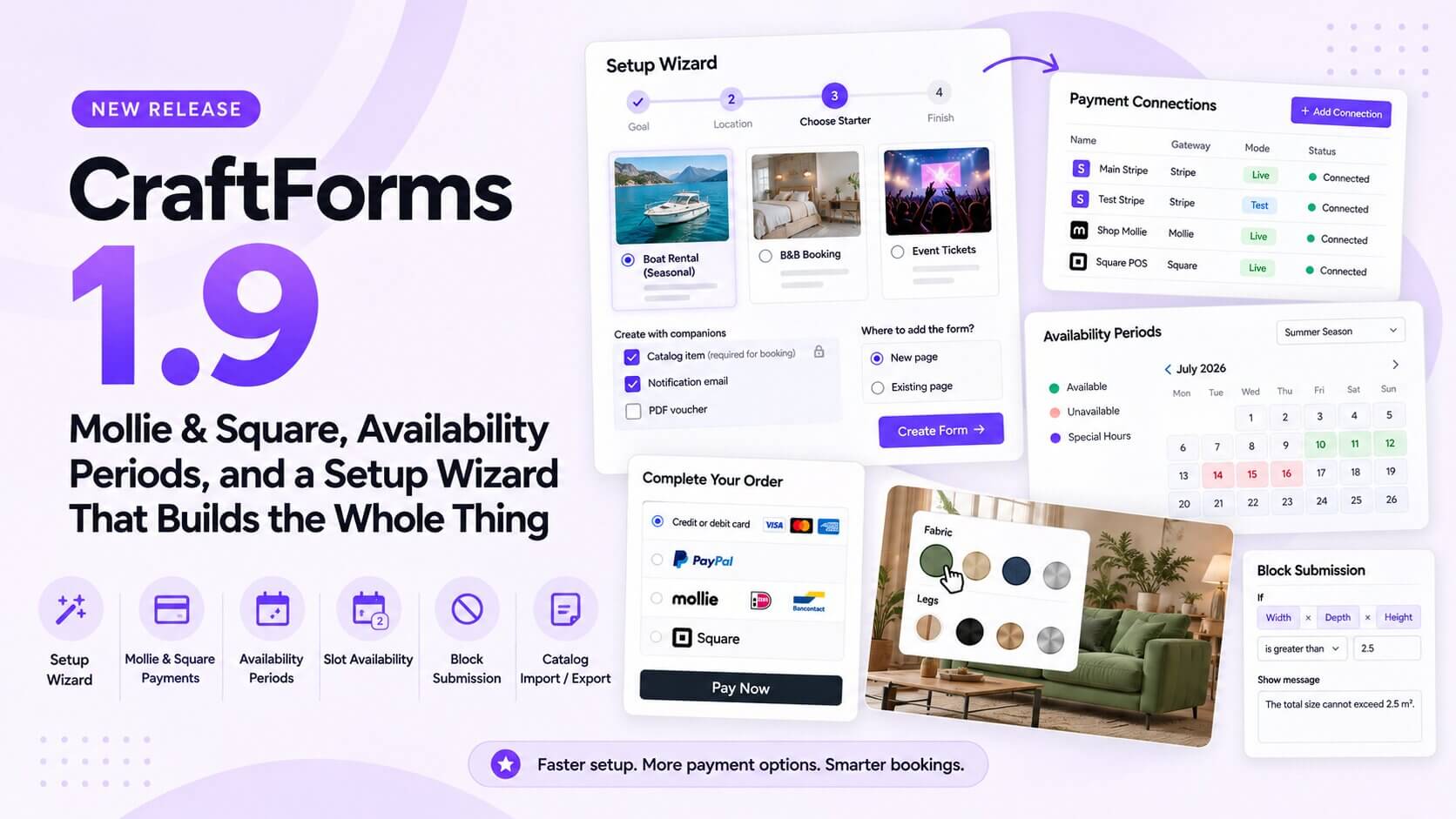
CraftForms 1.9 is out. It’s a release about the first ten minutes and the last mile: a new setup wizard that turns “I just installed a form plugin” into a working, published form with its email, PDF and booking calendar already wired up — and, at the other end, two new payment gateways, bookings that finally understand seasons and specific dates, and calendar sync that knows what time it is.
In short:
- Setup wizard. Pick a goal, pick where the form will live, pick a starter. CraftForms creates the form, its notification email, its PDF, its catalog item and the page it sits on.
- Mollie and Square join Stripe and PayPal. iDEAL, Bancontact and friends for European shops; Square for anyone already taking card payments in person.
- Availability periods. Different opening hours per season, per date range or for a handful of specific days, including whole-day tickets.
- “2 left” / “Sold out” on time slots, instead of busy times silently vanishing.
- Time-aware iCal in both directions, with repeating events honoured and removed events freed.
- “Block submission” rules, so a form can refuse a combination that doesn’t make sense (width + depth + height over a limit), checked in the browser and on the server.
- Catalog item export/import, plus nine ready-made catalog starters.
- Bulgarian becomes the 7th admin language, plus a round of fixes you’ll want if you sell in anything other than US dollars.
Here’s everything in 1.9.
A setup wizard that finishes the job
Until now, Getting Started was a page of persona cards: helpful reading, but you still had to create the form, find the right starter, write a notification email, make a page and embed the form yourself. Four separate places, and plenty of chances to stop halfway.
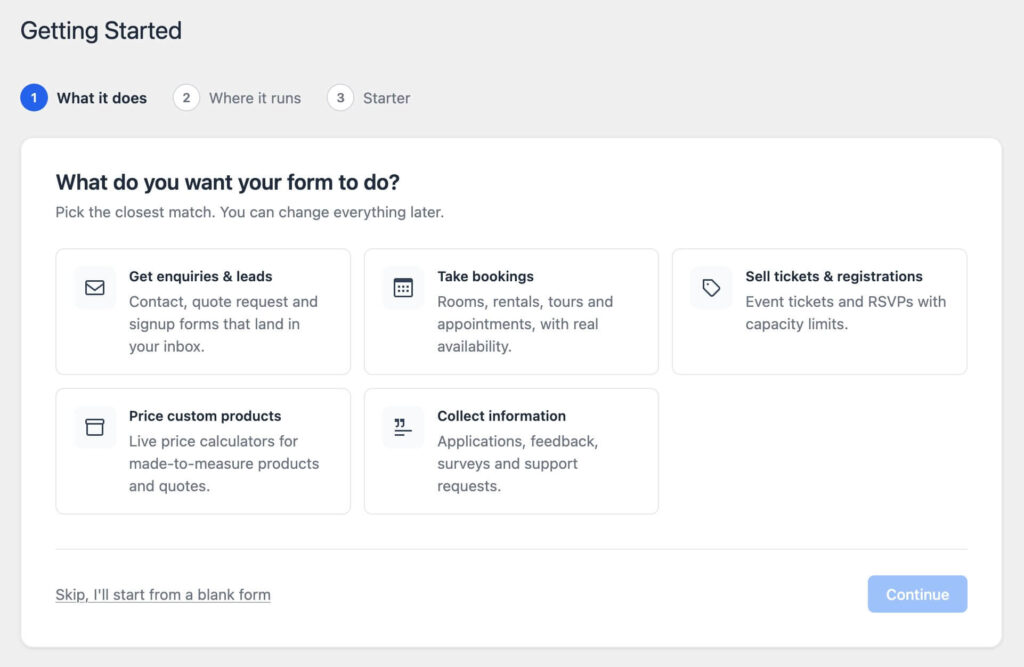
1.9 replaces it with a four-step wizard:
- What do you want the form to do? Collect leads, take bookings, sell tickets and registrations, show a price calculator, or just collect information.
- Where will it live? On this WordPress site, on another website (the wizard switches on external submissions and generates the embed key for you), or on a WooCommerce product page.
- Pick a starter. The library filters itself by goal and — only when it actually narrows things down — by industry. Then tick the companions you want: a branded notification email, a PDF (invoice, ticket, confirmation), and for bookings, the catalog item that holds the availability. Choose whether to put the form on a new page or add it to an existing one.
- Done. You get the form, a notification email that goes to your site’s admin address, and the page with the form already in it.
The done screen then keeps a short checklist of what’s left: set up the catalog item’s availability, generate the embed key, connect a payment account, publish the page, make the form your own. The checklist ticks itself as you do each thing, even in another tab, because it re-checks when you come back.
One detail we’re pleased with: the notification email is compiled for real when the wizard creates it, so the first submission already arrives as a proper branded HTML email instead of a raw template.
The same starter browser (search, Goal and Industry filters, clear PRO badges) now powers every starter picker in the plugin: forms, email templates, PDF templates and catalog items. It’s one library everywhere instead of four slightly different modals.
Mollie and Square payments (PRO)
Stripe and PayPal cover a lot of the world, but not all of it. In the Netherlands and Belgium, customers expect iDEAL and Bancontact. Plenty of small businesses already take card payments in person with Square and would rather keep everything in one account. 1.9 adds both.
Mollie uses Mollie’s Hosted Checkout, so every method enabled on your Mollie profile is available: iDEAL, Bancontact, cards, bank transfer, SEPA and the rest. There’s no webhook to set up. Paste an API key into a new Payment Connection and you’re done.
Square gives you two ways to take the payment:
- Hosted Checkout (Square Payment Links): the customer is sent to Square’s page and back.
- Card fields right in the form, with the card authorised, then held until stock or the booking is confirmed. If the last slot sold out while your customer was typing their card number, nobody gets charged for a booking that can’t exist.
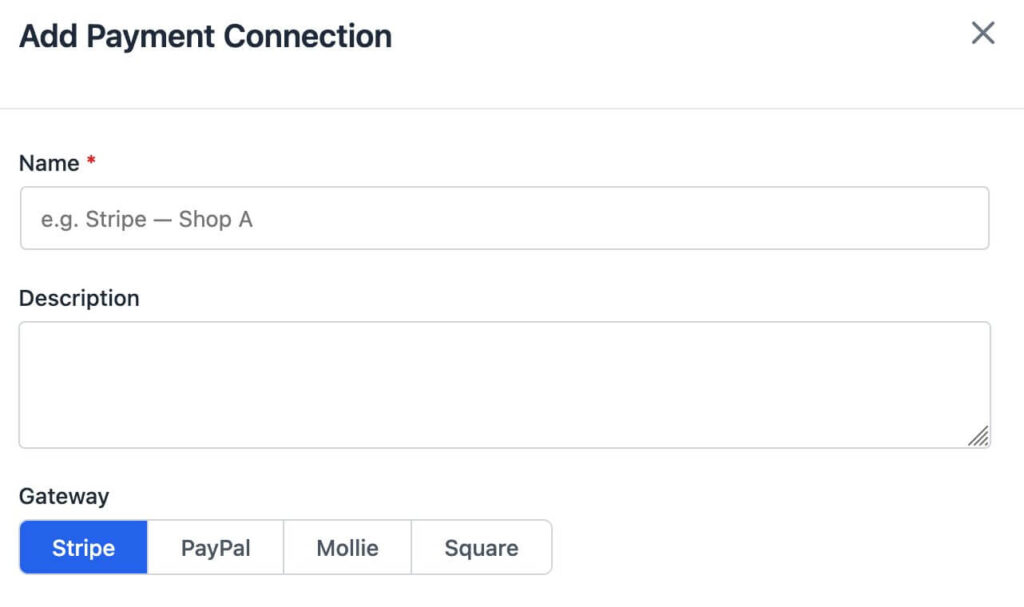
Both plug into the Payment Connections you already know from 1.8: add as many named accounts as you need, live and test side by side, and pick one per Payment block. The Add Payment Connection screen now shows exactly which fields, webhook URL and events each gateway needs, so you’re not left reading four different providers’ documentation to find the right one.
Availability periods: seasons, date ranges, and specific days (PRO)
A boat rental opens at 8:30 in July and 10:00 in October. A museum is open daily in summer, weekends only in winter, and has a late opening on three specific Fridays. A guesthouse only takes bookings for a festival week. In 1.8, each of those needed a workaround.
In 1.9 the seasonal booking type becomes a general availability-period engine. On a catalog item you define periods, and each one can be:
- Yearly (every 1 June – 30 September), or tied to explicit dates (this year’s festival week, three specific Fridays).
- Time-based, with its own opening hours per weekday and its own slot length, or whole-day, for date-only availability like day tickets and full-day rentals.
- Prioritised. When two periods overlap, the one with the higher priority wins. “Closed on 25 December” beats “Open daily in winter” without deleting anything.
The datepicker and the server resolve periods with the same logic, so what the customer sees in the calendar is exactly what the server will accept.
“2 left” instead of a disappearing slot
A time slot that is partly booked now tells the customer how many places are left (“2 left”), and a full one shows “Sold out” instead of silently disappearing from the list. Customers stop wondering why 14:00 isn’t there, and a nearly full tour sells the last seats faster.
iCal sync that knows what time it is (PRO)
Calendar sync existed before 1.9, but it thought in whole days. That’s fine for a holiday let and wrong for everything else. This release fixes it in both directions.
Export. The iCal feed and the calendar invite attached to booking emails now carry the booked time for appointments and meeting-room bookings. A 14:00–15:00 appointment lands in Google Calendar as 14:00–15:00, not as an all-day block.
Import. An imported feed now blocks only the times its events cover. A 10:00–11:00 event in your Google Calendar closes the 10:00 slot and leaves the rest of the day bookable. All-day events still close the whole day, and repeating events are honoured, so your weekly “Tuesday staff meeting” doesn’t need to be entered 52 times.
Freshness. Imported calendars are fetched as soon as you save a catalog item, not only on the hourly schedule.
Along with it:
- Events imported from an external calendar didn’t block appointment time slots at all. They now do.
- Events you removed from an external calendar stayed blocked in CraftForms. Removing them now frees the time at the next sync.
- Cancelled events are ignored, and a feed that fails to download keeps the last good data instead of suddenly opening every date.
“Block submission” — refuse the combination, not just the field
Field validation checks one field at a time: width can’t exceed 300, depth can’t exceed 200. Some real-world limits cover a combination of fields: a parcel service where width + depth + height can’t exceed 300 cm, a rental where the number of guests can’t exceed the room’s capacity, a quote that makes no sense if two options are picked together.
The Field Conditions builder now has a Block submission action. Write the condition, write the message, and while it matches, the Submit button stays disabled and your message appears right next to it. Change a field so the combination is valid again and the form unlocks.
The important part is that the server checks the same rule. The form’s submit route is public, so a limit that only the browser enforces isn’t really a limit. Anyone can post straight to it. In 1.9, a submission that breaks a block rule is refused by the server with your message, the same as in the browser.
The same thinking fixed Dynamic Validation. A dynamic maximum like 300 - width - depth is now evaluated as a real expression on both sides. Before, it was read as plain 300 in the browser, and dynamic limits that referenced smart variables weren’t enforced on the server at all.
Catalog item export, import and starters (PRO)
Forms have had export and import for a while. Catalog items, which hold availability, capacity, periods and per-item prices, didn’t. That made it tedious to move a working booking setup from a staging site to production, or from one client to the next.
In 1.9, a catalog item exports to a single .craftbundle.html file and imports on any other CraftForms site. Links to email templates, PDF templates and the connected form travel by name, so the import reconnects to what already exists instead of creating duplicates.
That same format powers nine new catalog starters, each paired with a matching booking form:
- Accommodation: Hotel room types · Guest room (nightly, with cleaning fee)
- Rentals: Boat rental slots · Skippered trip slots · Equipment rental (daily, shared stock)
- Services and tours: Appointment time slots (Mon–Fri 9–17, lunch break) · Guided tour slots
- Events and venues: Timed event slots · Museum day ticket
Pick one in the setup wizard, and the form, the catalog item, the price formula and the page all arrive together.
Smaller things that add up
- Site-wide default messages now reach every field. Radio and checkbox fields used to seed their own “This field is required” message, which quietly overrode whatever you’d set in Settings → Field Message Translations. They no longer do, and the site-wide defaults now also cover “select at least / at most”, allowed file types, maximum file size and maximum number of files.
- Switch between Select, Radio and Checkboxes with the block’s Transform menu, keeping your options. If the switch would lose something (a checkbox group’s “at least 2” rule has no meaning on a radio), you get a notice instead of a silent loss.
- File size limits are enforced in the browser again. A too-large file is refused on the spot with a clear message, instead of after the upload. The server always enforced the limit. Now the visitor finds out before waiting.
{{submission.domain}}and{{submission.url}}tell you which site a submission came from. This is useful when one form is embedded on several sites, and it’s now the default in new notification subjects.- A “From” name on notification emails. The From setting on Send Email and Send Email Template accepts
Acme Bookings <hello@acme.com>, or just a name. - Bulgarian joins English, German, Spanish, Italian, Polish, Ukrainian and Finnish. That’s 7 admin languages, fully translated.
- Security hardening across the submission and payment paths.
Fixes worth calling out
- Non-USD stores. On stores whose currency isn’t USD, embedded Stripe and PayPal payments on forms linked to a catalog item failed with “Payment currency does not match”, and orders were saved in USD. If you sell in euros, pounds or anything else, update.
- iCal: external events now block appointment slots, and removed events free them (see above).
Get CraftForms 1.9 today
1.9 is about getting to a working form faster, and trusting it once it’s live. That means one wizard instead of four screens, payments in the methods your customers actually use, a calendar that knows your opening hours change in October, and rules the server enforces, not just the browser.
Update from Plugins → Updates. New to CraftForms? The free version includes the setup wizard, the full block-based form builder, site-wide validation messages, the new email tokens and From names, and all seven languages. Mollie and Square, availability periods, remaining-places labels, time-aware iCal, block-submission rules, and catalog export, import and starters come with Pro.
Don’t run WordPress? Everything in 1.9 is also live on craftforms.app, the hosted version of CraftForms. Build forms in the same editor, embed them on any website with two lines of HTML, and never install a plugin update.